AI Enhance Image.com
Share
AI Enhance Image.com
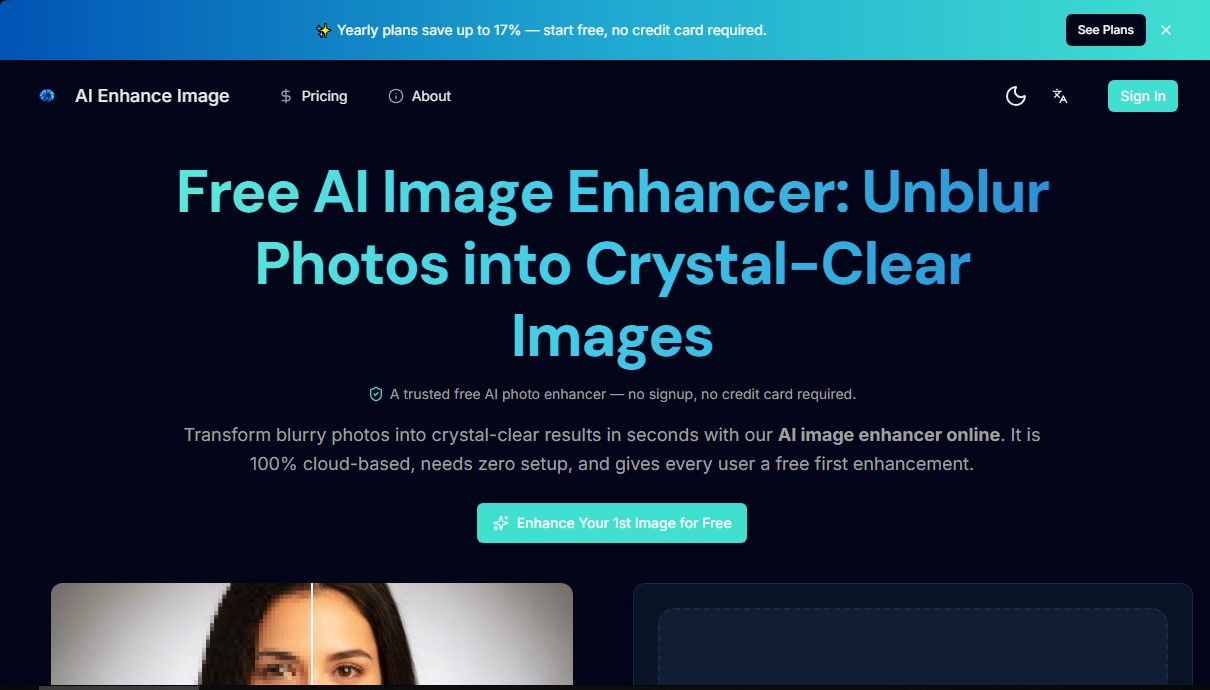
Enhance your photo quality by increasing resolution to 4K. Fix blur, remove noise, and restore old images quickly online.
General Information about AI Enhance Image.com
AI Enhance Image.com is a cloud-based platform designed to improve the quality of visual files using advanced artificial intelligence algorithms. Its primary function is to transform blurry or low-resolution photographs into sharp, detailed images without the need to install additional software on your computer. This tool is especially useful for users looking to optimize visual resources quickly and professionally, whether for personal projects, digital marketing, or graphic design.
Unlike traditional resizing, which simply stretches pixels and produces blurry results, this application uses deep neural networks to predict real textures, edges, and patterns that were not present in the original file. AI image upscaling technology analyzes the file at the pixel level to identify specific issues such as underexposure, digital noise, or motion blur, applying automatic corrections that maintain the natural look of skin and original textures.
Among its most notable capabilities are:
- Upscale resolution up to 4K and 8K: Allows you to scale JPG, PNG, or HEIC files while preserving sharpness and adding realistic detail.
- Old photo restoration: Automatically recovers facial details, fixes scratches, and revives colors in worn or damaged images.
- Denoise (Noise removal): Eliminates grain in photos taken in low light or with high ISO without destroying edge definition.
- Text and image clarity: Improves readability in screenshots, scanned documents, and PDF files, making words sharper.
- Post-processing for generative art: Acts as an essential optimizer for Midjourney or DALL-E creations, removing the grain typical of these models.
Operating AI Enhance Image is intuitive and takes only a few seconds. Users simply upload the file (supporting formats like WebP, BMP, or TIFF up to 10MB), let the AI analyze and correct the errors, optionally adjust the enhancement level, and download the result. Since it is a 100% cloud-based tool, processing does not consume local resources, allowing for smooth use from any mobile device or modern web browser.
Privacy is a critical aspect of this tool's management; all files are encrypted during transit and permanently deleted from the servers after processing. Thanks to its focus on AI image enhancement, users obtain high-resolution results instantly, optimizing the workflow for creators and editors who require an efficient, secure online photo editing tool with professional-quality results.
Features and Use Cases of AI Enhance Image.com
How AI Enhance Image.com Works
Frequently Asked Questions about AI Enhance Image.com
Can I use AI Enhance Image.com for free?
Yes, you can enhance your first image completely free of charge without having to register or provide any payment information.
What file types can I upload to AI Enhance Image?
The platform supports JPG, PNG, WebP, BMP, TIFF, and HEIC formats with a maximum file size of 10 MB.
What is the maximum resolution AI Enhance Image.com can upscale my photos to?
Our technology uses deep neural networks to increase your image resolution to 4K or 8K quality.
Is my data handled securely on AI Enhance Image?
Your files are safe; all uploads are encrypted, and images are automatically deleted from our servers once processing is complete.
Do I need to install any software on my computer to use the tool?
No installation is required, as the service runs entirely in the cloud from any desktop or mobile browser.
Can AI Enhance Image.com make blurry text more readable?
Yes, our AI reconstructs details in screenshots or scanned documents to make the text sharp and legible.
How do I remove watermarks from downloaded images?
To download results without a watermark, you must subscribe to a monthly plan or purchase a specific credit pack.
How long does it take AI Enhance Image to process a photo?
Most enhancements are completed in under 10 seconds thanks to our optimized cloud-based system.
AI Enhance Image.com Pricing
Free Plan
Price: 0 €
- First image enhancement free—no registration or credit card required.
- Access to quality enhancement, deblurring, and restoration tools.
- Downloads include a watermark.
- File size limit of up to 10 MB.
Starter Plan
Price: 9.9 $ per month (99 $ per year)
- 1,500 credits per month (equivalent to up to 500 sharp upscales).
- Watermark-free downloads.
- Standard processing queue.
- Consumes 3 credits per upscale.
- Option to add extra credits at any time.
Creator Plan
Price: 24.9 $ per month (249 $ per year)
- 3,900 credits per month (equivalent to up to 1,300 sharp upscales).
- Watermark-free downloads.
- Faster processing queue.
- Consumes 3 credits per upscale.
- 30-day money-back guarantee.
Pro Plan
Price: 49.9 $ per month (499 $ per year)
- 7,800 credits per month (equivalent to up to 2,600 sharp upscales).
- Watermark-free downloads.
- Priority processing queue.
- Consumes 3 credits per upscale.
Credit Packs (One-time payment)
Price: From 9.9 $ to 79.9 $
- Starter Pack (9.9 $): 900 credits for up to 300 upscales.
- Creator Pack (29.9 $): 2,700 credits for up to 900 upscales.
- Pro Pack (79.9 $): 8,100 credits for up to 2,700 upscales.
- Credits are valid for 12 months.
AI Enhance Image.com Screenshots