
Share
AI-powered web security scanner that analyzes the attack surface, ports, and file leaks. It delivers technical reports and solutions to remediate critical vulnerabilities.
What is AI QA Monkey?
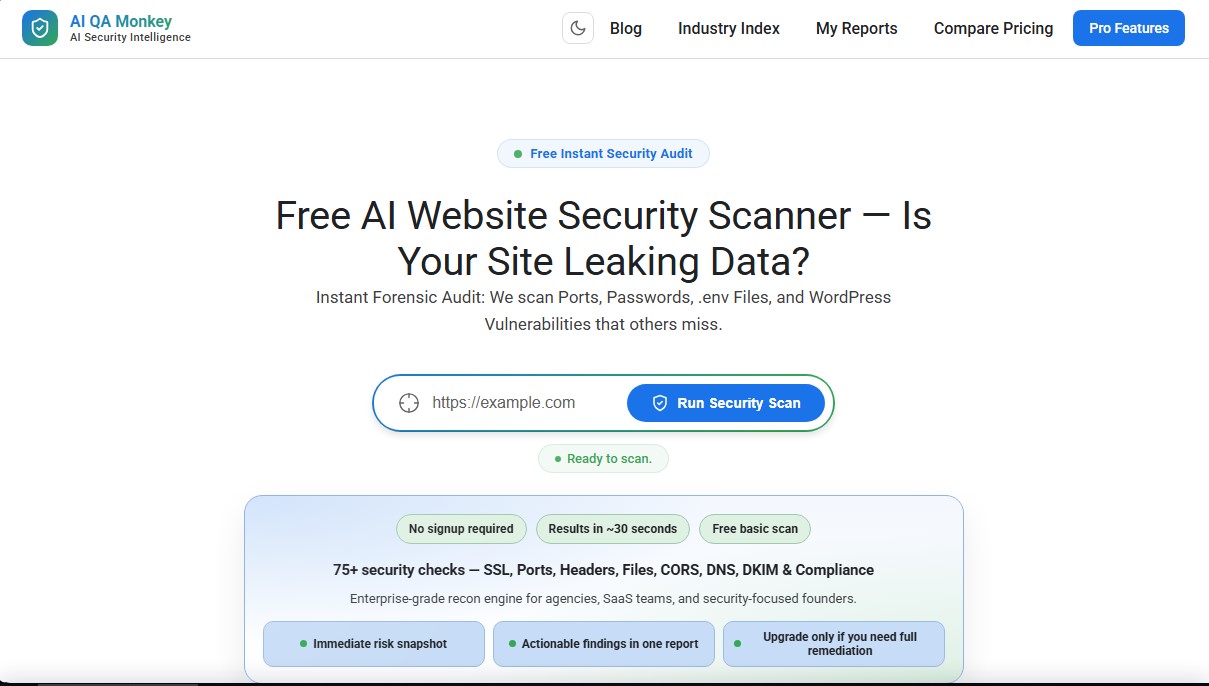
AI QA Monkey is an advanced AI tool designed to perform comprehensive, automated, and accurate web security audits. This AI security scanner allows developers, agencies, and SaaS founders to identify critical vulnerabilities in less than 30 seconds, with no registration required for its basic features. Its enterprise-grade recognition engine analyzes over 75 key checkpoints, including SSL certificates, security headers, open ports, and potential data leaks in sensitive files.
The platform stands out for its focus on applied security intelligence, using algorithms to detect misconfigurations that other conventional scanners often overlook. AI QA Monkey doesn't just identify problems; it employs AI to facilitate immediate remediation. Through the AI Fix Prompt feature, the system generates precise instructions and code that users can copy and paste directly into tools like ChatGPT, Claude, or Cursor, drastically accelerating the bug-fixing process from their computer.
Its most relevant technical capabilities include:
- File leak detection: Locates exposed .env, .git, or backup files that could contain API keys and passwords.
- Port forensics: Scans for open FTP, SSH, or MySQL ports that pose a high risk of intrusion.
- Specialized WordPress recognition: Identifies user enumeration, exposed plugins, and specific vulnerabilities in files like xmlrpc.php.
- Attack surface mapping: Generates an interactive network graph that visualizes subdomains, cloud services (AWS S3, Azure, GCS), and subdomain takeover risks.
- Compliance auditing: Verifies alignment with regulations like GDPR, the OWASP Top 10 standard, and the correct configuration of DNS records (SPF, DKIM, DMARC).
AI QA Monkey operates on a technological fingerprinting engine that automatically identifies CMS versions, frameworks, and server software to detect known vulnerabilities. The interface features an interactive dashboard with severity charts and category radar maps, allowing for a quick visual interpretation of risk status from any mobile or desktop device.
This tool is especially useful for professionals looking for an agile alternative to traditional penetration testing. By integrating HTTP/2 protocol analysis and detecting misconfigurations in CORS and APIs (Swagger, OpenAPI), AI QA Monkey ensures that web infrastructure maintains a robust security profile. Results can be exported in JSON or CSV formats, facilitating integration into technical workflows or the use of information in external development tools. Notably, its risk scoring system provides a clear and actionable view to immediately improve the defensive posture of any digital asset.
AI QA Monkey features and use cases
How to use AI QA Monkey
AI QA Monkey FAQ
What is AI QA Monkey, and what kind of security analysis does it perform?
It is an advanced reconnaissance engine that runs over 75 automated checks to detect open ports, exposed sensitive files, and critical vulnerabilities in web applications.
Do I need to register to use the AI QA Monkey scanner?
No registration or account creation is required to perform a basic security scan and receive an immediate risk score.
How long does it take for AI QA Monkey to generate scan results?
The system is optimized to deliver comprehensive results and an attack surface map in approximately 30 seconds.
Which specific files can this tool detect to prevent data leaks?
The scanner actively searches for exposed confidential files, such as .env environment files, .git directories, and backups that may contain API keys or passwords.
How does AI QA Monkey help fix the vulnerabilities it finds?
Every report includes a button to copy the solution and an AI prompt designed to be pasted directly into ChatGPT or Claude to get the fix code instantly.
Does AI QA Monkey offer specific protection for WordPress sites?
Yes, the system performs user enumeration checks, detects exposed plugins, and locates vulnerable configuration files like wp-config.php.
Which network and DNS elements does the tool analyze during the process?
It analyzes SPF, DKIM, and DMARC records for email security, while also identifying forgotten subdomains and potential CNAME hijacking risks.
What is the pricing model for obtaining detailed AI QA Monkey reports?
The basic scan is free, and full professional reports cost a one-time fee of $29, allowing you to avoid recurring monthly subscriptions.
Can the system detect misconfigurations in cloud storage services?
The tool identifies AWS S3 buckets, Azure Blob containers, and Google Cloud Storage references that may be publicly leaking data.
Does AI QA Monkey comply with international security standards and regulations?
The scan maps findings to regulations such as GDPR, PCI DSS, and ISO 27001, thoroughly verifying security headers, cookies, and SSL encryption.
AI QA Monkey pricing and plans
Free Plan
Price: 0 $
- Instant basic security scan with no registration or credit card required.
- Over 75 automated security checks (SSL, ports, headers, sensitive files, CORS, DNS, and compliance).
- Results in approximately 30 seconds.
- Includes risk scoring, findings summary, and vulnerability count by severity level.
Full Report (Pro)
Price: 29 $ (one-time payment per report)
- Access to the detailed report with actionable remediation steps.
- Interactive external attack surface map and "Kill Chain" visualization.
- "AI Fix Prompts": AI-generated code instructions to copy and paste directly into ChatGPT, Cursor, or Claude.
- Report exports in professional branded PDF, JSON, or CSV formats.
- Advanced detection of cloud storage leaks (S3, Azure, GCS) and subdomain takeover risks.
- Integrated compliance mapping (OWASP Top 10, GDPR, ISO 27001, PCI DSS, and SOC 2).
- Includes official WordPress plugin for scheduled scans and email alerts.
- Restrictions: Pay-per-report model; not a recurring subscription.
AI QA Monkey Screenshots
AI QA Monkey user reviews
Write a review
Checking your session...
AI QA Monkey Reviews
Loading reviews...
AI QA Monkey alternatives


Mel By Skymel
Tracks open-web signals to build knowledge graphs. Generates intelligence reports and databases, and monitors relevant changes for any target.




Velivo One
Monitor AI engine mentions, verify accuracy, and manage your brand's SEO, local presence, and social media to optimize visibility and digital reputation.