
Share
AI agent that executes mobile app tasks via text. Automates management, bookings, and routines by autonomously operating a cloud phone.
What is Airtap?
Airtap is an artificial intelligence agent designed to interact autonomously with mobile applications via text message. Unlike other assistants that operate exclusively in web browsers, this tool uses a cloud-based Android phone to execute tasks directly within the apps users already use every day. Its primary function is to act as a personal assistant to whom complex actions can be delegated using natural language, eliminating the need for repetitive manual management on a mobile device.
Airtap’s operation is based on creating a private instance of an Android device in an isolated container. Users do not need to download any additional applications, as communication takes place via iMessage, Telegram, or SMS. Once configured, the AI agent is capable of tapping, typing, and scrolling through the interface of any application installed on that virtual terminal. For tasks requiring supervision, the service offers an advanced mode accessible from any computer via a browser, allowing users to see in real time how the agent operates the device through a live screen stream.
One of the tool's most powerful capabilities is the creation of custom automation routines. Users can program recurring tasks without needing to know how to code. Key practical applications include:
- Searching for and booking flights by specifying price and seat preferences.
- Managing digital coupons and loyalty offers in grocery or banking apps.
- Automatically applying for jobs on platforms like LinkedIn using the Easy Apply feature.
- Monitoring financial markets and relevant news with daily summaries.
- Researching rental listings and collecting viral content on social media.
Security is a fundamental pillar of Airtap’s architecture. The system guarantees user privacy through the total isolation of each cloud device, ensuring that no outside party can access the session. Furthermore, the tool's technology is designed so that the agent is cryptographically unable to read secure fields, such as passwords or credit card numbers, during login. Credentials are not stored on the servers, and sessions are deleted when the account is closed, maintaining data integrity.
This mobile task automation solution is ideal for professionals looking to optimize their time and users who want to simplify tedious digital tasks. By integrating into standard messaging threads, it allows users to approve actions with a single tap and receive confirmations once tasks are completed. It is an AI productivity tool that transforms the concept of a virtual assistant into a real-world executor of processes within the mobile application ecosystem.
Airtap features and use cases
How to use Airtap
Airtap FAQ
What exactly is Airtap and how does it work?
Airtap is an AI assistant that manages Android apps in the cloud for you via text message.
Do I need to download an app to start using Airtap?
No downloads are necessary. The tool works directly through iMessage, SMS, or Telegram using your preferred messaging app.
What kind of tasks can I delegate to Airtap?
You can ask it to book flights, search for rental listings, apply for jobs on LinkedIn, or automatically collect discount coupons.
Are my data and passwords secure when using Airtap?
Yes. The platform does not store your passwords, and the system is cryptographically locked so it cannot read security fields or payment information.
How do I set up an automated routine in Airtap?
Once the agent successfully completes a task, you can save it as a routine directly from the chat so it repeats automatically on the schedule you choose.
Can I monitor what Airtap is doing in real time?
Yes. By using the advanced mode in the web app, you can view your cloud-based phone screen in real time while the agent works.
Is there a cost to use Airtap?
The tool is currently free for a limited time, though daily usage limits are in place to ensure the system runs smoothly.
What happens if Airtap doesn't know how to answer a question during a task?
For complex tasks like job applications, the agent will pause and message you for the necessary information before proceeding.
Airtap pricing and plans
Free Version
Price: Free (for a limited time while the tool is in development).
Use a real Android phone in the cloud to run and automate mobile apps.
Direct natural language interaction via iMessage, SMS, RCS, and Telegram.
Advanced Mode: Access a web dashboard to monitor real-time device streaming.
Visual routine builder to schedule recurring tasks without any code.
Full task history with step-by-step tracking of agent actions.
Access to pre-configured routines (LinkedIn job searches, discount coupons, flight tracking, etc.).
Built-in security with cryptographic locking for sensitive fields like passwords or credit cards.
Restriction: Subject to daily usage caps.
Please visit the official website for updates on pricing structure or enterprise plans.
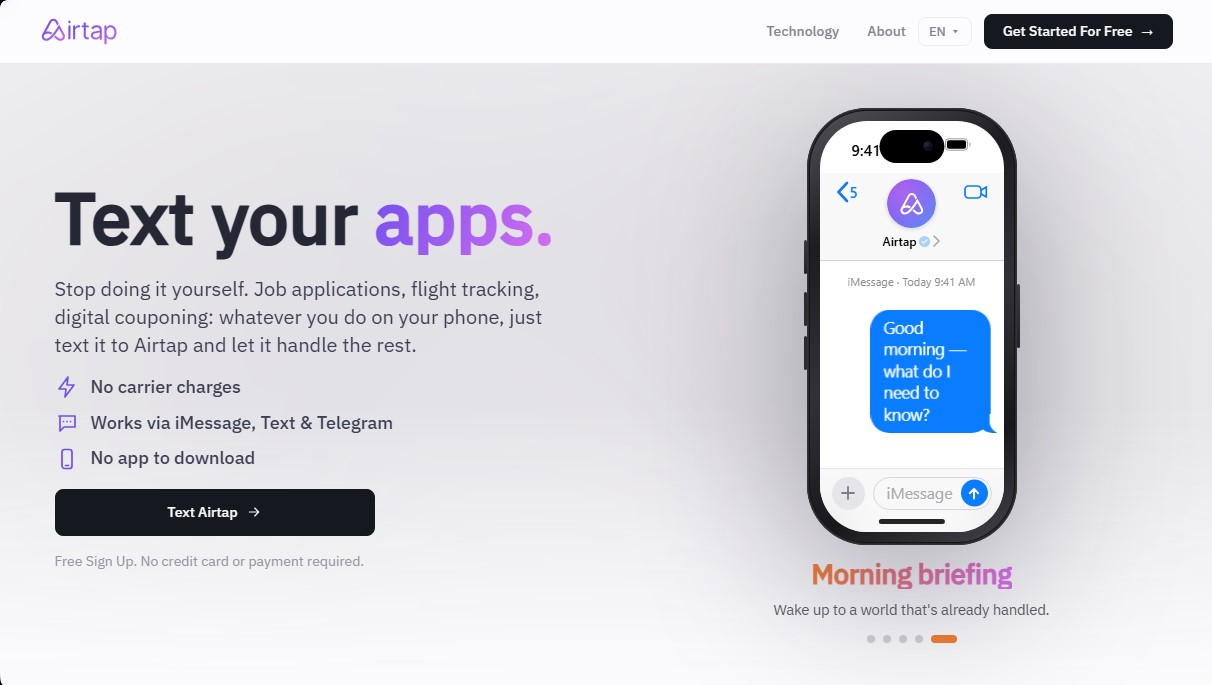
Airtap Screenshots
Airtap user reviews
Write a review
Checking your session...
Airtap Reviews
Loading reviews...
Airtap alternatives

TextCortex
Enterprise platform to build, deploy and govern no-code AI agents connected to company knowledge bases and tools.





Browserbase
Cloud headless browser platform and web APIs that let AI agents browse, log in, fill in forms and extract data from websites at scale.