Aria browser AI
Share
Aria browser AI
Built-in browser assistant to summarize pages, analyze files, and generate images. Provides real-time answers and contextual assistance while you browse.
General Information about Aria browser AI
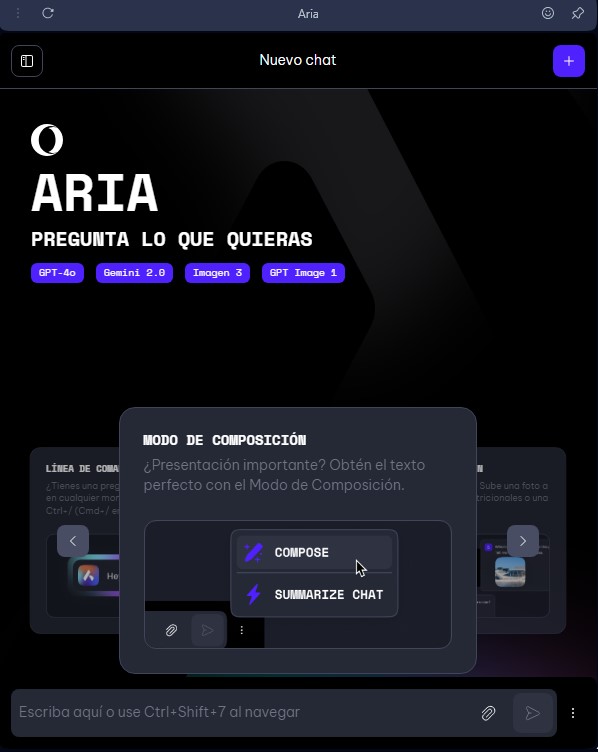
Aria browser AI is the native artificial intelligence assistant developed by Opera, designed to be integrated directly into the browser interface rather than functioning as an external or standalone tool. This solution utilizes a multi-LLM infrastructure, combining advanced models like OpenAI’s GPT-4o and Google technologies such as Imagen 3, allowing it to act as a versatile browsing copilot on both desktop (Windows and Mac) and mobile devices running Android and iOS.
Unlike other conventional chatbots, this tool stands out for its agentic and contextual AI capabilities. By being integrated into the browser’s core, Aria can interact in real time with the content of the user’s open tabs. This enables, for instance, summarizing long articles, comparing product specifications across different websites, or analyzing specific data from the page being viewed without the need to manually copy and paste text.
Its functional capabilities and practical benefits include:
- File and document analysis: Users can upload PDF files or images for the AI to extract key data, explain complex concepts, or generate executive summaries instantly.
- AI image generation: It integrates creative functions to produce high-quality visual content from text descriptions directly within the chat.
- Advanced YouTube integration: The assistant is capable of processing video transcripts to answer specific questions about audiovisual content or synthesize the main points discussed in a video.
- Voice input and output: It facilitates natural interaction, allowing users to dictate queries and hear the assistant's responses read aloud.
To optimize productivity, Aria browser AI offers a quick-access system via a command line (shortcut Ctrl + / or Cmd + /) and a constant presence in the browser’s sidebar. Its architecture allows it to perform real-time web searches, ensuring that the information provided is always up to date—an essential feature for research tasks, code debugging, or professional copywriting.
The tool's use is flexible; while registration is not mandatory, signing in with an Opera account enables cross-device synchronization and chat history storage. Regarding data management, the system is designed to respect user privacy, ensuring that processed information is not used to train external models. This deep integration makes Aria an efficient solution for users looking to enhance their digital workflow without leaving their usual browsing environment.
Features and Use Cases of Aria browser AI
How Aria browser AI Works
Frequently Asked Questions about Aria browser AI
What exactly is Aria browser AI, and how does it work?
Aria is Opera's native AI assistant that acts as a browsing copilot built directly into the browser's interface.
Do I need to pay for a subscription to use Aria?
No, this tool is completely free and doesn't require a monthly subscription, although creating an Opera account allows you to save your chat history.
How can I quickly open Aria browser AI on my computer?
You can access the assistant by pressing Ctrl + / on Windows or Cmd + / on Mac, or by clicking the icon in the sidebar.
Can Aria summarize the content of a webpage or a PDF file?
Yes, thanks to its contextual awareness, the assistant can analyze the text of your active tab or uploaded files to extract the key points.
¿Permite Aria browser AI la creación de imágenes mediante inteligencia artificial?
Efectivamente, puedes generar imágenes de alta calidad directamente desde el chat, con un límite diario que aumenta si inicias sesión con tu cuenta.
Does Aria browser AI allow for AI image generation?
Yes, you can generate high-quality images directly within the chat. There is a daily limit, which increases if you sign in to your account.
Can I interact with Aria browser AI using voice commands?
Yes, the assistant supports voice input so you don't have to type, and it can also read its responses aloud.
Does Aria have access to real-time information from the internet?
Yes, the assistant constantly searches the web to provide up-to-date information and help you browse more efficiently.
Can I disable Aria browser AI if I don't want to use it?
Yes, you can hide or disable the AI features at any time through the settings menu in your Opera browser.
Aria browser AI Pricing
No Opera Account Plan: Free
- Full AI access and real-time contextual browsing.
- Image generation: Limit of 5 images per day.
- Restriction: Chat history is not saved.
- Restriction: No cross-device syncing.
Free Opera Account Plan: Free
- Full AI access and browsing co-pilot features.
- Image generation: Limit of 100 images per day.
- Chat history is permanently saved.
- Data syncing between desktop and mobile versions.
- File analysis (PDFs and images) and YouTube transcript reading.
- Voice input and output available.
Aria browser AI Screenshots