Atlassian Rovo
Share
Atlassian Rovo
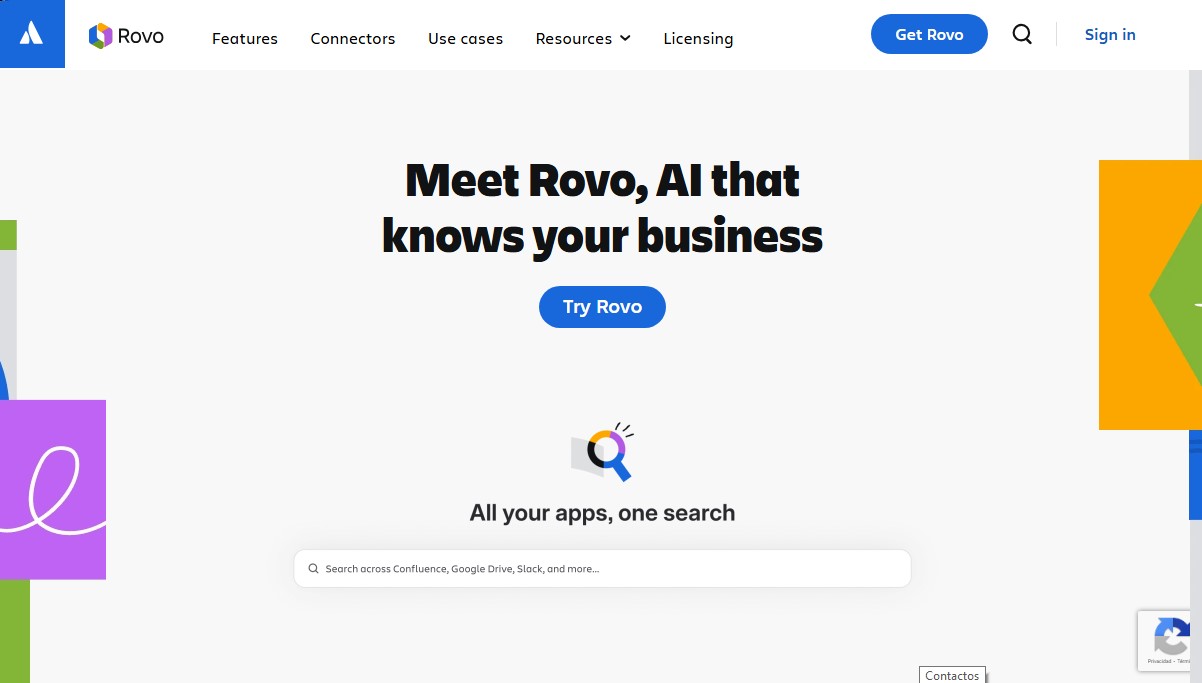
AI that unifies search across SaaS apps, answers questions via chat, and automates tasks with specialized agents to optimize team productivity.
General Information about Atlassian Rovo
Atlassian Rovo is an artificial intelligence solution designed to centralize and empower corporate knowledge within engineering, marketing, and operations teams. This tool functions as an intelligence engine that connects data scattered across various SaaS applications to facilitate decision-making and the execution of complex tasks. Its architecture is based on the Teamwork Graph, a data layer that links teams, projects, and tools, allowing the AI to understand the specific context of each organization.
The enterprise search functionality of Atlassian Rovo allows users to locate critical information in seconds, tracking content across both Atlassian products and external platforms, including Google Drive, GitHub, Slack, Figma, and Microsoft Teams. Thanks to its SaaS connectors, the system eliminates information silos, offering precise answers and knowledge cards that summarize key company concepts directly in the browser or on the desktop.
The system relies on three fundamental operational pillars to improve productivity:
- Rovo Chat: An interactive assistant that allows users to dive deeper into research, generate summaries, and execute direct actions—such as creating Jira tickets or drafting messages for communication channels—based on real-time workflow information.
- Rovo Agents: Specialized AI agents that automate specific processes. These agents can act as task organizers, release note writers, or triage assistants for support teams.
- Rovo Studio: A configuration environment where users can build and customize their own agents and automations, with or without code, tailoring the technology to their team's specific needs.
Regarding technology and security, Atlassian Rovo is deployed on the Atlassian cloud platform, complying with international standards such as SOC 2 and ISO 27001. The tool follows a responsible AI approach, providing advanced access and data residency controls so administrators can manage privacy at scale.
This application is especially useful for organizations looking to optimize their workflow and reduce the time spent searching for documents or manually syncing tasks. By integrating natively into tools like Confluence or on mobile, Atlassian Rovo ensures that global company knowledge is available wherever the team works, transforming static information into actionable assets for daily operations. It is worth noting that its ability to quickly index third-party data makes it one of the most robust productivity tools for human and artificial collaboration.
Features and Use Cases of Atlassian Rovo
How Atlassian Rovo Works
Frequently Asked Questions about Atlassian Rovo
What is Atlassian Rovo and how does it help my team?
It is an AI solution that connects your apps to make searching for information easier, answer questions through chat, and automate workflows using agents.
Which subscription plans include Atlassian Rovo?
It is included in the Standard, Premium, and Enterprise Cloud plans for products such as Jira, Confluence, and Jira Service Management.
What types of external apps can I connect with Atlassian Rovo?
You can connect popular tools like Google Drive, Microsoft Teams, Slack, GitHub, Figma, and SharePoint so the AI has access to your company's entire knowledge base.
How does Atlassian Rovo protect data privacy and security?
The tool is guided by responsible technology principles and holds SOC 2 and ISO 27001 compliance certifications to ensure your data is always protected.
Can I create custom agents without any coding knowledge?
Yes, using Rovo Studio, any user can design custom agents and automations for their team without needing to write code.
What happens if my organization decides to disable AI features?
If AI is disabled, search and Studio features will remain operational, but Atlassian Rovo’s chat and agents will no longer be available.
Can I use Atlassian Rovo if my company still uses Data Center?
While AI features require a Cloud environment, there are specific connectors available that allow you to sync Data Center data to leverage Rovo’s capabilities.
Atlassian Rovo Pricing
Free Trial
Price: 0 € (Trial version available).
- Allows you to test Rovo's search, chat, and agent capabilities before committing to a paid plan.
Standard
Price: 20 $ per developer per month.
- 2,000 Rovo Dev credits per developer per month.
- Rovo Search: Intelligent search across Atlassian applications and third-party connectors (Google Drive, GitHub, Slack, etc.).
- Rovo Chat: Interactive chat to get answers, summarize information, and take actions in Jira or Slack.
- Rovo Agents and Studio: Access to specialized AI agents and tools to create custom no-code agents.
- AI in the terminal and AI-assisted code review.
- CLI session management and support for multiple models.
- 9-to-5 regional support.
- Limits: Additional credit usage costs 0,01 $ per credit. Requires an Atlassian Cloud plan (Standard, Premium, or Enterprise) for Jira, Confluence, or Jira Service Management.
Premium and Enterprise
Price: Check the official website.
- Available for organizations with Premium or Enterprise plans for Atlassian Cloud products.
- Includes advanced admin controls, security, and AI governance.
- Large-scale data synchronization via Teamwork Graph.
- For specific rates and credit limits at these tiers, contact the sales team or review the corresponding Atlassian subscription.
Atlassian Rovo Screenshots