Autonoma
Share
Autonoma
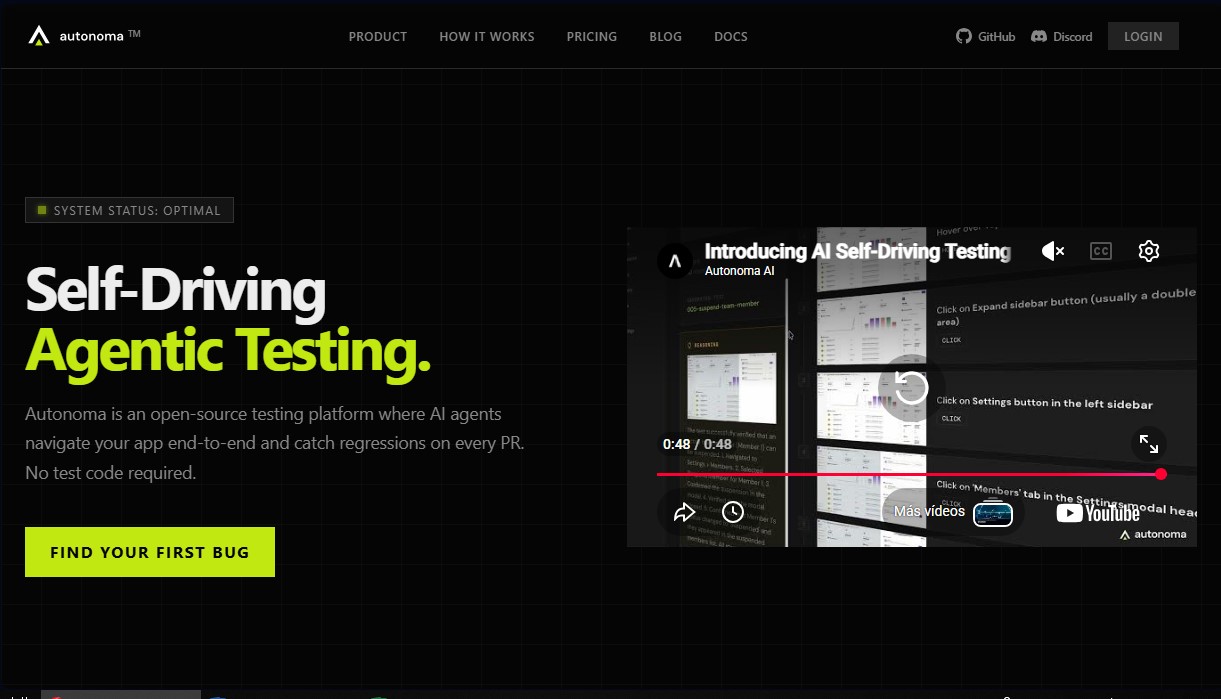
Open-source platform using AI agents for no-code end-to-end testing. Automatically detects bugs in web and mobile applications.
General Information about Autonoma
Autonoma is an open-source end-to-end (E2E) testing platform designed to automate quality assurance through AI agents. Unlike traditional testing tools that require manual scripting, this solution enables AI agents to autonomously navigate applications to detect regressions within every pull request (PR). Its primary focus is to eliminate the overhead of creating and maintaining test code, helping web and mobile development teams maintain a rapid deployment pace without compromising system stability.
Autonoma works by integrating directly with your GitHub repository. Once connected, the tool analyzes the source code to automatically map all pages, user flows, and edge cases, generating a comprehensive test plan in just minutes. This technology goes beyond simply reading code; the agents interact with the application in real-time through web browsers and mobile devices—clicking elements, filling out forms, and validating the user interface just like a real person would.
Key capabilities of this agentic testing platform include:
- Autonomous Navigation: Agents execute complex flows and validate software performance from end to end.
- Self-Healing Adaptability: By understanding application logic rather than just selectors, tests automatically adapt as the interface evolves, eliminating failures caused by minor design changes.
- Parallel Execution: Run thousands of tests simultaneously on mobile or web, significantly accelerating developer feedback loops.
- Universal Compatibility: Works with any stack, including React, Next.js, Flutter, React Native, and Swift.
The tool integrates seamlessly into the CI/CD workflow. Every time code is submitted, Autonoma runs tests in preview environments (such as Vercel) and reports results directly within the PR. If a bug is detected—such as a button that stops responding after an update—the system provides precise details for an immediate fix. Additionally, it connects with tools like Slack and Linear to streamline team communication.
From a technical and security standpoint, Autonoma acts as an intelligent execution layer that manages environment provisioning and data seeding. It features SOC 2 Type II certification, end-to-end encryption, and support for SSO and RBAC. As an open-source solution, users have the option to self-host the platform on their own infrastructure, ensuring total control over their data and quality processes. It is the ideal tool for engineers looking to eliminate manual QA bottlenecks and ensure every deployment is reliable.
Features and Use Cases of Autonoma
How Autonoma Works
Frequently Asked Questions about Autonoma
What exactly is Autonoma and how does it work?
It is an open-source testing platform where AI agents navigate your application end-to-end to detect regressions on every code change without the need to write scripts.
How is Autonoma different from traditional tools like Playwright or Appium?
Unlike Playwright, where you must manually code and maintain every test, Autonoma uses agents that understand your application, generate test plans, and adapt automatically when the UI changes.
Do I need to write code to create tests in Autonoma?
No test coding is necessary because the tool analyzes your GitHub repository, maps user flows, and runs agents in real browsers completely autonomously.
What platforms and programming languages does the tool support?
Autonoma works with any web or mobile application regardless of the tech stack, including frameworks like React, Next.js, Vue, Flutter, and React Native, as well as languages like Swift.
Is Autonoma an open-source platform?
Yes, the Autonoma agent is fully open-source and allows you to host the entire platform on your own infrastructure for free with no feature limits.
How does Autonoma handle frequent UI changes?
AI agents understand the application's intent rather than relying on fixed selectors, allowing tests to self-adapt as the design evolves without breaking or requiring manual maintenance.
Is it safe to connect my GitHub repository to the platform?
It is completely secure; it operates as a standard GitHub App with audited permissions, is SOC 2 Type II certified, and uses end-to-end encryption to protect your code.
Is there a free version to start using Autonoma?
Yes, you can start for free with 100,000 initial credits to test the tool without needing to enter a credit card.
Can I run Autonoma tests locally?
Yes, because it is open-source, you can deploy the tool anywhere you like, though the cloud version offers infinite parallel execution to finish tests in just a few minutes.
How are test results integrated into my workflow?
Autonoma integrates directly into your GitHub pull requests, displaying the results of tested flows and notifying you of any detected errors through channels like Slack or Linear.
Autonoma Pricing
Free
0 $
- 100,000 credits to get started.
- No credit card required.
- GitHub integration.
- Web, iOS, and Android testing.
- Unlimited users.
- Slack channel integration.
Cloud
499 $/month
- 1,000,000 monthly credits.
- GitHub integration.
- Web, iOS, and Android testing.
- Unlimited users.
- Single Sign-On (SSO) and Role-Based Access Control (RBAC).
- Slack channel integration.
- Priority support.
- Managed infrastructure.
- Purchase additional credits at 100 $ per 150,000 credits (auto-recharge option available).
Self-hosted
Free (runs on your own infrastructure)
- Permanent unlimited usage.
- GitHub integration.
- Web, iOS, and Android testing.
- Unlimited users.
- Slack channel integration.
- SSO and RBAC.
- Priority support.
- User-managed infrastructure.
Autonoma Screenshots