Share
DocGPT
Integrate AI into Google Workspace to automate tasks, generate content, and analyze data across spreadsheets, documents, and emails.
General Information about DocGPT
DocGPT is a suite of productivity tools designed to integrate artificial intelligence directly into the Google Workspace ecosystem. This solution allows users to leverage advanced AI models without leaving everyday applications like Google Sheets, Google Docs, Slides, Forms, and Gmail. Its primary function is workflow automation, content generation, and deep data analysis, making it an essential component for professionals looking to optimize their performance through the use of generative AI.
The technology behind DocGPT.ai is based on connections to various large language models (LLMs), allowing users to choose from options such as OpenAI’s GPT, Anthropic’s Claude, and Google’s Gemini. This versatility ensures that information processing is handled by the most suitable engine for each task, whether it is creative writing, logical analysis, or massive data processing. The integration runs natively, enabling the artificial intelligence to act as a built-in assistant within the standard work interface.
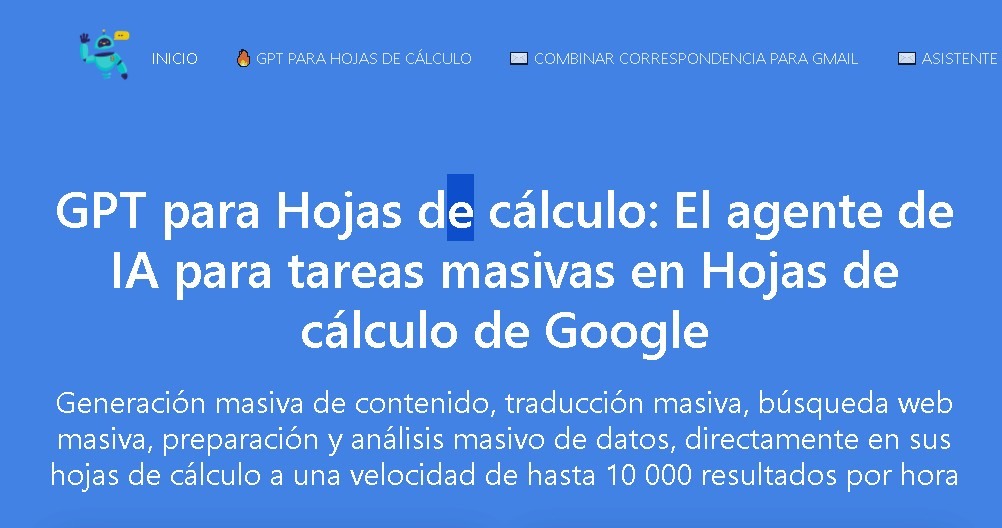
In the realm of Google Sheets, the tool stands out for its batch processing capabilities. By using custom functions like =GPT(), it is possible to automate tasks across thousands of rows simultaneously. Some of its core capabilities include:
- Automatic generation of SEO meta descriptions and optimized copy.
- Classification and categorization of large volumes of data and inventories.
- Cleaning, normalizing, and extracting information from databases.
- Automatic translation of entire columns into multiple languages.
- Sentiment analysis and summarization of comments or reviews.
Beyond spreadsheets, DocGPT extends its functionality to the rest of the Google suite. In Google Docs, it works as an assisted writer to create drafts, refine styles, or expand on ideas. For Google Slides, it streamlines presentation building by generating content for slides. In Gmail, it enables faster email management by drafting suggested replies and summarizing long message threads. Finally, its integration with Google Forms facilitates the intelligent setup of forms and surveys.
The practical benefits of DocGPT.ai focus on eliminating repetitive tasks and centralizing processes. By removing the need to copy and paste information between different tabs or external applications, it drastically reduces operational friction. It is a tool designed for marketing specialists, data analysts, writers, and administrative managers who need to automate complex workflows and improve overall productivity within their computer or cloud-based work environment.
Features and Use Cases of DocGPT
How DocGPT Works
Frequently Asked Questions about DocGPT
What are the main features of DocGPT?
DocGPT is an AI suite that integrates with Google Workspace to automate tasks, generate content, and analyze data across Sheets, Docs, Slides, and Gmail.
How does DocGPT help improve productivity in Google Sheets?
It allows you to use custom functions to generate text, categorize information, translate cells, and automatically process thousands of rows of data.
Which AI models can be used with DocGPT?
The platform provides access to several leading models, such as OpenAI's GPT, Anthropic's Claude, and Google's Gemini, all from a single interface.
Can I create presentations or forms using DocGPT?
Yes, the suite includes specific tools for generating content in Google Slides and streamlining the creation of smart forms in Google Forms.
What are the current pricing options and plans for DocGPT?
Monthly plans start at $19, with enterprise options offering unlimited queries and a one-time lifetime payment plan for $249.
Is there a way to try DocGPT for free?
Many plans include 1,000 initial free queries, allowing new users to test the AI's capabilities before subscribing.
Can I draft email replies with DocGPT?
Yes, the Gmail integration allows you to draft new emails and generate automated replies using AI directly within your inbox.
Does DocGPT support batch data processing?
The tool is designed to process up to thousands of rows simultaneously in spreadsheets for tasks like data cleaning, analysis, or generating SEO metadata.
DocGPT Pricing
Free Trial: 1,000 free queries to start, allowing you to test the platform at no cost.
Starter Plan: Approximately $19.99 per month.
- Includes about 1,000 monthly AI queries.
- Integration with Google Workspace (Sheets, Docs, Slides, Forms, and Gmail).
- Basic content generation and automation features.
Pro Plan: Approximately $29.99 per month.
- Higher monthly query volume.
- Access to advanced AI models (GPT, Claude, Gemini, among others).
- Enhanced productivity and data analysis features.
Business Plan: Approximately $39.99 per month.
- Unlimited AI queries.
- Full access to all suite features.
- Batch data processing and advanced cleaning and scraping tools.
Lifetime Plan: $249 (one-time payment).
- Full, permanent access to all tools.
- No monthly subscription fees.
- Includes all features from the top-tier plans for life.
DocGPT Screenshots