Share
What is Dzine?
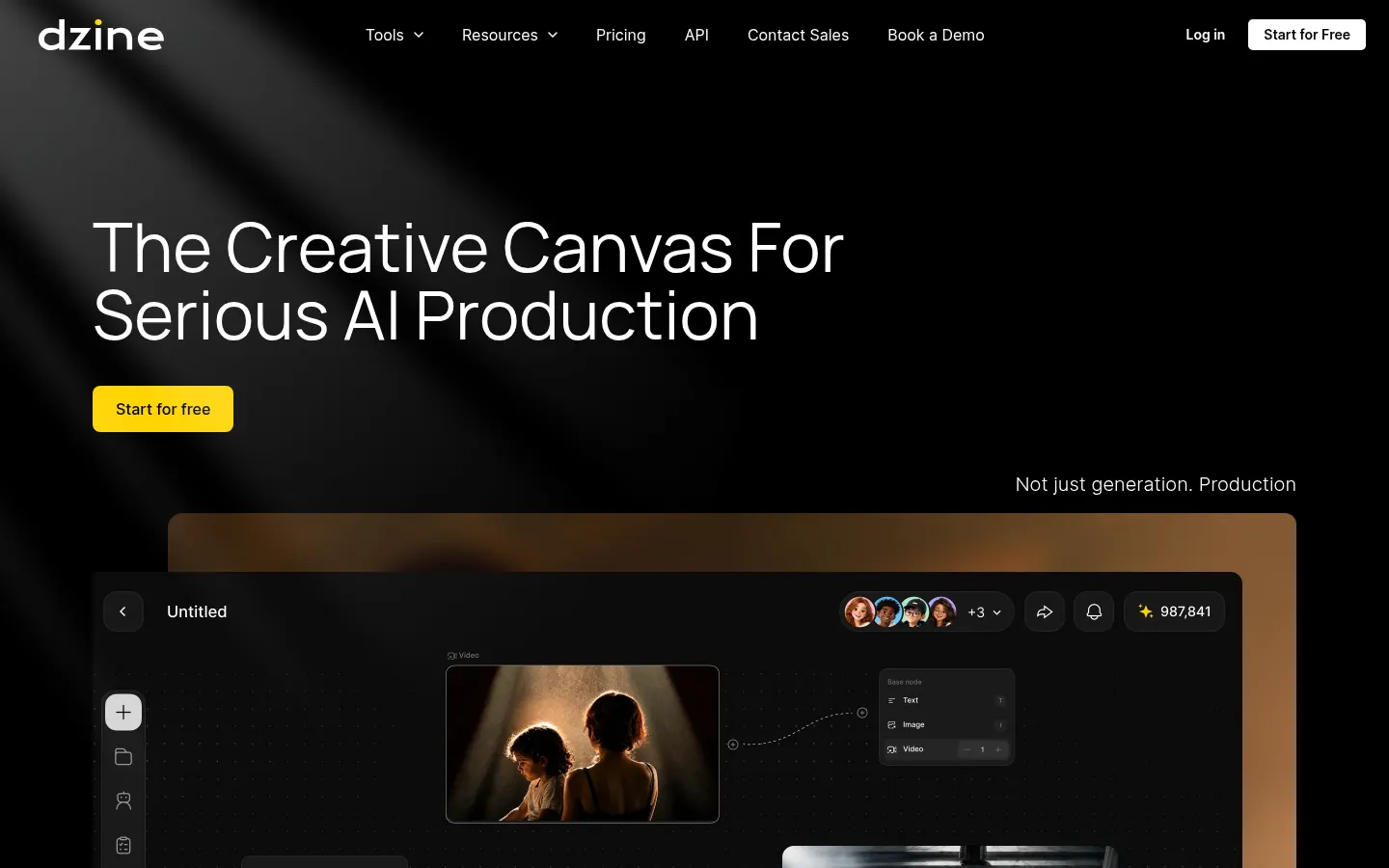
Dzine is an AI creative canvas for generating and editing images and videos, built for designers, animation studios, game teams and creators who handle visual production from first idea to final cut. It brings many third-party image and video models together with its own editing, enhancement and collaboration tools in one workspace.
What is Dzine used for?
You can create images from text, edit specific regions, turn images or scripts into video, enhance image and video quality, swap faces and apply lip sync, including multi-character scenes. It gives access to models such as Nano Banana, GPT Image, Seedream, Ideogram, Flux, Midjourney and Seedance from the same interface. A standout feature is consistent characters: from one reference you get views, outfits and expressions that stay on model across every shot.
How does Dzine handle team production?
The canvas is shared, so directors, designers and clients work from the same source of truth in real time. Dzine keeps a verifiable record of the process covering references, prompts, model choices, edits, approvals and contributors, and an AI layer helps flag potential copyright risks, likeness or trademark issues with visual matches. You can break scripts into structured scenes, capture motion from live performances and assemble your own crew of AI agents. An API is available too.
Who is Dzine for?
- Animation studios and AI filmmakers who need consistency between shots.
- Game character designers.
- Fashion brands exploring patterns and mockups per collection.
- Solo creators who want many models without switching tools.
Dzine pros and cons
Pros: many models on one canvas, full history and rights tracking, and strong handling of recurring characters. Cons: everything draws on a single credit balance and high-resolution video burns through it quickly; the sheer number of options can overwhelm someone who just wants a quick image; and rights-risk detection is an aid, not a legal guarantee.
Dzine features and use cases
How to use Dzine
Dzine FAQ
What is Dzine?
Dzine is an AI creative studio that combines image and video generation and editing, consistent characters and team collaboration on one canvas.
Is Dzine free?
There is a free tier with daily credits plus several paid tiers with more credits. See the pricing section.
Does Dzine have an API?
Yes, Dzine offers an API to bring its generation tools into other products.
Which AI models does Dzine include?
Among others, Nano Banana, GPT Image, Seedream, Ideogram, Flux, Midjourney and Seedance for video.
How does Dzine keep characters consistent?
From a single reference it builds reusable views, outfits and expressions that stay the same in every scene.
Can I use Dzine images commercially?
Paid tiers include commercial use and private generation according to its comparison table.
What does the copyright risk check do?
It looks for visual matches and flags possible rights, likeness or trademark issues, but it does not replace legal review.
Can teams work together in Dzine?
Yes, the canvas is shared in real time and logs who changed what and what was approved.
Does Dzine work in other languages?
The interface is in English, but you can write prompts in other languages; results depend on the chosen model.
What are the best Dzine alternatives?
On GptZone you can compare Leonardo AI, Krea AI and OpenArt for multi-model image generation and editing.
Dzine pricing and plans
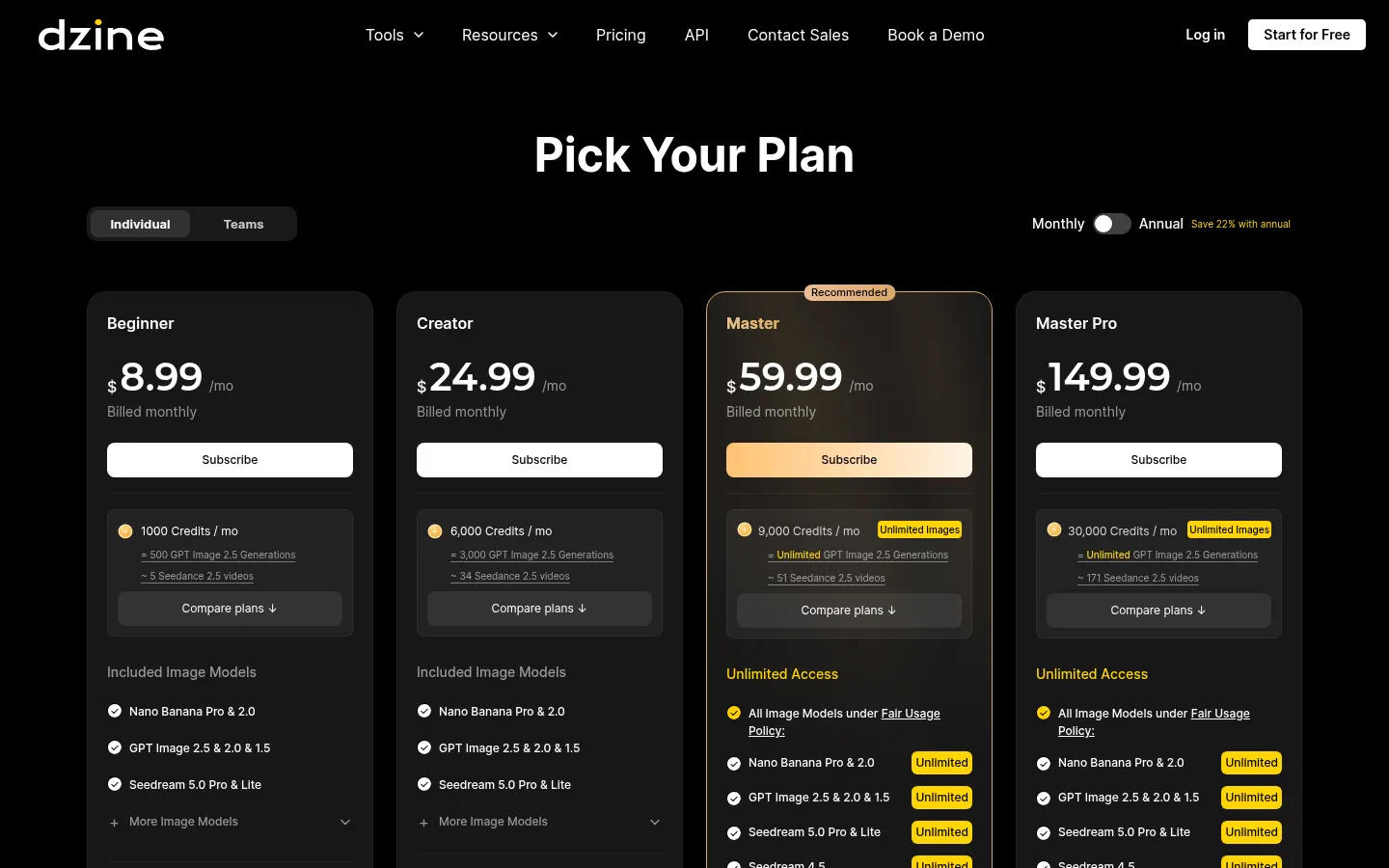
Reference price: 8.99 USD / month. Source · Verified: November 7, 2026
Official pricing in USD (Checked on: 07/11/2026). One credit balance for image, video and other tools. Save 22% yearly. Free tier with daily credits.
- Beginner: $8.99/month ($84/year) — 1,000 credits/month, 10 GB, 10 characters, no credit rollover.
- Creator: $24.99/month ($240/year) — 6,000 credits/month, rollover up to 3 months.
- Master: $59.99/month ($600/year) — 9,000 credits/month, unlimited images under fair use, 100 GB, 60 characters, video upscaling up to 8K.
- Master Pro: $149.99/month ($1,440/year) — 30,000 credits/month, 200 GB, 120 characters, 18 concurrent jobs.
- Teams: per seat, with multi-user canvas and credit distribution.
Dzine Screenshots
Dzine user reviews
Write a review
Checking your session...
Dzine Reviews
Loading reviews...
Dzine alternatives


Easy-Peasy.AI
Easy-Peasy.AI is an AI platform that combines writing, multi-model chat, images, video, voice, transcription and custom chatbots in one account.

Secta Labs
Secta Labs is an AI generator of professional headshots and photoshoots with dozens of styles, quick edits and packs for individuals and companies.