GeekArt Writing
Share
GeekArt Writing
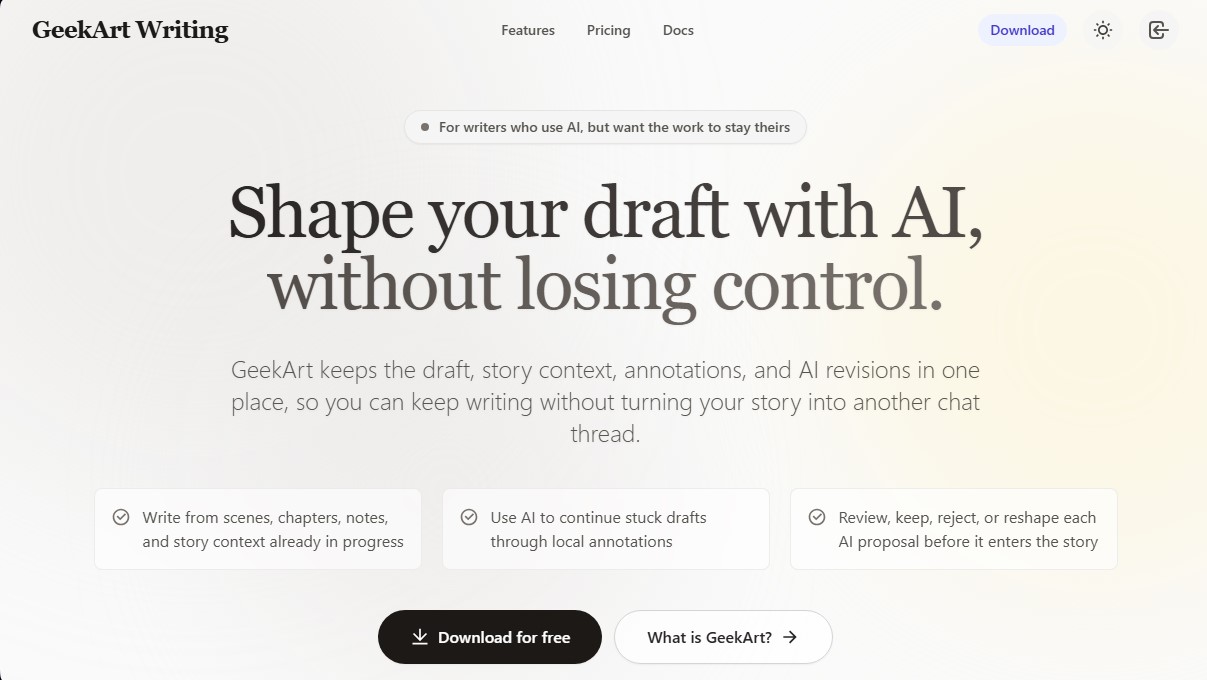
An AI-powered writing space for authors that preserves creative control. Review edit suggestions, use annotations, and listen to your text’s rhythm with voice playback.
General Information about GeekArt Writing
GeekArt Writing is an advanced workspace designed for writers who want to integrate artificial intelligence into their creative process without giving up control of their work. Unlike generic chat tools, this desktop application centralizes drafts, story context, and revisions into a single functional space, preventing the workflow from fragmenting into external conversation threads.
The tool operates through an AI agent capable of interpreting existing scenes, chapters, and notes to offer suggestions consistent with the narrative. Its technological approach is based on direct collaboration on the text: the user selects a passage, and the AI proposes changes based on local annotations or specific instructions regarding pacing, tone, or character motivation. This system allows AI for writers to act as a bridge to move past stuck drafts, ensuring that final judgment always remains with the user.
Key features include:
- Ghost Revision: AI proposals do not automatically overwrite the text. They are presented as suggested edits that the author can review, accept, reject, or modify before permanently integrating them into the manuscript.
- Integrated Story Context: The AI reads and remembers previous details in the document, such as character arcs or past events, eliminating the need to re-explain the context in every interaction.
- Collaboration through Annotations: Users can insert margin notes to guide the AI through specific blocks, transforming vague issues into precise revision instructions to improve consistency or conflict.
- Voice Review (TTS): Includes a high-quality text-to-speech feature designed for the author to hear the rhythm of dialogue and the tension of scenes, making it easier to detect flow issues that go unnoticed when reading on a screen.
GeekArt Writing is especially useful for fiction authors, screenwriters, and copywriters looking for an AI-assisted writing tool that respects their unique voice. By working directly within the writing workspace, it optimizes professional productivity by eliminating the constant exchange of information between documents and external apps. It is an ideal solution for managing complex projects where narrative consistency and editorial control are essential. The software allows for transforming paused drafts into dynamic scenes, always maintaining the author's original vision through a structured and efficient editing interface.
Features and Use Cases of GeekArt Writing
How GeekArt Writing Works
Frequently Asked Questions about GeekArt Writing
What is GeekArt Writing?
GeekArt Writing is a writing environment designed for fiction authors who want to use artificial intelligence as a support tool without losing creative control over their work.
How are AI suggestions integrated into GeekArt Writing?
The tool presents revisions as visual suggestions that you can accept, reject, or manually edit before they become a permanent part of your draft.
What are the margin notes in GeekArt for?
Margin notes allow you to give direct, localized instructions to the AI to adjust specific elements like character motivation, scene tone, or narrative pacing.
Can I listen to my manuscript with GeekArt Writing?
Yes, the platform includes a text-to-speech feature that helps identify unnatural dialogue and issues with the flow of the narration.
What makes this tool different from a conventional AI chat?
Unlike generic chatbots, GeekArt keeps your draft, story context, and revisions in one place, eliminating the need to constantly copy and paste information.
Is GeekArt Writing free to use?
There is a free plan that includes monthly credits and cloud storage without requiring you to enter any credit card information.
What subscription options does GeekArt offer?
The tool features several tiers ranging from the free plan to options for professionals and studios with higher credit limits and more storage.
How does the Ghost Revision feature help my creative process?
This feature lets you see AI-proposed changes transparently, allowing you to keep what fits your style and discard anything that sounds melodramatic or artificial.
Where can I download the GeekArt Writing app?
You can download the desktop app directly from the official website to start working on your projects locally.
What happens if I get stuck on a scene?
You can use GeekArt’s AI to diagnose why a scene isn't moving forward and explore potential continuations that always respect your story’s established context.
GeekArt Writing Pricing
Free Plan: 0 $ per month
1,000 monthly credits.
10 MB cloud storage.
No credit card required.
Basic Plan (Starter): 20 $ per month (or 200 $ per year)
10,000 monthly credits.
200 MB cloud storage.
Includes 2 months free with annual billing.
Pro Plan: 60 $ per month (or 600 $ per year)
33,000 monthly credits.
600 MB cloud storage.
Includes 2 months free with annual billing.
Ultra Plan (Production): 200 $ per month (or 2,000 $ per year)
120,000 monthly credits.
2 GB cloud storage.
Includes 2 months free with annual billing.
GeekArt Writing Screenshots