
Share
What is GitBook?
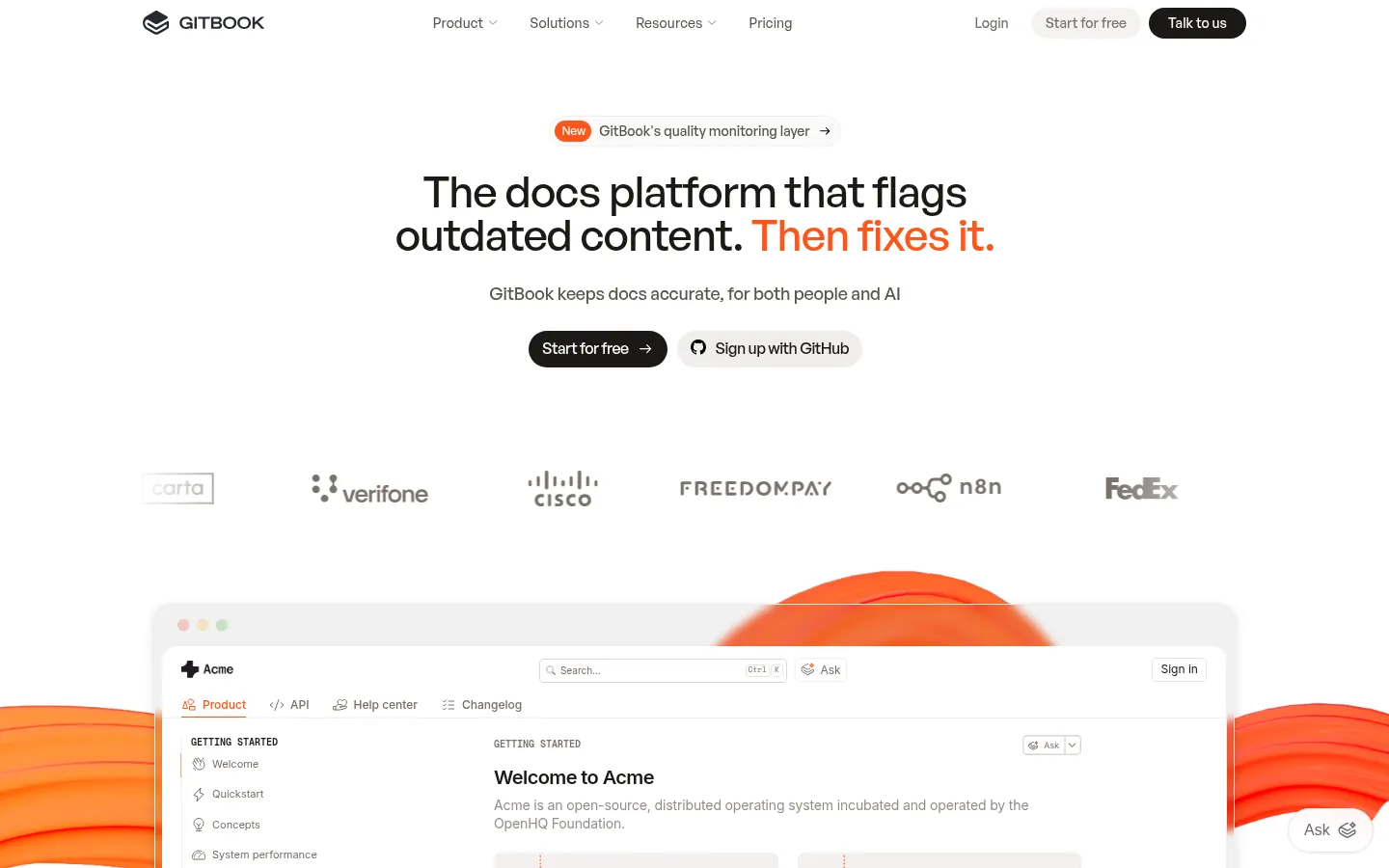
GitBook is a product documentation platform for writing, maintaining and publishing guides, help centers and API references built for both people and AI agents. Teams such as Make, Fyxer and Gravitee run their developer portals on it.
What is GitBook used for?
It centralizes product knowledge in a docs site with a custom domain, search and analytics. It pairs a block-based visual editor with a docs-as-code workflow: content syncs both ways with GitHub or GitLab repositories, so engineers can edit in Markdown while everyone else works in the browser.
What AI features does GitBook offer?
- An AI assistant that answers readers using your docs.
- GitBook Agent, which drafts, edits and updates pages.
- Insights showing which questions go unanswered.
- Stale content detection with suggested fixes.
- An auto-generated MCP server for every published site.
How does GitBook handle API docs?
It builds interactive API references from OpenAPI specs, with examples readers can try. Preview deployments let you review changes before publishing, and adaptive content shows or hides sections per user.
Who is GitBook for?
Product teams, developers, technical writers and support teams that want a single source of truth. Individuals and open-source projects also use it for public documentation.
GitBook pros and cons
- Pro: two-way sync with GitHub and GitLab
- Pro: docs optimized for AI search and agents through MCP
- Pro: automatic alerts for outdated pages
- Con: advanced AI features are reserved for higher tiers
- Con: each published site is licensed separately
GitBook features and use cases
How to use GitBook
GitBook FAQ
What is GitBook?
GitBook is a platform to write and publish product and API documentation with a visual editor, Git sync and AI features.
Is GitBook free?
There is a Free plan for individuals; team sites with a custom domain and the AI assistant need Essential or higher.
Does GitBook sync with GitHub?
Yes, sync is two-way with GitHub and GitLab, so Markdown edits and editor changes stay aligned.
What is the GitBook MCP server?
Every published site generates an MCP server so coding assistants and agents can query your documentation directly.
Can GitBook document an API?
Yes, it builds interactive references from OpenAPI specs, with examples readers can try.
How does GitBook detect outdated content?
Its quality layer scans pages, flags the ones that have gone stale and suggests fixes through the agent.
Can I use a custom domain with GitBook?
Yes, from the Essential plan you can publish docs on your own domain with your branding.
What are the best GitBook alternatives?
On GptZone you can compare it with Notion AI for internal wikis and Scribe AI for step-by-step guides.
GitBook pricing and plans
Reference price: 65 USD / month. Source · Verified: November 2, 2026
Prices in US dollars (USD) per site per month, billed annually. Checked on: 02/11/2026.
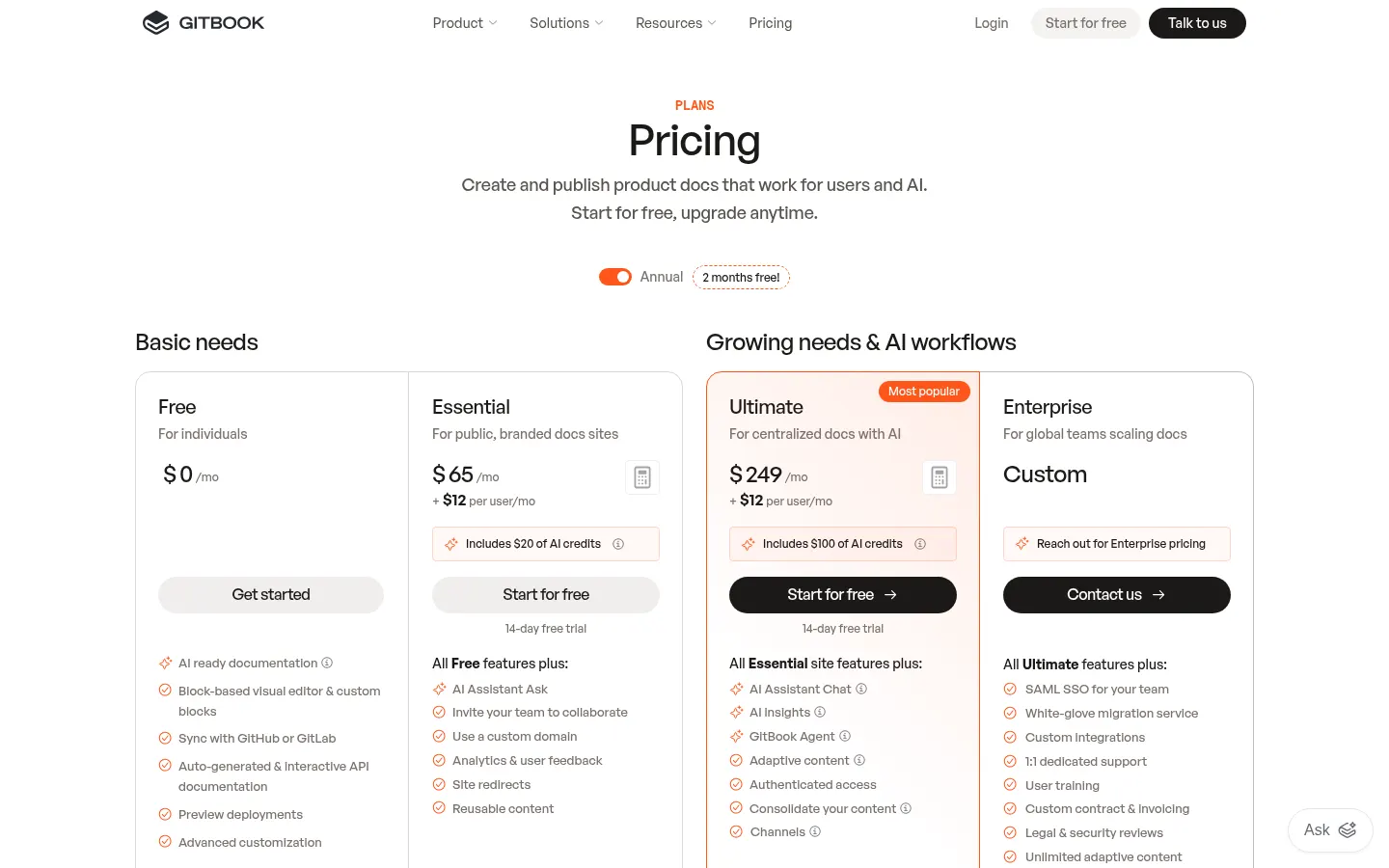
Free: $0 for individuals; editor, GitHub/GitLab sync, API docs, MCP server and previews.
Essential: $65 per site + $12 per user per month; includes $20 of AI credits, Ask assistant, custom domain, analytics and redirects. 14-day trial.
Ultimate: $249 per site + $12 per user per month; includes $100 of AI credits, chat assistant, AI insights, GitBook Agent and adaptive content. 14-day trial.
Enterprise: custom pricing with SAML SSO, white-glove migration and dedicated support.
GitBook Screenshots
GitBook user reviews
Write a review
Checking your session...
GitBook Reviews
Loading reviews...