Glindra
Share
Glindra
Generate professional Google Slides presentations with AI. Create editable outlines, content, and designs from descriptions or documents.
General Information about Glindra
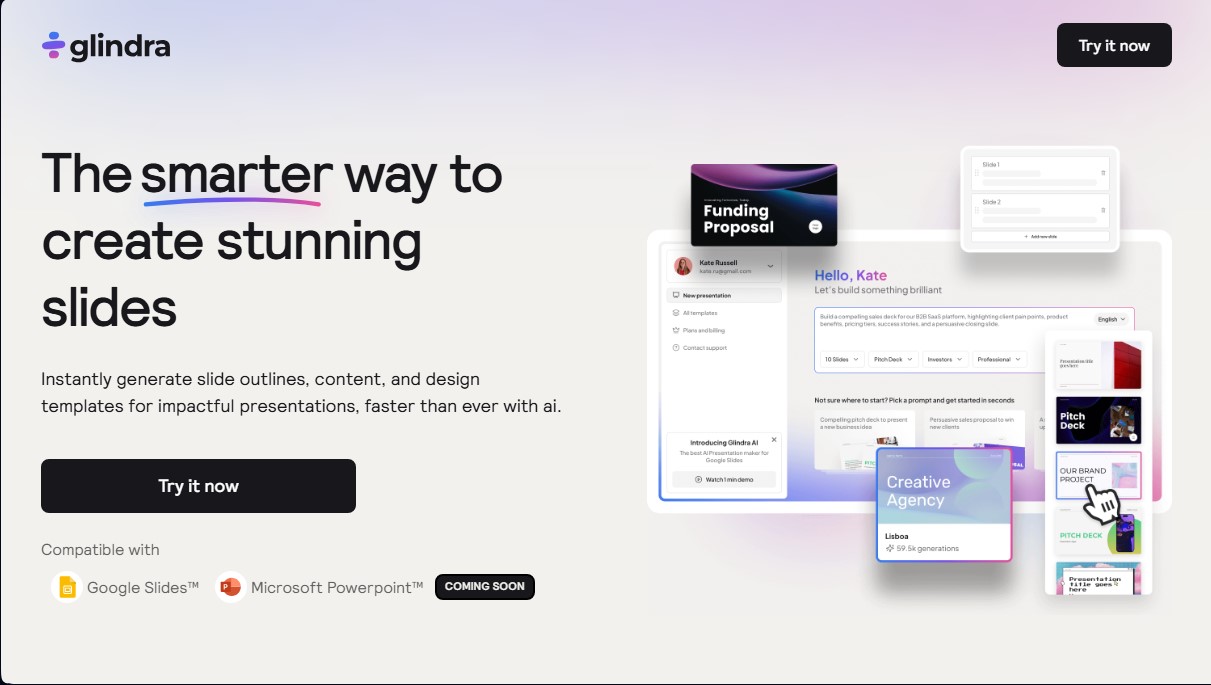
Glindra is an artificial intelligence tool designed to optimize the creation of professional presentations through automation. Its primary function is to transform ideas, brief descriptions, or lengthy documents into structured and visually appealing slides, eliminating the need for manual formatting and design tasks. This solution is specifically aimed at students, educators, marketing teams, and entrepreneurs looking to streamline their workflow at the computer without sacrificing the visual quality of their materials.
The way GlindraAI works is based on a three-step process: prompt, outline, and design. The user enters a description of the topic, the objective, and the target audience; the AI processes this information to generate a complete outline that can be edited and rearranged before moving to the visual phase. Once the structure is defined, the tool automatically applies design templates that include typography, color palettes, and element layouts tailored to the type of presentation—whether it’s a lesson plan, a sales report, or a pitch deck.
One of the most notable features of this application is its direct sidebar integration with Google Slides, allowing users to work without switching tabs or interrupting their creative flow. Its core functions include:
- Smart outline generation: Creates a logical structure from introduction to conclusion based on a single prompt.
- Slide remixing: Allows you to change the layout of an individual slide or combine styles from different templates without losing the text content.
- AI rewriting: Instantly adjusts the tone, simplifies the message, or improves the wording of any text block.
- File-to-slide conversion: Supports uploading documents and PDFs to extract information and convert it into a finished presentation in seconds, eliminating manual copy-pasting.
Glindra’s technology utilizes advanced language models to interpret user context and intent, offering multilingual support to generate content in various languages. This makes it easy to professionally create materials for global audiences. While currently optimized for web use with Google Slides, the platform plans to add compatibility with Microsoft PowerPoint, expanding its versatility across different work environments.
In practical terms, the tool stands out by allowing the user to maintain full control over the final result. It is not limited to static generation; instead, it offers dynamic editing tools to add new ideas via custom prompts or adjust the visual design at a granular level, ensuring every presentation is cohesive and ready to present.
Features and Use Cases of Glindra
How Glindra Works
Frequently Asked Questions about Glindra
What is Glindra and how can it help me with my presentations?
Glindra is an AI-powered tool that automatically generates outlines, content, and professional designs, allowing you to create high-impact slides in just a few minutes.
Is Glindra compatible with Google Slides and Microsoft PowerPoint?
You can currently edit your presentations directly in Google Slides, and Microsoft PowerPoint compatibility is coming very soon.
Can I use the generated presentations for commercial projects?
Yes, you own all the presentations you create on the platform, and you are free to use them for business proposals, reports, or client projects.
Does Glindra offer a free version for new users?
Yes, we offer a free plan that includes five AI generations, allowing you to try out all the basic features before committing to a paid plan.
Can I create content in multiple languages with this tool?
Absolutely. The system allows you to generate full presentations in various languages, such as Spanish, French, and German, so you can reach global audiences.
Can I automatically convert my own documents into slides?
Yes. Using the file upload feature available in the Pro and Ultra plans, you can transform reports or lesson plans into structured presentations without any copying and pasting.
Can I edit the design and text after they’ve been generated?
You have full control to modify any slide, rewrite text using AI, or change the visual style—all without losing your original content.
What happens if I decide to cancel my paid subscription?
You can cancel your subscription at any time through your account settings, and you will continue to have access to premium features until the end of your current billing cycle.
Glindra Pricing
Free Plan
$0 per month
- 5 AI generations.
- 5 slide editing and remixing uses.
- 3 theme options available.
Pro Plan
$20 per month ($15 per month billed annually)
- Unlimited AI presentation generation.
- Unlimited slide editing and remixing.
- Over 50 theme options.
- Upload PDFs and documents to create presentations.
- AI image generator (coming soon).
Ultra Plan
$24 per month ($18 per month billed annually)
- Unlimited AI presentation generation.
- Unlimited slide editing and remixing.
- Over 50 theme options.
- Upload PDFs and documents to create presentations.
- AI image generator (coming soon).
Glindra Screenshots