insmelo
Share
insmelo
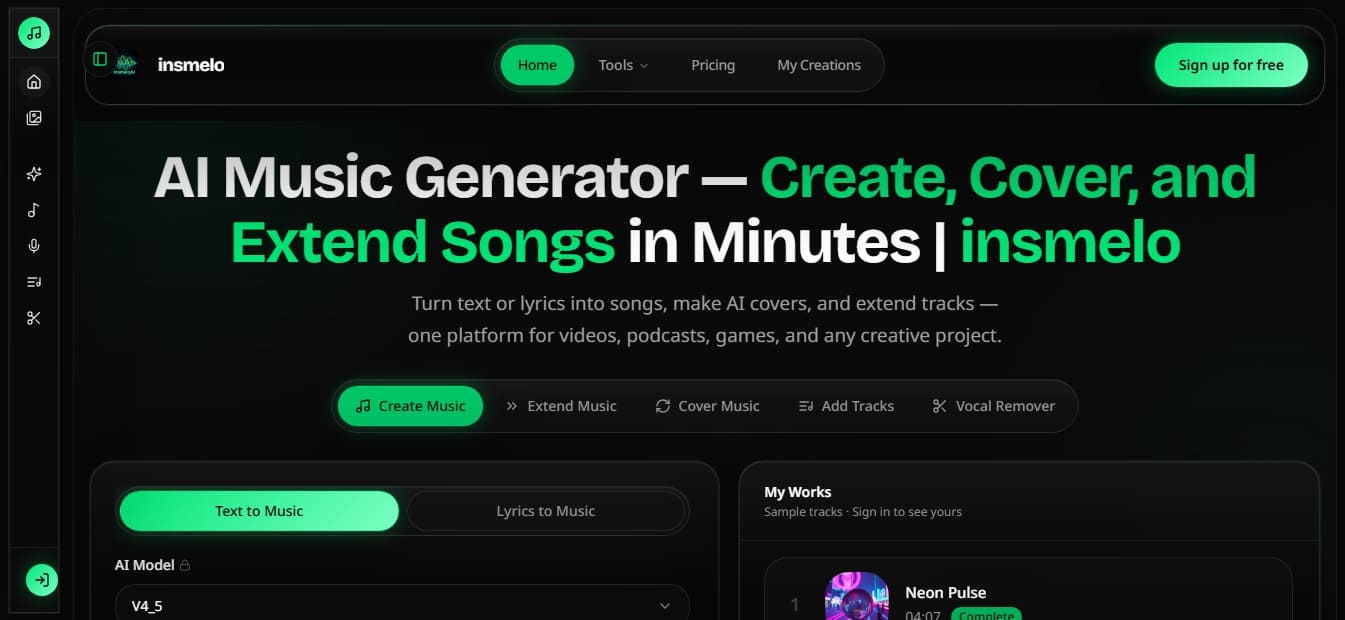
Generate music, covers, and track extensions with AI. Create songs from text, isolate vocals, and produce soundtracks for videos, podcasts, and video games.
General Information about insmelo
insmelo is an advanced AI music generation platform designed to centralize various creative workflows into a single interface. Its primary function allows users to create full songs, produce AI covers, and extend existing tracks using text descriptions or audio files. This tool is geared toward content creators, independent songwriters, game developers, and podcasters looking to produce professional-quality soundtracks or demos quickly and efficiently from their desktop.
The system utilizes cutting-edge AI models, such as V4_5, to interpret complex instructions and generate realistic sonic results. The creation process is straightforward: the user enters a descriptive prompt or lyrics, then selects the desired musical genre and vocal style. In approximately 60 seconds, the tool generates two original tracks ready for use. insmelo stands out for its versatility, allowing users to work either from scratch or from uploaded files.
Its core capabilities include:
Text to Music and Lyrics to Song: Transforms written ideas or full lyrics into musical tracks with instrumentation and vocals, covering more than 20 genres such as Pop, Rock, EDM, Jazz, and Lo-Fi.
AI Music Extender: Allows users to extend songs or background music while maintaining the original coherence, tempo, and energy—an essential feature for adjusting tracks to the length of videos or game levels.
AI Music Cover: Facilitates the reimagining of any track, allowing for changes in voice or musical genre while preserving the original composition's structure.
Add Tracks: A specific feature to add vocals to instrumentals, helping convert basic beats into structured songs through style guides and vocal gender control.
Vocal Remover and Stem Splitter: Technical tools to separate vocals and instruments, facilitating the creation of karaoke versions or remixing tracks by obtaining independent files.
The platform optimizes audio production by integrating four key tools into a single workspace. The results are royalty-free, ensuring that creations can be used in various projects without legal copyright complications. Additionally, insmelo offers advanced options to adjust vocal weight and supports multiple output formats such as MP3 and WAV, ensuring compatibility with any subsequent editing software. It is a practical solution for those who need custom music without requiring deep knowledge of music theory or technical production.
Features and Use Cases of insmelo
How insmelo Works
Frequently Asked Questions about insmelo
What exactly is insmelo and what is it for?
It is an AI-powered platform designed to create, version, and extend songs using text or audio files.
Can I use insmelo for free?
Yes, there is a free plan that offers twenty credits upon sign-up so you can try out the basic music creation features.
Am I allowed to use insmelo music for commercial projects?
Commercial use of generated tracks is only permitted for users with an active Pro plan subscription.
How does the song extension tool work?
The extension feature allows you to upload a file or use a generated track to continue the melody while maintaining the same style and tempo.
What audio formats can I download my creations in?
Depending on your subscription plan, you can download your tracks in MP3 or high-quality WAV format.
How long does it take the AI to generate a full song?
The system typically takes about sixty seconds to generate two full tracks based on your prompts or lyrics.
Can I add custom vocals to an existing instrumental track?
Yes, using the track addition tool, you can upload an instrumental file and incorporate AI-generated vocals from insmelo.
What is the difference between Quick Mode and Custom Mode when creating versions?
Quick Mode generates results rapidly, while Custom Mode allows you to control the title, style, and lyrics of the version.
Can I separate vocals from instruments with this tool?
Yes, Pro plan users have access to vocal removal and individual stem separation features.
What happens to my songs if I cancel my insmelo subscription?
Your creations are saved in the cloud for a set period depending on your plan, but we recommend downloading them before your access period expires.
insmelo Pricing
Free
$0
20 free credits upon sign-up (2 songs).
Access to base models (V4, V4.5).
Text-to-music and lyrics-to-music features.
Extend your own music and view lyrics.
7-day cloud storage.
Shared generation queue and public generations.
Restrictions: No MP3/WAV downloads, no commercial license, no audio uploads, and no advanced features like "Cover Song" or "Add Tracks."
Lite
Starting at $7.99/mo (billed annually) or $14.99/mo (billed monthly).
900 credits per month (90 songs).
Access to all current music models and AI lyrics generator.
Ability to upload music to extend (up to 4 minutes per track).
"Cover Song" and "Add Tracks" features.
Private generations and 365-day cloud storage.
MP3 file downloads.
Maximum of 2 simultaneous generations.
Restrictions: No commercial license, no WAV downloads, no vocal remover, and no stem splitter.
Pro
Starting at $29.99/mo (billed annually) or $39.99/mo (billed monthly). Dynamic pricing available based on credit volume.
1,800 credits per month (180 songs).
Includes all features: "Cover Song," "Add Tracks" (vocals and instrumentals), and lyrics generator.
Exclusive tools: Vocal Remover and Stem Splitter.
Audio uploads up to 8 minutes per track.
Unlimited cloud storage (forever).
MP3 and WAV downloads.
Includes Commercial License.
Unlimited simultaneous generations and priority email support.
insmelo Screenshots