LALAL AI
Share
LALAL AI
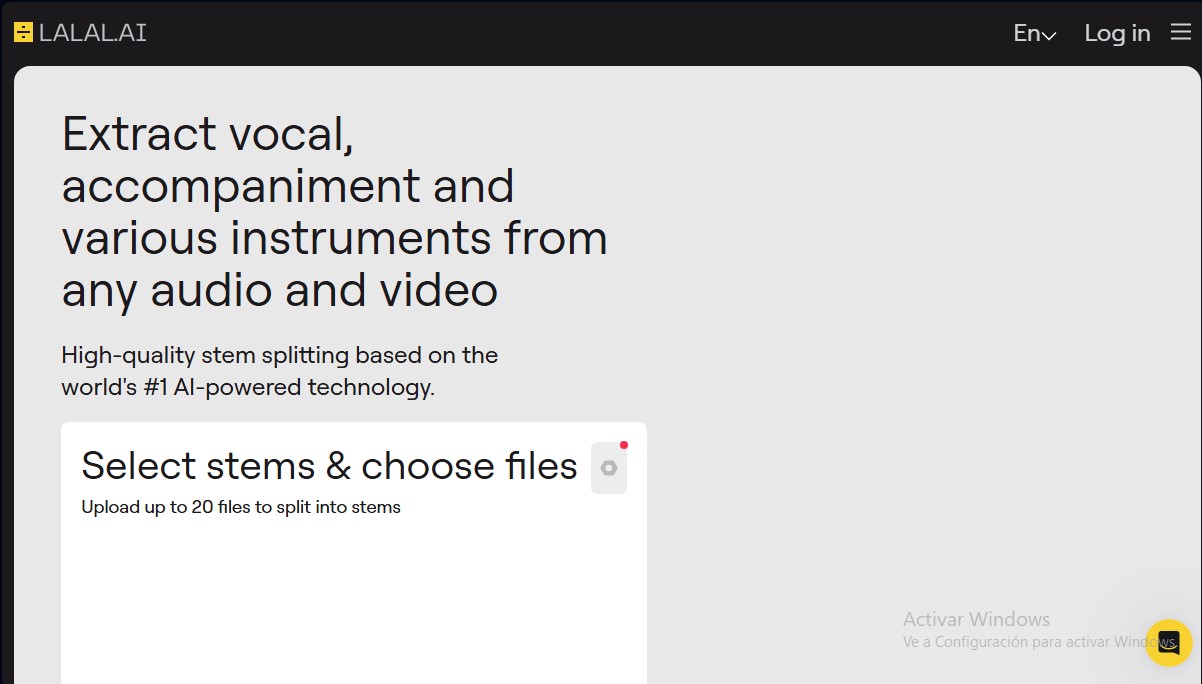
Extract vocals and instruments from any audio or video with high precision. Advanced AI separates drum, bass, piano, and guitar tracks with zero quality loss.
General Information about LALAL AI
LALAL AI is an advanced music source separation and vocal removal solution powered by state-of-the-art artificial intelligence. This tool allows for the extraction of individual tracks or stems from any audio or video file with professional-grade precision. Its primary goal is to help producers, musicians, DJs, and editors decompose songs into isolated elements for subsequent editing, remixing, or study, ensuring no perceptible loss in quality throughout the process.
The platform utilizes a proprietary sixth-generation AI technology known as Andromeda. This engine has been trained in-house for years to deliver high-fidelity sound comprehension, resulting in faster and more accurate extraction than conventional models. Thanks to this AI-driven signal processing approach, LALAL AI efficiently identifies and separates complex frequencies, allowing users to work with large files and various input formats.
Key functional capabilities include:
- 10-Stem Separation: The ability to independently isolate vocals, instrumental accompaniment, drums, bass, piano, electric guitar, acoustic guitar, and synthesizers.
- Voice Cleaner and Noise Removal: Includes specialized algorithms to clean vocal tracks, eliminating background noise and enhancing recording clarity.
- Batch Processing: Allows for the simultaneous upload and processing of up to 20 files, optimizing workflows directly from your computer.
- Professional Integration: Offers API access for developers and a VST plugin that facilitates direct integration into digital audio workstations (DAWs).
- Multi-platform Support: The tool is fully functional via web browsers, desktop applications, and mobile devices, providing total flexibility to meet user needs.
Using LALAL AI is particularly beneficial for creating backing tracks, music sampling, transcribing specific instruments, or cleaning up dialogue in audiovisual content. As a high-quality stem extraction service, it drastically reduces the time professionals typically spend on complex manual processes. The system provides immediate previews of the results, helping to verify the AI's accuracy before proceeding with full file processing. Notably, its architecture is designed to maintain the integrity of the original audio, delivering clean results ready for use in professional production environments.
Features and Use Cases of LALAL AI
How LALAL AI Works
Frequently Asked Questions about LALAL AI
What exactly is LALAL AI and what is it used for?
LALAL AI is a vocal removal and music source separation service that uses artificial intelligence to quickly and accurately extract individual tracks from any audio or video file.
What musical elements can I separate using this tool?
You can extract vocals, instrumental accompaniment, drums, bass, piano, electric guitar, acoustic guitar, and synthesizers without losing any of the original sound quality.
How are the minutes deducted from my LALAL AI account calculated?
Minutes are deducted by multiplying the file's total duration by the number of separation types selected. For example, a five-minute file split into two types of tracks will consume ten minutes.
What is the difference between Fast and Relaxed processing modes?
Fast mode provides priority access for instant results, while Relaxed mode processes files in a queue based on server load without consuming minutes from your monthly limit.
Can I use LALAL AI for free before purchasing a plan?
Yes, the Starter plan is free and includes ten minutes of processing along with result previews, allowing you to experience the quality of Andromeda technology firsthand.
Where can I find my activation key after making a purchase?
Your activation key will appear in your user profile on the official website after you log in. It is also included in the confirmation email sent to you after payment.
What happens if I use all my Fast mode minutes before the end of the month?
Once your priority minutes are used up, the system will automatically switch to Relaxed mode with unlimited minutes. Alternatively, you can purchase top-up packs to restore your processing speed.
Does LALAL AI support simultaneous file uploads?
Yes, paid plans include batch processing, allowing you to upload and process up to twenty files at once to optimize your workflow.
LALAL AI Pricing
Starter Plan
0 $
- 10 total processing minutes.
- Free result previews.
- 200 MB file upload limit.
Lite Plan
15 $ per month (7,5 $ per month with 90 $ annual billing)
- Unlimited minutes in Relaxed Queue.
- 90 minutes per month in Fast Queue for priority processing.
- 2 GB file upload limit per file.
- Download final results.
- Batch Processing.
Pro Plan
30 $ per month (15 $ per month with 180 $ annual billing)
- Unlimited minutes in Relaxed Queue.
- 250 minutes per month in Fast Queue for priority processing.
- 2 GB file upload limit per file.
- Download results and batch processing.
- Includes VST plugin and API access.
- Early access to new features.
Top-Ups
Check pricing on the official website
- Master Pack: 750 additional processing minutes.
- Premium Pack: 3000 additional processing minutes.
- Enterprise Pack: 5000 additional processing minutes.
- Note: Minutes are deducted by multiplying the file duration by the number of track separation types selected.
LALAL AI Screenshots