Lutra AI
Share
Lutra AI
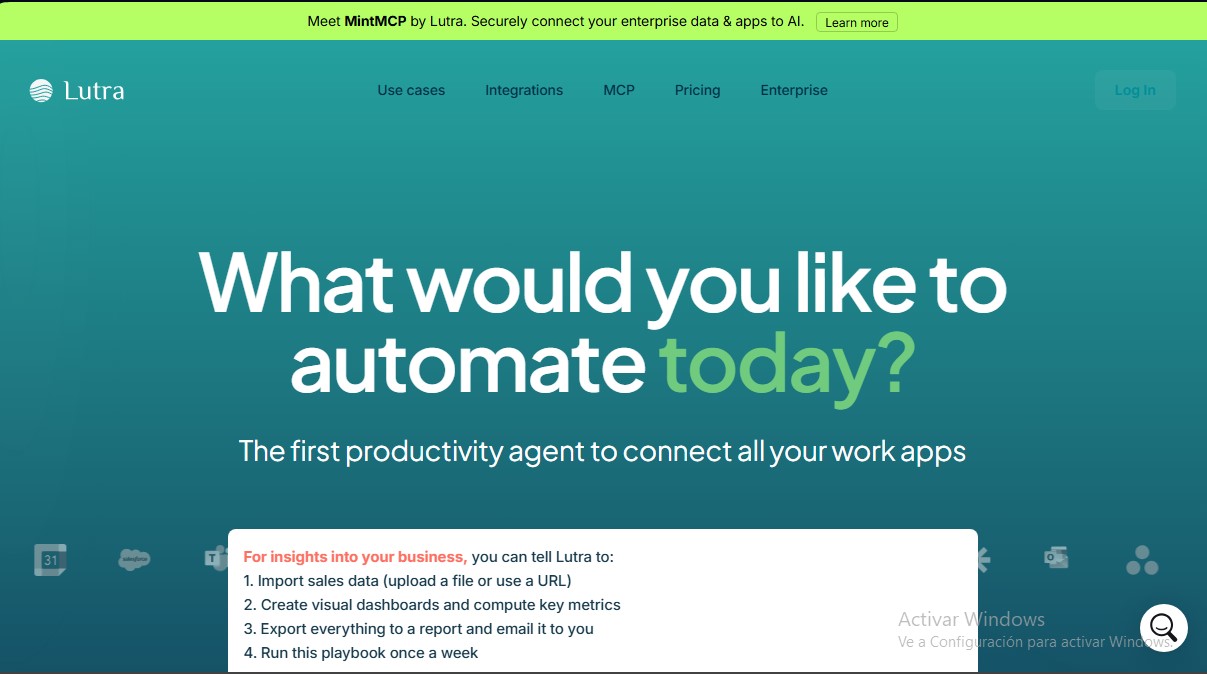
Productivity agent that connects apps to automate workflows. Extracts data, enriches your CRM, and manages repetitive tasks with precision.
General Information about Lutra AI
Lutra AI is an intelligent productivity agent designed to connect and automate complex workflows across multiple business applications. Unlike conventional conversational assistants, this tool stands out because it executes real code to complete tasks, ensuring superior technical precision and eliminating the risk of data hallucinations. Its primary function is to act as an operational nexus between daily-use platforms, allowing information to flow seamlessly between the computer and the cloud.
Lutra AI's technology is based on creating automatic AI connectors for any API, supporting protocols such as REST, OpenAPI, and MCP (Model Context Protocol). This technical approach allows the tool to interact directly with the user's software, processing and transforming data in real time. It is a particularly useful solution for professionals in sales, finance, marketing, and operations who need to automate repetitive processes without requiring advanced programming knowledge.
Among the most relevant functional capabilities of Lutra AI are:
- Intelligent data extraction: Allows for the analysis of unstructured data sources, such as contracts in Google Drive or PDF files, to identify and extract company names, key dates, monetary values, or contact details.
- CRM enrichment: Integrates with platforms like HubSpot, Salesforce, or Affinity to update customer and prospect profiles with verified information from external sources like Apollo or Crunchbase.
- Spreadsheet automation: The ability to transfer extracted information directly into Google Sheets, Airtable, or Microsoft Excel, eliminating manual data entry.
- Communication management: Automates the sending of personalized campaigns and the tracking of threads in Gmail, Outlook, and Slack.
- Analysis and reporting: Transforms financial data from tools like Stripe, Xero, or Quickbooks into structured visualizations and reports.
One of the tool's competitive advantages is the use of Playbooks. These are reusable, programmable, and shareable workflows that allow for the standardization of recurring tasks across an entire team. Users can launch pre-configured flows or customize their own to fit specific business needs.
In terms of security, Lutra AI is SOC2 certified and features OAuth integrations, ensuring that data access is private and verified. The system offers full visibility into actions taken, allowing companies to scale their productivity reliably and securely. This combination of app integration and code execution makes the platform a robust ally for modern workflow automation.
Features and Use Cases of Lutra AI
How Lutra AI Works
Frequently Asked Questions about Lutra AI
What is Lutra AI and how can it help me with my daily work?
It is an AI productivity agent that connects your work apps to automate repetitive tasks by executing precise, real-world code.
What tools and platforms does Lutra AI integrate with?
It integrates with a wide range of services, such as Google Workspace, Slack, HubSpot, GitHub, and Microsoft Outlook, enabling seamless data flow between all of them.
What are Lutra AI Playbooks and what are they used for?
They are reusable workflows that you can save, schedule, and share with your team to standardize processes and ensure consistent results.
Is it safe to use Lutra AI with my company's data?
Yes, the platform is SOC2 certified and uses secure authentication protocols to ensure your information is protected at all times.
How does the Lutra AI credit system work?
Each plan includes a set amount of monthly credits that are consumed when performing AI-intensive tasks, such as web searches or data analysis.
Can Lutra AI extract information from PDFs and contracts?
Absolutely. The tool allows you to extract valuable data—such as company names or key dates—from PDF files and automatically organize it into spreadsheets.
Is it possible to create custom integrations with Lutra AI?
Yes, the platform allows you to build custom connectors via REST APIs and other protocols to fit your business’s specific technological needs
What sets Lutra AI apart from other conventional AI assistants?
Unlike other assistants, this tool executes real code to complete tasks instead of just generating text, which prevents context-related errors.
Lutra AI Pricing
Free
0 € per month
- Lutra AI Agent included.
- 15 messages per day limit.
- 200 monthly credits for AI and real-time data.
- Basic tools: Google Workspace, Slack, web search, Airtable, and more.
- Trial access to Premium tools: Apollo, HubSpot, and others.
Essentials
$29 per month ($23/mo billed annually)
- Unlimited daily messages.
- 2,000 monthly credits for AI and real-time data.
- Basic tools (Google Workspace, Slack, etc.).
- Premium tools: Outlook, OneDrive, HubSpot, and more.
- Scheduling features and Webhooks.
Professional
$79 per month ($63/mo billed annually)
- Unlimited daily messages.
- 6,000 monthly credits for AI and real-time data.
- Access to basic and Premium tools.
- Scheduling features and Webhooks.
- Option to purchase additional credit packs.
- Priority support.
Enterprise
Custom pricing (Inquire on official website)
- Unlimited daily messages.
- Unlimited credits for AI and real-time data.
- Full access to basic and Premium tools.
- Scheduling, Webhooks, and additional credit purchases.
- Dedicated support and custom workflow configuration.
- Custom integrations.
- Custom security and data policies.
- Access to analytics.
Lutra AI Screenshots