
Share
Generate natural voiceovers from text with 800+ voices in 140 languages. Adjust intonation and pace to create professional videos, podcasts, and audiobooks.
What is MicMonster?
MicMonster is an advanced AI voice generation platform designed to transform text into audio with natural, professional quality. This text-to-speech (TTS) tool stands out for its ability to bridge the gap between synthetic and human voices, allowing users to create realistic voiceovers for a wide variety of digital projects from their computer without the need for expensive recording equipment or professional voice actors.
The technology behind MicMonster is based on next-generation speech synthesis engines that provide access to a library of over 800 voices in 140 languages and accents. Among its most notable technical capabilities are multilingual voices, which allow the same voice model to be maintained across different languages, and high-definition (HD) voices. The latter can analyze the context of the text to automatically detect emotions and adjust the pitch, pace, and intonation to match the sentiment of the written content.
The tool's core features include:
- Advanced Audio Editor: Offers total control over voice inflection, adjusting precise parameters such as speed, pitch, volume, and emphasis on specific words.
- Multi-Voice Assignment: Users can integrate different voices within the same script, making it easy to create dialogues, interviews, or dynamic conversations in a single audio file.
- Emotional Styles: The platform allows for the injection of nuances such as joy, sadness, whispering, shouting, or a newscast tone to give the narration personality based on the specific use case.
- Pronunciation Customization: Using a phoneme library, users can adjust syllables, stress, and vowels to ensure that technical terms or proper names are pronounced correctly.
- Efficient Script Management: Supports importing files in .docx, .txt, and .srt formats, allowing for the processing of up to 12,000 characters per clip and bulk actions to streamline the workflow.
This solution is ideal for a wide range of professional profiles, from video content creators and podcasters seeking high-quality intros to e-learning specialists who need clear narrations for corporate training modules. It is also a valuable tool for authors who want to convert their books into audiobooks and companies looking to maintain a consistent audio brand identity across their communication channels. The process is intuitive and fast: the user types or pastes the text, selects the desired voice after listening to a sample, and generates the final file, which can be downloaded immediately in formats like MP3 or WAV.
MicMonster features and use cases
How to use MicMonster
MicMonster FAQ
Can I try MicMonster for free without entering my credit card information?
Yes, there is a free trial that offers 2,000 characters per month after signing up, with no credit card or banking details required.
How many languages and voices are available on the MicMonster platform?
The tool features over 800 lifelike voices across 140 different languages and accents.
Can I use the audio generated with MicMonster on YouTube channels?
Yes, although permission for commercial use and monetization is reserved exclusively for users with an active Pro subscription.
Does MicMonster allow me to assign multiple voices within a single script?
Yes, the advanced editor lets you assign different voices to specific parts of the text, making it easy to create dialogues or conversations.
What customization settings can I apply to the voices to make them sound more natural?
You can precisely adjust the speed, pitch, emphasis, and pauses, as well as apply emotional styles like happiness or sadness.
What happens if I cancel my paid MicMonster subscription?
Your cancellation will take effect at the end of the current billing cycle, and you will continue to have access to all features until that date.
What is the character limit for converting text to audio in a single go?
The editor allows you to convert up to 12,000 characters per audio clip and offers the option to merge multiple files afterward.
What file formats can I use to download my completed voiceovers?
Users on paid plans can download their projects in MP3 or WAV formats and can even export SRT subtitle files.
MicMonster pricing and plans
Free Trial: 0 $
2,000 free characters per month for trial accounts.
Access the platform with no credit card required.
Pro Monthly: 15 $ per month (discounted price)
250,000 character limit per month.
Access to over 140 languages and more than 800 voices.
Unlimited projects.
Up to 12,000 characters per audio clip.
Advanced editor and commercial license.
Multilingual voices and high-quality voices (Impressive voices).
Custom pronunciation library.
Download files in MP3, WAV, and SRT formats.
Pro Max Quarterly: 59.5 $ every 3 months (discounted price)
3 million character limit per month.
Access to over 140 languages and more than 800 voices.
Unlimited projects.
Up to 12,000 characters per audio clip.
Advanced editor and commercial license.
Multilingual voices and high-quality voices (Impressive voices).
Custom pronunciation library.
Download files in MP3, WAV, and SRT formats.
Pro Max Annual: 89.5 $ per year (discounted price)
3 million character limit per month.
Access to over 140 languages and more than 800 voices.
Unlimited projects.
Up to 12,000 characters per audio clip.
Advanced editor and commercial license.
Multilingual voices and high-quality voices (Impressive voices).
Custom pronunciation library.
Download files in MP3, WAV, and SRT formats.
Pro Max LTD (Lifetime): 799.5 $ one-time payment (discounted price)
1 million character limit per month forever.
Access to over 140 languages and more than 800 voices.
Unlimited projects.
Up to 12,000 characters per audio clip.
Advanced editor and commercial license.
Multilingual voices and high-quality voices (Impressive voices).
Custom pronunciation library.
Download files in MP3, WAV, and SRT formats.
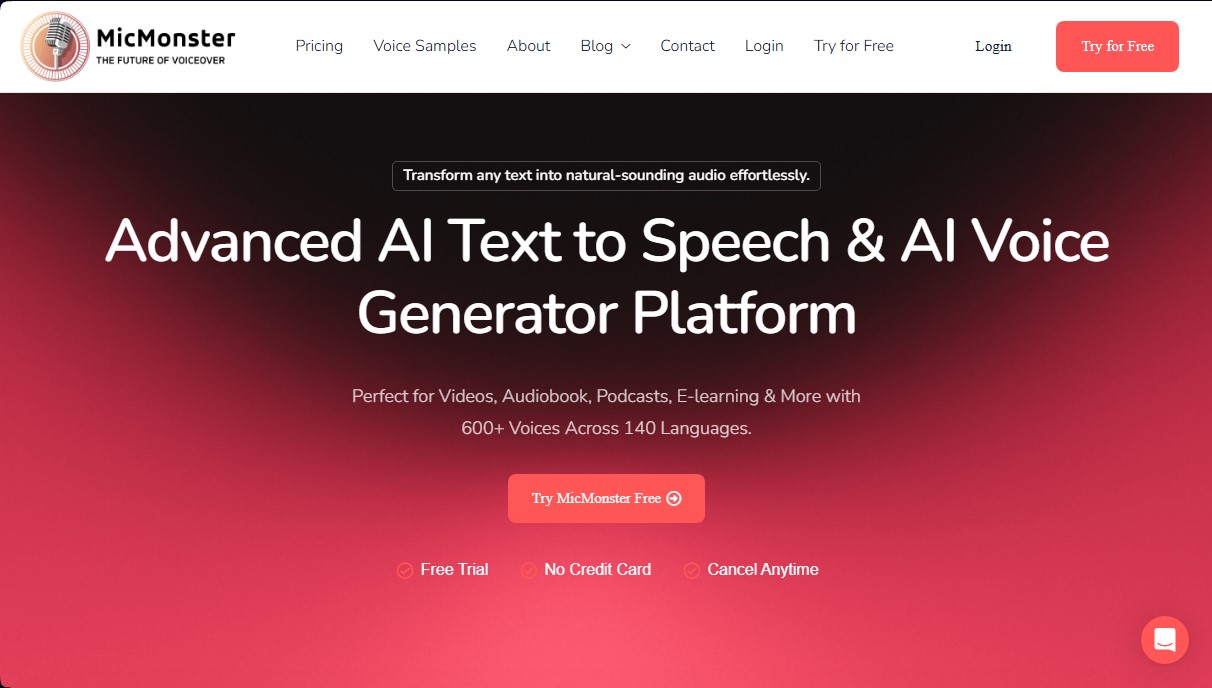
MicMonster Screenshots
MicMonster alternatives


AI ReFounder
24/7 AI voice agent for online stores. Automatically handle calls, resolve inquiries, and close sales with seamless Shopify integration.


ThunderPhone
High-precision voice AI for call automation. Supports 40+ languages, handles interruptions, and offers SIP integration for customer service and sales.