

Share
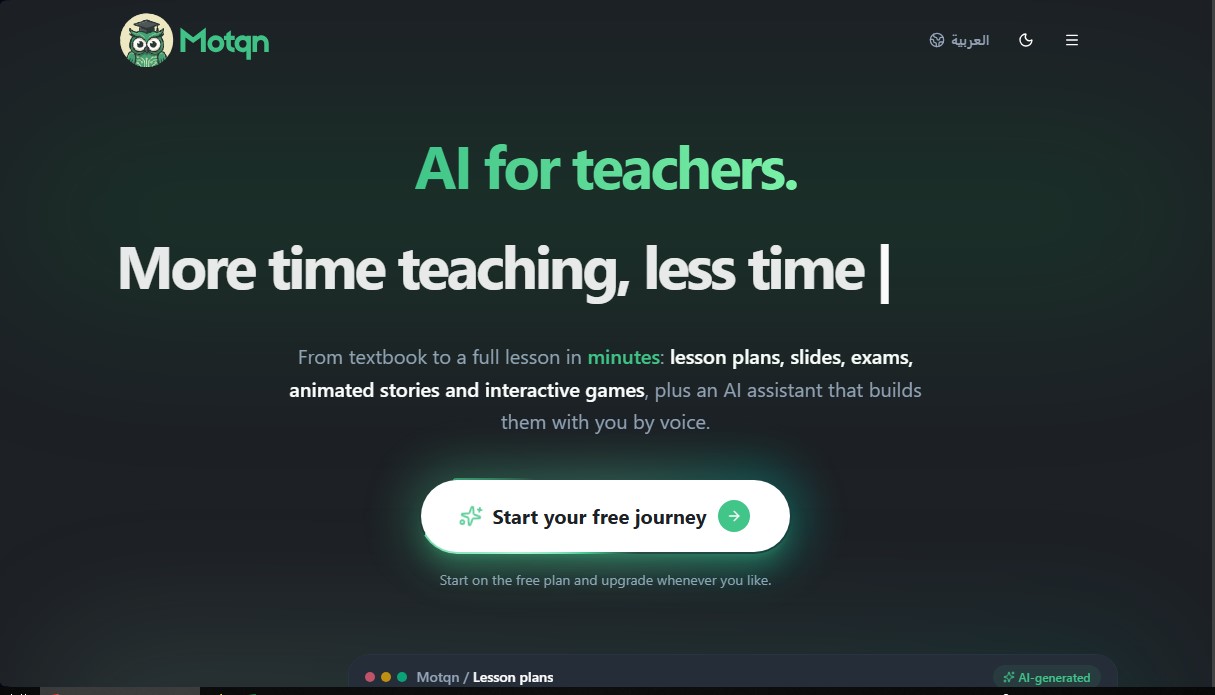
AI assistant for teachers that generates lesson plans, presentations, games, and exams. Create materials via voice and automate test grading.
What is Motqn?
Motqn is an advanced AI platform for teachers designed to optimize time management and the creation of educational materials. This tool allows educators to transform textbooks and documents into comprehensive teaching resources in a matter of minutes, eliminating hours of manual research and design. Its primary goal is to facilitate AI lesson planning, enabling educators to focus on direct instruction while technology handles the technical and administrative preparation.
Motqn’s functionality is based on a multimodal approach that processes files in PDF, Word, PowerPoint, and image formats. The tool utilizes state-of-the-art language models to analyze content and automatically generate instructional units, visual presentations, exams, and interactive games. One of its most notable innovations is Tabshoura Plus, a voice assistant for teachers that allows for real-time interaction in over 97 languages, including Spanish, English, and various regional dialects. This assistant does more than just answer questions; it builds materials in the background while the user speaks, integrating a shared digital whiteboard where the AI can draw, highlight, and label diagrams in synchronization with the teacher.
Key capabilities of Motqn include:
- Lesson Plan Generation: Creates detailed structures following pedagogical frameworks such as the 5E model or Gagné’s nine events of instruction, including objectives, timed phases, and specific activities.
- Presentation and Slide Creation: Automatically generates slideshows with integrated visual art and structured content based on a topic or an uploaded file.
- Assessment and Exam Design: Produces quizzes, worksheets, and exit tickets, with the added capability of automated exam grading.
- Interactive Resources and Gamification: Develops 2D educational games and animated stories to foster active participation in the classroom.
- Natural Language Editing: Allows for the modification of any generated material—such as simplifying a slide or increasing the difficulty of an exam—simply by providing voice or text instructions.
This solution is ideal for both individual teachers and institutions seeking a school productivity tool. By centralizing content creation, Motqn ensures that materials maintain pedagogical consistency and are tailored to the specific level of each class. The platform is accessible via desktop and mobile devices, ensuring that session history and the digital whiteboard are always available. Thanks to its natural language processing technology, the system understands complex educational contexts, allowing it to generate precise semester or weekly plans by simply inputting the basic parameters of the subject.
Motqn features and use cases
How to use Motqn
Motqn FAQ
What is Motqn, and how does it help teachers in their daily routines?
It is an AI-powered platform designed to help educators create lesson plans, presentations, quizzes, and interactive games in just a few minutes.
Can I use Motqn for free?
Yes, you can start with a free plan to explore the basic features and upgrade to a premium subscription whenever you need to generate more materials.
What kind of content can the tool generate automatically?
The platform generates complete lesson units, slides with built-in designs, auto-graded assessments, and interactive classroom activities.
What is the Tabshoura Plus feature in Motqn?
It is an advanced voice assistant that allows you to create educational materials through natural conversations, file analysis, and the use of a shared virtual whiteboard.
What file formats can I upload for the AI to process?
You can upload PDF, Word, and PowerPoint documents, as well as images up to 100 MB. The tool will extract the content and create lessons based on those files.
Does Motqn allow for the customization of pedagogical models in lesson plans?
Yes, you can choose from standard structures, the 5E model, Gagne’s Nine Events of Instruction, or define your own custom sections to fit your specific needs.
How many languages does the voice assistant support?
The voice assistant supports conversations in 97 different languages and can automatically switch between languages during a session.
How do school and institutional subscriptions work?
We offer specific plans for small, medium, and large schools that include a shared monthly resource allocation and an admin dashboard to manage teacher accounts.
Motqn pricing and plans
Free Plan
Price: Free.
- Initial access to start your journey on the platform.
- Create a trial presentation immediately after registration.
- Access to Tabshoura Plus (voice assistant) with real-time usage tracking.
Motqn Lite
Price: 4,99 $/month.
- Approximate limit of 2 lesson packs per month.
- Access to all Motqn tools and features.
- Generate lesson plans, presentations, and exams.
- AI-powered exam grading.
- Technical support and ongoing updates.
Motqn Basic
Price: 12,99 $/month.
- Approximate limit of 4 lesson packs per month.
- Access to all Motqn tools and features.
- Generate lesson plans, presentations, and exams.
- AI-powered exam grading.
- Technical support and ongoing updates.
Motqn Pro
Price: 24,99 $month.
- Approximate limit of 8 lesson packs per month.
- Access to all Motqn tools and features.
- Generate lesson plans, presentations, and exams.
- AI-powered exam grading.
- Technical support and ongoing updates.
Small School
Price: 249,99 $/month.
- Approximate limit of 130 shared lesson packs per month.
- Capacity for up to 15 teachers.
- School administration dashboard.
- Role management: admin, supervisor, and teacher.
Medium School
Price: 599,99 $/month.
- Approximate limit of 347 shared lesson packs per month.
- Capacity for up to 40 teachers.
- School administration dashboard.
- Role management: admin, supervisor, and teacher.
Large School
Price: 1.499,99 $/month.
- Approximate limit of 869 shared lesson packs per month.
- Capacity for up to 100 teachers.
- School administration dashboard.
- Role management: admin, supervisor, and teacher.
Motqn Screenshots
Motqn alternatives

Conversations by ForeverLearning AI
Practice realistic AI conversations in simulated environments. Choose scenarios, interact in groups, and get insights to improve your communication skills.

GermanTutor.ai
AI German tutor for real conversations, pronunciation, and grammar correction. Improve speaking fluency and prepare for official exams at all levels.




SpanishPal.ai
Improve your Spanish speaking with an AI tutor. Practice real-world scenarios with instant corrections and choose from Spain, Mexico, or US regional variants.