Share
Design high-fidelity interfaces and interactive AI prototypes from ideas or Figma. Iterate via chat and export React code or technical specs.
What is Mowgli?
Mowgli is an AI-assisted design canvas focused on creating, experimenting with, and prototyping digital products with deep context. Unlike other visual generation tools, this platform is defined as a spec-driven system, allowing the design and product requirements document (PRD) to remain synchronized at all times. Its primary function is to transform an initial idea into a high-fidelity design, covering not only the main screens but also all states and complex navigation flows of an application.
Mowgli’s workflow begins with a definition phase where the user describes their idea or imports a Figma file. The tool uses a comprehension questionnaire to generate a detailed technical specification. Based on this analysis, the design AI maps out the entire product and generates production-ready interfaces. This approach is particularly useful for founders, product managers, and engineers who need to validate concepts quickly without relying on a slow, traditional design workflow.
Key features include chat-based iteration, which allows for surgical adjustments or complete flow redesigns using natural language. The system understands commands to modify specific elements or restructure entire pages while maintaining visual consistency. Additionally, Mowgli offers a responsive adaptation feature, allowing users to toggle between desktop, tablet, and mobile formats while the AI automatically reimagines the layout for each platform.
From a functional standpoint, the tool facilitates interactive prototyping by generating React components. Users can validate flows with real prototypes before moving to the development phase. For technical teams, the platform simplifies the handoff process by enabling the following actions:
- Direct export to Figma for final manual adjustments.
- Clean code downloads in React and Tailwind CSS.
- Generation of context packages optimized for AI coding tools like Claude Code, Cursor, or Codex.
- Constant synchronization between product specifications and visual designs.
Mowgli’s technology is built on a product planning layer that analyzes business logic before visualizing screens. This ensures that the results respect the user’s design system and brand identity. The platform also allows for style control through color palettes and visual descriptions, ensuring a professional and consistent aesthetic. By integrating real-time collaboration, it becomes an efficient workspace for teams looking to accelerate the software development lifecycle and bridge the gap between idea and final implementation.
Mowgli features and use cases
How to use Mowgli
Mowgli FAQ
What is Mowgli and what is it used for?
It is an AI-powered design canvas that instantly transforms ideas into high-fidelity prototypes and technical specifications.
Do I need advanced design skills to use Mowgli?
No, the tool is designed so that anyone can create professional interfaces using simple natural language.
Is it possible to import Figma files into the platform?
Yes, you can upload your Figma files so the AI can analyze existing flows and allow you to make quick iterations or changes.
What file types can I export from Mowgli?
The tool allows you to export designs to Figma, download React and Tailwind code, or export optimized packages for AI assistants like Claude and Cursor.
Does Mowgli support responsive design for mobile and desktop?
Yes, the platform can reimagine and adapt any design from scratch to ensure it works perfectly on mobile, tablet, and desktop layouts.
How does Mowgli’s editing chat work?
Simply select an element and request the changes you want via text; the AI will update the design and technical specifications in real time.
Does Mowgli offer a free plan for new users?
Yes, there is a free plan that includes credits to generate your first full design of up to thirty screens and test out the AI ideation features.
Can I collaborate with my team members on the same project?
The Team Plan allows for real-time collaboration and project sharing, enabling your team to work together on product design.
Mowgli pricing and plans
Free
$0
- 400 free credits.
- Full app design generation (30+ screens).
- AI ideation and iteration.
- Questionnaire and Product Requirements Document (PRD) generation.
- Figma import.
- Full version history.
- Style guides via palettes and "vibes."
- Note: Exports to Figma, code, and AI are only available on paid plans.
Starter
$15/month ($12/month billed annually)
- 500 credits per month (approx. 30 messages).
- Includes everything in the Free plan.
- Figma export.
- Code export.
- AI-ready bundles (Claude Code and Cursor).
Pro
$29/month ($20/month billed annually)
- 3,000 credits per month (approx. 200 messages).
- Includes everything in the Starter plan.
- Priority support.
Team
$59 per user/month ($49 per user/month billed annually)
- 3,000 credits per user/month (approx. 200 messages per seat).
- Includes everything in the Pro plan.
- Shared organization credits.
- Multiplayer functionality for team projects.
- Guaranteed support response in under 12 hours.
Custom
Contact for pricing
- Volume discounts.
- Single Sign-On (SSO).
- Dedicated support and onboarding.
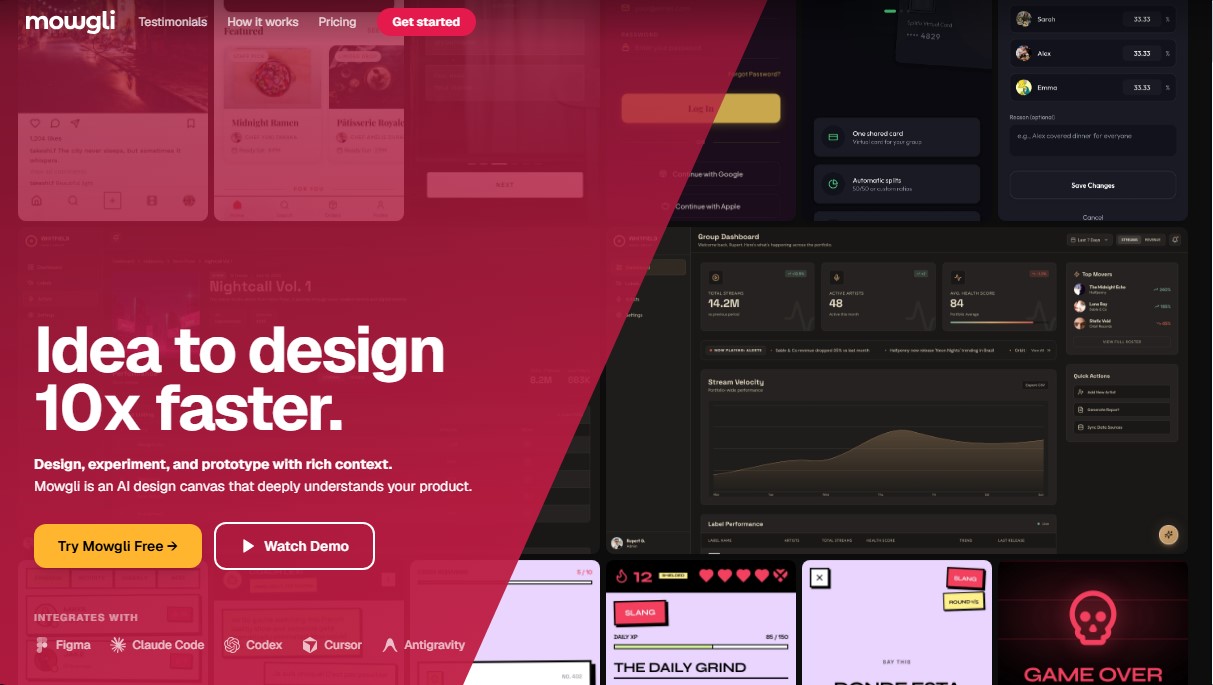
Mowgli Screenshots
Mowgli alternatives
ColorCraft
Create Amazon KDP books. Generate coloring pages, stories, puzzles, and print-ready full covers, plus promotional mockups in a single workflow.

NeotypeLab
NeotypeLab uses AI to plan paint schemes for Gunpla, mecha girls and Zoids, with real hobby paint codes, a spraying sequence, a shopping list and an HD preview.