

Share
Detects AI apps, models, and extensions on Windows to analyze risks and comply with the EU AI Act using local scans that ensure your privacy.
What is OneSecure?
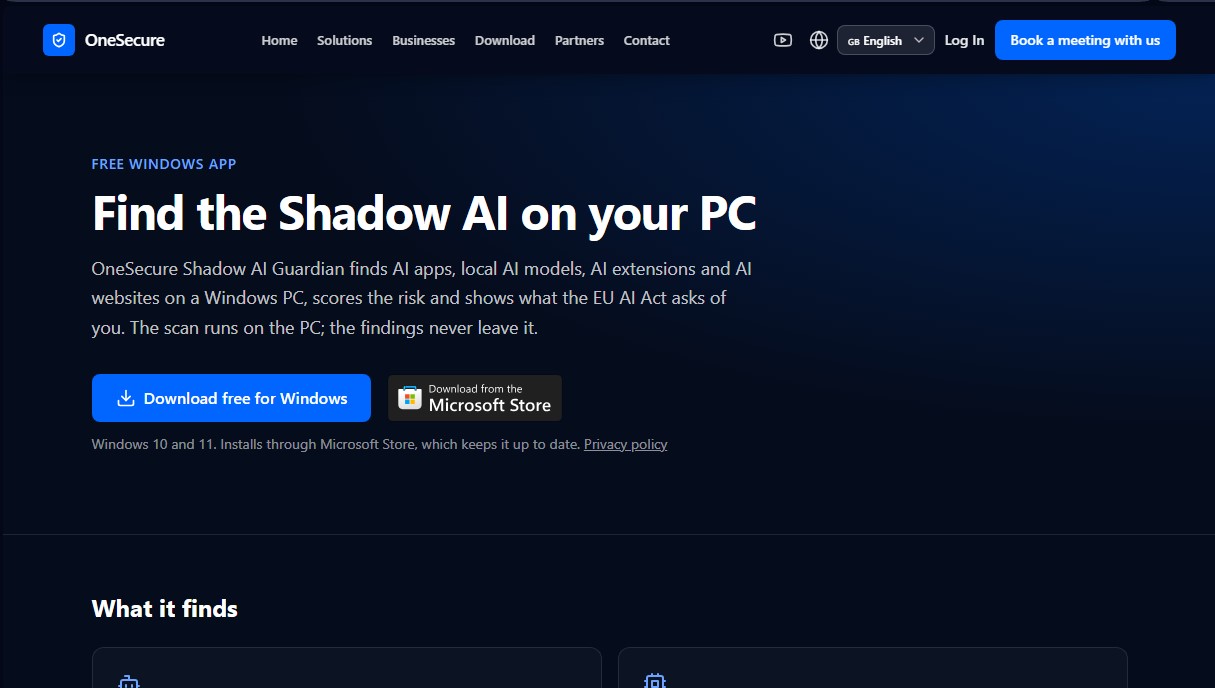
OneSecure Shadow AI Guardian is a specialized security solution for Windows systems designed to identify and manage the use of unsupervised artificial intelligence, a phenomenon known as Shadow AI. This tool provides administrators and end-users with complete visibility into the AI applications, local models, and extensions running on a PC, ensuring the digital ecosystem complies with security standards and current regulations.
OneSecure operates through a comprehensive local scan that prioritizes user privacy. Unlike other cloud-based solutions, analysis findings remain on the device and are never sent to external servers. The tool is capable of automatically detecting a wide range of technological resources:
- AI Applications and Assistants: Identifies installed or running software such as ChatGPT, Claude, Copilot, Perplexity, or Cursor.
- Local AI Models: Locates instances of Ollama, LM Studio, GPT4All, and AI servers operating locally via network ports.
- Extensions and Agents: Tracks AI plugins in browsers and code editors like VS Code, as well as frameworks for agents and MCP servers.
- Web-based AI Browsing: Monitors access to artificial intelligence services from browsers such as Chrome, Edge, and Brave.
One of the critical features of OneSecure Shadow AI Guardian is its ability to assign a risk score to each detected tool and offer specific guidance based on the EU AI Act. Since European regulations require organizations to ensure AI literacy among their staff, this application provides the necessary technical foundation to identify which tools are actually being used before implementing mandatory training programs.
For corporate environments, the tool facilitates centralized management through a dashboard that aggregates findings from multiple devices. It allows users to mark applications as approved, establish shared policies, and generate detailed reports in PDF and CSV formats for compliance audits. This helps IT managers maintain strict control over the external attack surface and ensure that the use of artificial intelligence within the company is transparent. Its deployment via the Microsoft Store ensures the software stays up to date on Windows 10 and 11 systems, optimizing security without interfering with daily productivity.
OneSecure features and use cases
How to use OneSecure
OneSecure FAQ
What is OneSecure Shadow AI Guardian and what is its purpose?
OneSecure is a Windows-based tool that scans your computer for AI applications, local models, extensions, and websites to assess potential risks.
Is my data private and secure when using OneSecure?
Yes. Scans are performed entirely locally on your computer, and the findings never leave your device, ensuring maximum privacy.
Which operating systems support OneSecure?
The tool is compatible with Windows 10 and Windows 11. It is installed directly through the Microsoft Store to ensure it always stays up to date.
How does OneSecure help with EU AI Act compliance?
It helps you comply with Article 4 of the Act by identifying AI tools in use, making it easier to provide mandatory AI literacy and training for your staff.
What are the benefits of the OneSecure Basic plan compared to the free version?
The Basic plan adds advanced features such as PDF and CSV report generation, a history of detected tools, and alerts whenever new AI software is identified.
Can OneSecure manage all of a company's computers simultaneously?
Yes. The Business plan features a centralized dashboard that allows you to monitor all devices across your organization from a single portal using shared policies.
What types of AI tools does OneSecure detect?
It detects applications like ChatGPT and Copilot, local models like Ollama, browser extensions, and AI services accessed via Chrome, Edge, or Brave.
How do I pay to upgrade my OneSecure plan?
You can upgrade directly within the app's settings. The secure payment process is managed by Stripe.
OneSecure pricing and plans
Free
0 € per month
- Full PC scan.
- Risk scoring and guidance on the EU AI Act.
- Ability to mark tools as approved.
Basic
3,90 € per month (includes a 14-day free trial)
- Everything included in the Free plan.
- Detailed reports in PDF and CSV formats.
- History of AI tools detected over time.
- Automated alerts when a new AI tool is detected.
- Email technical support.
Business
2,49 € per PC per month (5-device minimum; includes a 14-day free trial)
- Everything included in the Basic plan.
- Manage all organization PCs from a single dashboard.
- Shared policy for tool approval.
- Company-wide overview and access management in the OneSecure portal.
OneSecure Screenshots
OneSecure alternatives

Is My App Slop
Audits AI-built websites and apps for quality issues. Provides a score and prioritized solutions to improve design and usability.


AnyImageDetector
Identify AI-generated images by analyzing files or links. Provides a fast verdict with a probability percentage and confidence level.

AI Music Detection API by Modulate
API to identify AI-generated music and voices. Detects synthetic content in instruments and voices to protect copyrights and manage monetization.


Deepfake Detection by Modulate
Detect voice deepfakes and synthetic fraud in real-time. Protect calls and customers with high-precision, low-latency, and cost-effective audio analysis.