PdfAssistant AI
Share
PdfAssistant AI
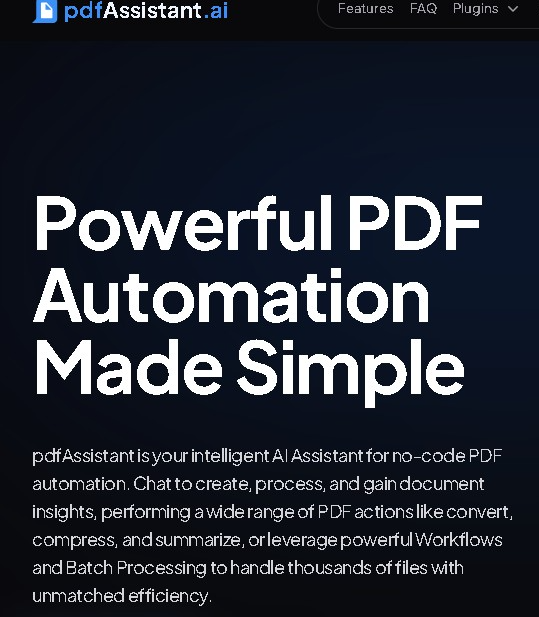
Manage and automate PDF documents with AI. Chat with files, summarize, translate, edit, and easily run batch processes.
General Information about PdfAssistant AI
PdfAssistant AI is an advanced web platform designed for managing and automating PDF documents through the use of artificial intelligence. This tool allows users to interact with digital files intuitively, eliminating the need to install heavy software or navigate complex interfaces. Its primary function is to act as an intelligent assistant that processes information efficiently, facilitating both technical editing and deep content analysis via natural language commands.
The operation of PdfAssistant AI is based on a conversational interaction model. Users can engage in a dialogue with their documents to retrieve specific data, make inquiries, or locate key points without needing to read the entire file. The tool utilizes natural language processing (NLP) technology to understand the context of the text, enabling the generation of automatic summaries, paragraph translations, or structured information extraction. Additionally, it stands out for its ability to configure workflows and automations, allowing for the optimization of repetitive tasks across one or multiple files simultaneously from any computer browser.
As part of its functional capabilities, PdfAssistant AI offers a complete ecosystem for document management:
- Chat with PDF: Allows you to ask direct questions to the document and receive clear answers based exclusively on its content.
- Intelligent Processing: Includes features for summarizing text, analyzing data, and automatically extracting entities.
- File Editing and Management: Tools to merge, split, compress, and password-protect documents.
- Format Conversion: Facilitates transforming files between different types, such as converting PDF to Word, while maintaining the integrity of the original formatting.
- Batch Processing: The ability to apply the same task or workflow to hundreds of documents at once, boosting operational productivity.
This solution is geared toward professionals, researchers, students, and administrative teams who manage large volumes of information. Thanks to its focus on workflow automation, PdfAssistant AI drastically reduces the time spent on manual file manipulation. The platform's versatility—ranging from quick queries on a mobile device to massive processes in corporate environments—makes it an essential resource for those looking to transform static documents into dynamic, searchable information assets. The integration of plugins and extensions ensures the tool can adapt to specific technical requirements, providing a flexible and highly functional workspace.
Features and Use Cases of PdfAssistant AI
How PdfAssistant AI Works
Frequently Asked Questions about PdfAssistant AI
What is PdfAssistant AI and what exactly does it do?
PdfAssistant AI is an AI-powered web platform designed to automate tasks, analyze content, and edit PDF documents using natural language commands.
Can I chat with my documents using PdfAssistant AI?
Yes, the tool allows you to interact with your files to ask questions about the text, get detailed summaries, or automatically translate the content.
What file editing features does the tool include?
PdfAssistant AI allows you to merge, split, compress, and password-protect documents, as well as convert PDFs to Word format.
Is it possible to process multiple documents at once?
Yes, the platform features a batch processing tool that allows you to apply tasks to hundreds or thousands of files simultaneously.
How can I automate my tasks with PdfAssistant AI?
You can create custom workflows to automatically run repetitive processes on your documents without the need for constant manual intervention.
Does PdfAssistant AI offer a free option?
Yes, the Starter plan is free and includes 200 monthly credits to perform basic tasks and test the AI's capabilities.
How are my plan's credits used?
Every action you take, such as sending a message to the AI or processing a document, deducts a specific number of credits from your available monthly balance.
What if I need more credits without signing up for a monthly subscription?
The platform offers flexible pay-as-you-go plans that allow you to purchase additional credits on a one-time basis according to your specific needs.
What are the benefits of PdfAssistant AI’s paid plans?
The Plus, Pro, and Enterprise plans significantly increase message and document processing limits and provide unlimited access to extensions and plugins.
PdfAssistant AI Pricing
Starter – Free
- 200 monthly credits for basic features.
- Up to 12 AI messages.
- Up to 10 document processes.
- Up to 6 Workflow edits.
Plus – Approximately $11.99/mo (or $9.59/mo billed annually)
- 2,000 monthly credits.
- Up to 125 AI messages.
- Up to 100 document processes.
- Up to 62 Workflow edits.
- Unlimited access to plugins and extensions.
Pro – Approximately $39.99/mo (or $31.99/mo billed annually)
- 8,000 monthly credits.
- Up to 500 AI messages.
- Up to 400 document processes.
- Up to 250 Workflow edits.
- Unlimited access to plugins.
Enterprise – Approximately $143.99/mo (or $115.19/mo billed annually)
- 32,000 monthly credits.
- Up to 2,000 AI messages.
- Up to 1,600 document processes.
- Up to 1,000 Workflow edits.
- Unlimited access to plugins.
Pay-As-You-Go – Variable Pricing
- A flexible system that allows you to purchase credits without a monthly subscription for occasional use.
PdfAssistant AI Screenshots