Pictographic
Share
Pictographic
Generate SVG icons from text. Customize strokes, combine elements, and export vectors for apps and websites. Includes a library and Figma plugin.
General Information about Pictographic
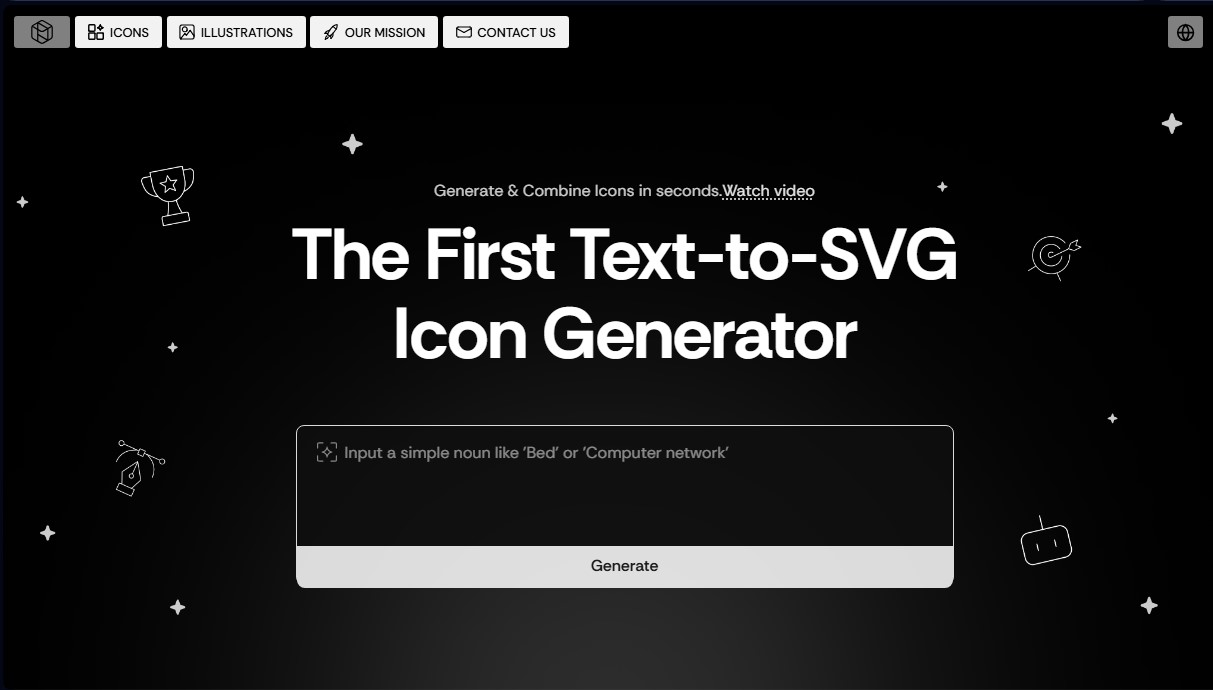
Pictographic is an advanced AI-powered design platform specializing in the creation of SVG vector icons from text descriptions. It stands out as the first Text-to-SVG icon generator, allowing designers, developers, and content creators to obtain professional graphics instantly without requiring advanced technical skills in editing software.
The tool’s functionality is based on an AI model capable of interpreting nouns and simple concepts to transform them into editable vectors. By entering a keyword or simple description into the search bar, such as "computer" or "data network," the system immediately generates a clean, professional-looking icon. Unlike other general image generators, Pictographic focuses on technical precision, guaranteeing consistent stroke weights and files ready for direct implementation in web production environments, presentations, or mobile applications.
Its core capabilities and functional benefits include:
- Custom Text-to-SVG Generation: Create unique icons from scratch that align with the design system of any digital project.
- Stroke Weight Control: Allows for adjusting line thickness so the icon harmonizes perfectly with the typography or the visual style of the interface.
- Massive Resource Library: Access to more than 20,000 stroke icons and a catalog exceeding 200,000 illustrations in multiple styles.
- Instant Color Customization: Integrated tools to quickly change the color of any graphic to match the brand palette.
- Element Combination: The ability to merge icons and sub-icons, facilitating the creation of complex and specific visuals for apps or websites.
To optimize professional workflows, Pictographic features a Figma plugin, which makes it easy to insert graphics directly onto the design canvas without the need for manual downloads. This integration is essential for teams seeking agility in interface prototyping and the development of marketing materials. All exported elements are fully scalable vectors, ensuring a crisp display at any resolution.
The utility of this tool lies in its ability to democratize visual communication. By functioning as a dynamic and generative repository, it seeks to eliminate creative barriers, allowing any user to represent concepts—from the most common to the most abstract—through a coherent and professional visual language. It is a robust solution for those who require custom iconography quickly and a uniform aesthetic across their digital assets.
Features and Use Cases of Pictographic
How Pictographic Works
Frequently Asked Questions about Pictographic
What is Pictographic and what is it used for?
It is an AI-powered icon generator that allows you to create and combine SVG vectors using simple text prompts.
Can I adjust the line thickness of Pictographic icons?
Yes, the tool includes an option to customize the stroke weight, ensuring the icons fit seamlessly into any design system.
What format are the generated icons downloaded in?
All icons are exported as high-quality SVG files, meaning they are fully editable vectors and production-ready.
Does Pictographic offer a plugin for external design tools?
Yes, we have a Figma plugin that allows you to search for, generate, and add icons directly to your projects without having to download them first.
Can I use the tool for free?
Yes, we offer a free plan that allows users to download up to ten images per month for use in any type of project.
How can I customize the colors of the illustrations?
The platform allows you to instantly change the color of any icon or illustration to perfectly match your brand's color palette.
How many resources are available in the Pictographic library?
Our library features over twenty thousand line icons and more than two hundred thousand illustrations in various styles, all ready for immediate use.
Pictographic Pricing
Free Plan: 0 €
- Limit of 10 free image downloads per month.
- Permitted for use in any type of project.
- AI-powered SVG icon generation (Text-to-SVG) from descriptions.
- Access to a library of over 20,000 icons and 200,000 illustrations.
- Customization tools to adjust stroke weight and colors.
- Access to the Figma plugin.
Premium Plans: See official website
- Specific details regarding pricing and limits for paid subscriptions are not available in the provided information; please visit their website for more details.
Pictographic Screenshots