QuillBot
Share
QuillBot
Rewrite and paraphrase text with AI to improve fluency and style. Includes a grammar checker, plagiarism detector, summarizer, and multiple writing modes.
General Information about QuillBot
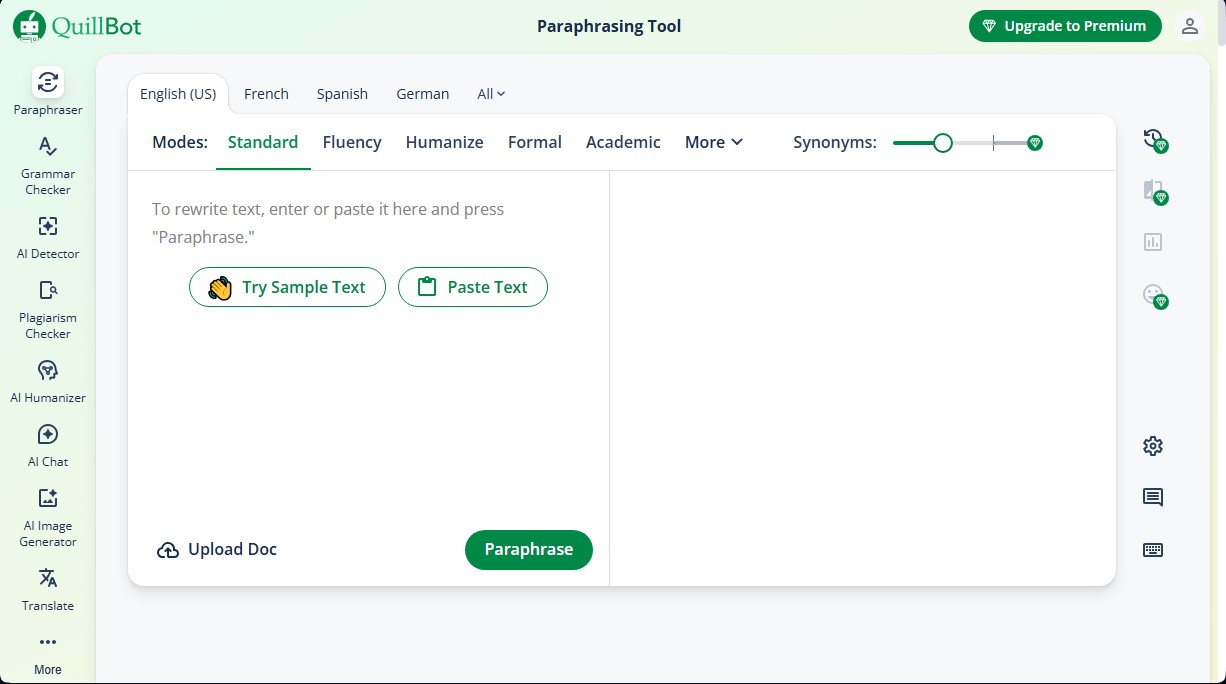
QuillBot is an advanced AI-powered paraphrasing tool designed to rewrite and refine text while maintaining its original meaning. This application functions as a comprehensive writing assistant that helps improve the fluency, vocabulary, and tone of documents. Its primary function is to transform sentences and paragraphs to make them clearer and more professional, making it an ideal solution for students, content writers, and professionals who work on a computer every day.
QuillBot’s technology uses natural language processing models to analyze context and offer precise semantic alternatives. Users can interact with the AI through the Synonym Slider, a feature that allows them to decide how much vocabulary they want to change. By moving the slider, the tool offers everything from a rewrite that stays true to the original to a much more creative and varied version, supported by an intelligent thesaurus that suggests specific synonyms with just a click on any word.
To adapt to different communication contexts, the platform offers several paraphrasing modes:
- Standard and Fluency: Optimize readability and fix grammatical structure while maintaining a natural flow.
- Formal and Academic: Adjust language for technical environments, business presentations, or college essays.
- Expand and Shorten: Allow users to increase the detail of an explanation or synthesize ideas concisely.
- Humanize: A specialized feature to transform AI-generated text into writing with a more authentic, human style.
- Custom Mode: Provides the ability to give specific instructions to the tool to achieve a particular result.
The QuillBot ecosystem goes beyond simple rewriting. It includes essential utilities such as a grammar checker, an AI content detector, a text summarizer, and a plagiarism checker. Additionally, it simplifies research tasks with its citation generator for APA, MLA, and Chicago formats. Its versatility is further enhanced by its integration as a Chrome extension and Microsoft Word add-in, allowing the assistant to work directly on websites, emails, and word processors on mobile or desktop devices.
With support for over 20 languages, this tool facilitates multilingual writing and content optimization. Its practical approach saves time during editing, ensuring the final message is accurate and error-free. In addition to text features, it integrates productivity tools like PDF editors, file converters, and an AI image generator, making it a versatile platform for high-quality digital content creation.
Features and Use Cases of QuillBot
How QuillBot Works
Frequently Asked Questions about QuillBot
What is QuillBot, and what exactly is it used for?
It is an AI-powered paraphrasing tool designed to rewrite text, automatically improving its flow, tone, and vocabulary.
Can I use QuillBot for free?
Yes, the platform offers a free version that allows you to process up to 125 words at a time and provides access to the Standard and Fluency modes.
How does QuillBot’s synonym slider help improve a text?
This feature lets you decide the level of vocabulary change; move the slider to the left for greater accuracy or to the right for more creative results.
What advantages does a QuillBot Premium subscription offer compared to the free version?
A Premium account removes word limits on the paraphraser, unlocks all writing modes, and provides unlimited access to the plagiarism and AI detectors.
Can QuillBot be integrated into browsers or word processors?
Yes, the tool offers a Google Chrome extension and a specific add-in for Microsoft Word, allowing you to write professionally across various apps and websites.
What writing modes are included in QuillBot’s paraphraser?
It features over ten different modes, including Formal, Academic, Creative, and Simple, as well as specific options to expand or shorten content.
Does QuillBot offer other features besides rewriting text?
Yes, the platform includes additional tools such as a grammar checker, an AI content detector, a summarizer, and a citation generator.
How many languages can QuillBot paraphrase in?
The tool has multilingual capabilities, allowing users to work with text and paraphrase in more than 20 different languages.
QuillBot Pricing
Free Plan
Price: $0 per month.
- Paraphrasing limited to a maximum of 125 words.
- Access to 2 paraphrasing modes (Standard and Fluency).
- Basic grammar error correction.
- Basic AI text humanization.
- Basic summary generation.
- Limited access to the AI detector.
Premium Plan
Price: $4.17 per month (billed annually).
- Unlimited paraphrasing.
- Access to all paraphrasing modes and unlimited custom modes.
- Advanced grammar suggestions.
- Advanced AI text humanization.
- Custom summary generation.
- Unlimited access to the AI detector.
- Plagiarism checker to ensure originality.
Team Plan
Price: Visit the official website for pricing details based on user volume.
- Includes all Premium plan features.
- Organization-wide usage metrics.
- Admin dashboard for user management.
- Centralized billing.
- Data control and dedicated support.
QuillBot Screenshots