rabbit OS3
Share
Agentic OS that automates tasks and manages files, connecting your computers with AI models to run workflows using natural language.
What is rabbit OS3?
rabbit OS3 is an agentic operating system designed to transform how we interact with technology, moving from manual software operation to direct goal execution. Unlike traditional systems, this tool allows users to describe what they want to achieve—whether creating, researching, or completing a task—and the system handles the necessary steps autonomously. It is a solution geared toward users who manage complex workflows across multiple platforms and want to delegate repetitive actions to an AI capable of acting upon the digital environment.
The operation of rabbit OS3 is based on task direction rather than menu navigation. It utilizes a hybrid architecture that connects user intent with advanced AI models and the resources of their own devices. By installing the rabbit agent on a computer (compatible with macOS, Windows, and Linux), the system can manipulate local files, execute terminal commands, and manage tools without needing to upload data to the cloud, maintaining privacy on local hardware.
One of its core technological innovations is its BYOK (Bring Your Own Key) capability. This allows users to integrate their own API keys from providers such as Anthropic (Claude), OpenAI (GPT), or Google Gemini, as well as local models via Ollama. As a result, users can switch the language model powering the tool without losing memory, work context, or previously configured skills.
Key Capabilities and Benefits of rabbit OS3:
- Persistent Memory and Context: The system retains information about past projects and user preferences, eliminating the need to explain configurations for every new request.
- Multi-Device Management: It allows you to connect up to 20 computers to a single account, meaning you can start a task from a mobile phone via Telegram or an r1 device and have the work execute on your desktop.
- DLAM Technology: When a task requires visual interaction with an application, the system can use its Dynamic Large Action Model to operate the interface with user permission.
- Background Execution: Extensive tasks continue processing autonomously even if the browser tab or desktop application is closed.
- Skill Importation: It is capable of absorbing workflows from other coding agents like Claude Code, Cursor, or Gemini CLI, turning them into its own skills.
- Native Integrations: Direct connection with platforms like GitHub, Notion, and Linear to automate project management.
rabbit OS3 is available via the web, dedicated desktop applications, and messaging channels, providing ubiquitous assistance. It doesn't just provide chat responses; it executes real work on the files and tools where user productivity happens.
rabbit OS3 features and use cases
How to use rabbit OS3
rabbit OS3 FAQ
What exactly is rabbit OS3 and how does it differ from a traditional operating system?
It is an agent-based operating system that completes entire tasks for you, managing the intermediate steps to achieve a result instead of forcing you to handle every application manually.
Do I need to write very precise instructions for rabbit OS3 to understand what I want?
No, you can start with an incomplete thought or a general idea and the tool will work through the necessary steps, allowing you to add details or change direction during the process.
On which devices and platforms can I access rabbit OS3?
You can use it through a web browser, via desktop applications for macOS and Windows, on Telegram, or by using the r1 physical device.
Can I use my own API keys from other providers in rabbit OS3?
Yes, the system allows you to connect your own keys from providers like OpenAI, Anthropic, or Google Gemini, so you can choose your preferred model without losing your settings or memory.
What happens to ongoing tasks if I close the browser window or tab?
The system allows long-running tasks to continue executing in the background, so you can close your session and come back later to review the finished work.
Does connecting my computer mean all my files are uploaded to rabbit's servers?
No, your files stay on your local machines and the tool only accesses the documents and tools necessary to complete the specific task you have assigned.
Is it mandatory to buy an r1 device to use rabbit OS3?
It is not necessary to have the physical device, as you can use all the core features through the web or desktop applications.
How does rabbit OS3 handle privacy when performing actions on my behalf?
You decide the level of control through permission settings, and the system will request explicit confirmation before performing sensitive or irreversible actions.
What is the rabbit agent and what is it used for?
It is a lightweight program you install on your computer to connect it to the system, allowing the tool to work securely with your local files and terminal tools.
Can rabbit OS3 interact with other apps I already use?
Yes, you can connect apps like GitHub or Notion, and the system can also interact with the visual interface of other programs with your permission when necessary.
rabbit OS3 pricing and plans
rabbit OS3 (Standard Access)
Price: Check the official website (the system uses a BYOK or "Bring Your Own Key" model).
- Multi-platform access via web browser, desktop app (macOS and Windows), and Telegram.
- BYOK model: Allows you to connect API keys from Anthropic, OpenAI, Google Gemini, OpenRouter, xAI, and other providers.
- Free usage option via local models or free tiers from third-party providers (such as Google Gemini or OpenRouter).
- Limit of up to 20 linked computers per account for coordinated tasks.
- Includes "rabbit agent" to manage files, tools, and local commands from the connected computer's terminal.
- Shared Memory and Context: Maintains conversation threads and preferences across different sessions and devices.
- Import skills from external agents (Claude Code, Cursor, Gemini CLI, etc.).
- Run long-running tasks in the background without needing to keep the window open.
- Ability to make phone calls (requires specific OpenAI key and Project ID).
rabbit r1 (Hardware)
Price: Check the official website.
- Optional physical device to access OS3 via voice and buttons.
- Full synchronization with the user account's memory and context.
- Ability to install "creations" (small custom apps developed in OS3).
- Access to exclusive device settings: retro mode, "magic voice," developer mode, and media gallery.
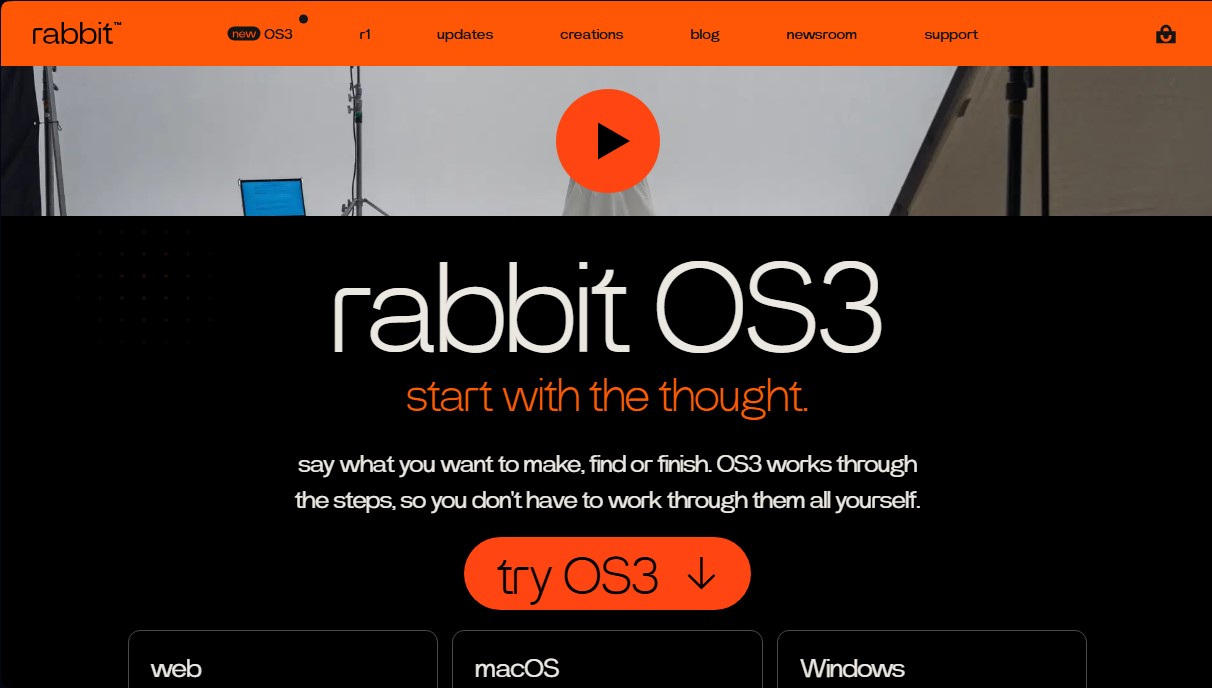
rabbit OS3 Screenshots
rabbit OS3 alternatives

Agentkit: AI Automations
Automate customer support on Instagram, WhatsApp, and the web with AI agents trained on your content to answer questions and capture leads 24/7.


BridgeForge
Build bridge pages and use voice-cloned AI assistants to close sales after signup. Handle objections in real-time and automate phone and text follow-ups.

ProductBridge
AI platform for support and feedback management. Resolve chats, merge duplicate suggestions, and prioritize the product roadmap based on real customer impact.