Share
ReWave
Generate professional music with AI from descriptions or lyrics. Features dozens of genres, natural voices, and high-quality downloads.
General Information about ReWave
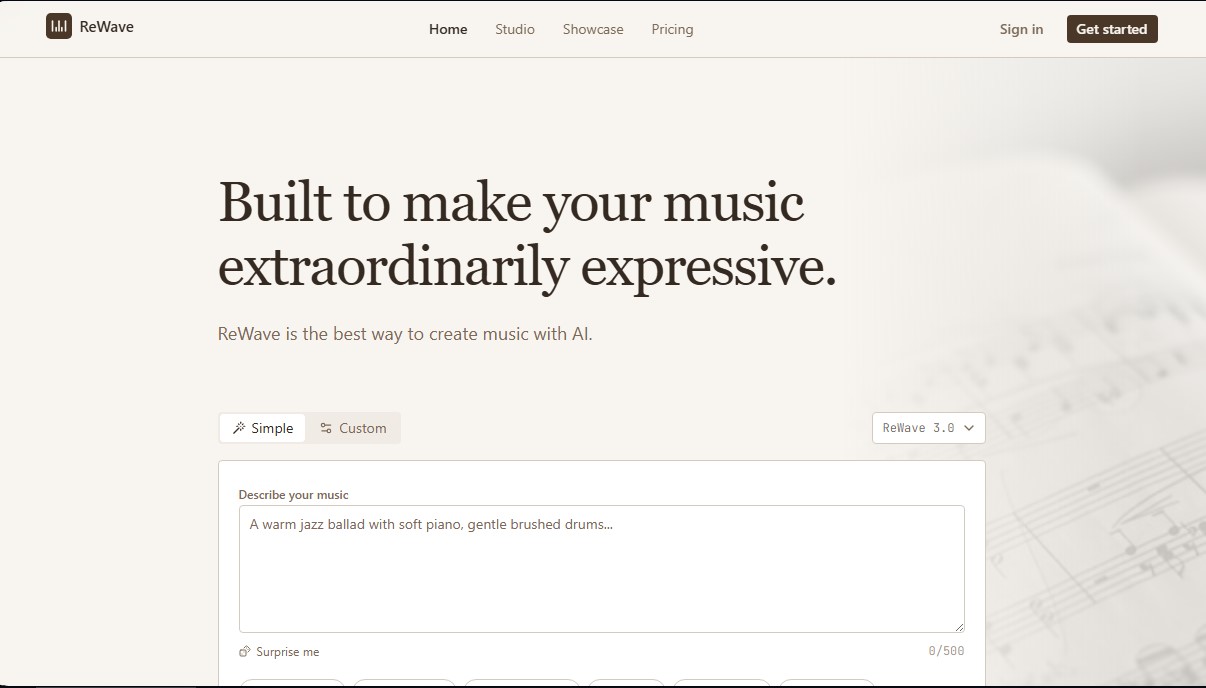
ReWave is an advanced AI music creation platform designed to produce high-fidelity tracks easily and efficiently. Based on Suno-v5.5 model technology, this tool allows users of any technical level to generate original compositions from text descriptions or custom lyrics. Its primary focus is to offer a professional music production environment that is accessible to both experienced composers and content creators who need original soundtracks for their projects.
The workflow of ReWave is built around a straightforward process: describe the style or mood, generate variations, and refine the final result. Users can input detailed prompts, such as a warm jazz ballad or lo-fi beats, and the system processes these instructions to deliver two unique variations in seconds. Additionally, it enables the creation of songs with vocals by inserting structured lyrics using tags like [Verse] or [Chorus], ensuring the melody and instrumentation align perfectly with the tone of the text.
Key technical capabilities and functional benefits include:
- Studio-quality audio: Track generation with up to 48kHz / 24-bit resolution, guaranteeing a polished sound ready for professional use.
- Genre versatility: Supports over 50 musical styles, including cinematic, synthwave, folk, hip hop, bossa nova, rock, and electronic music.
- Multilingual support: Ability to process lyrics and generate natural-sounding vocals in English, Spanish, Japanese, Chinese, and ten other additional languages.
- Vocal customization: Choose between male or female voices or create purely instrumental tracks.
- Export formats: Compatibility with WAV, MP3, and FLAC files, streamlining the workflow on any computer or device.
- Extended duration: Ability to generate musical pieces up to 4 minutes long.
For more technical users, ReWave offers value-added features like stem separation, which allows for the separate download of elements such as drums, bass, or vocals for editing in external post-production software. This tool is highly beneficial for music producers seeking quick demos, podcasters in need of exclusive theme songs, and video creators who require music with a commercial license to avoid copyright issues. Thanks to its focus on musical expressivity, the AI doesn’t just generate sounds—it interprets emotional nuances to deliver professional-grade orchestral arrangements or urban beats.
Features and Use Cases of ReWave
How ReWave Works
Frequently Asked Questions about ReWave
What is ReWave and how does it work?
ReWave is an AI-powered platform designed to easily create professional-quality music from text descriptions or custom lyrics.
Can I use ReWave music for commercial purposes?
Yes, the Pro and Premier plans include a full commercial license, allowing you to use your tracks in podcasts, social media videos, and other professional projects.
What formats are available for downloading my songs?
You can download your creations in MP3 format for standard use, or in high-fidelity WAV and FLAC formats for studio-quality productions.
How do I include my own lyrics in the songs?
Simply type or paste your text using tags like Verse and Chorus, and the AI will adapt the melody and rhythm to fit your words.
How many different versions does ReWave generate each time?
Every time you generate music, the tool creates two distinct variations so you can compare the results and download your favorite one.
Can I create music in different languages?
Yes, the tool can generate songs with vocals in English, Spanish, Chinese, Japanese, and many other languages, in addition to offering instrumental options.
What musical genres are available on the platform?
You can create music in any style, from jazz and classical to hip-hop, rock, electronic, or relaxing lo-fi beats.
What is the maximum length of the music tracks?
Songs generated by the system can be up to four minutes long and offer professional-grade sound quality that is production-ready.
ReWave Pricing
Free Version
Available to start creating music with no credit card required (check the official website for specific credit and usage limits).
Starter
$12 per month ($9 per month with annual billing).
- 2,500 credits per month (approximately 20 songs).
- Access to all AI models.
- MP3 file downloads.
- Up to 4-minute generations with 2 variations per 120 credits.
Pro
$30 per month ($24 per month with annual billing).
- 10,000 credits per month (approximately 83 songs).
- Access to all AI models.
- Professional WAV file downloads.
- Commercial license included for professional projects.
- Up to 4-minute generations with 2 variations per 120 credits.
Premier
$80 per month ($64 per month with annual billing).
- 30,000 credits per month (approximately 250 songs).
- Access to all AI models.
- Professional WAV file downloads.
- Commercial license included.
- Priority generation queue.
- Unused credits roll over for a 3-month period.
- Audio stem separation available.
ReWave Screenshots