Scenova AI
Share
Scenova AI
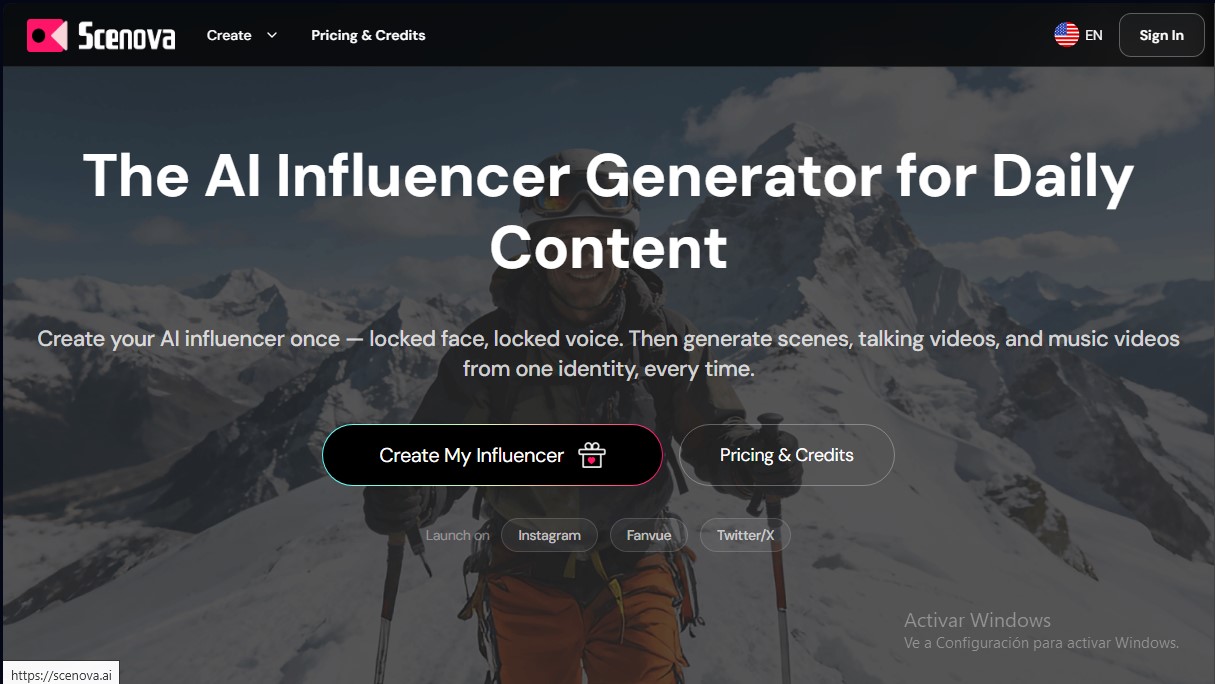
Create AI influencers with consistent faces and voices. Generate photos, lip-sync videos, and music clips with a realistic, coherent visual identity.
General Information about Scenova AI
Scenova AI is a specialized platform for creating and managing AI influencers designed for daily multi-channel content production. Its core value proposition lies in the ability to lock the identity (face and voice) of a virtual character, ensuring total visual and auditory consistency across all posts. This technology eliminates the "identity drift" problem, allowing the avatar to maintain the same look in photos, narrative videos, and music clips.
The tool operates through a structured workflow that begins with the AI Influencer Generator. In this phase, the user defines the avatar's facial features and voice profile. Once this foundation is established, the system allows the character to be deployed in different formats without losing the fidelity of the original model. Scenova AI utilizes advanced video models with emotion control and voice- or text-based lip sync, achieving a natural, cinematic finish that avoids the synthetic look common in other generators.
Key capabilities of the tool:
- AI Photo Generator: Allows the character to be placed in various environments, from studios to lifestyle shoots, using descriptions or reference images. These scenes can be saved as "Master Frames" to be reused in future videos.
- AI Video Generator: Transforms scripts or audio recordings into talking head videos. It supports SRT subtitle export and batch processing of up to five videos simultaneously, optimizing the workflow for desktop.
- AI Music Video Generator: Features the ability to generate full songs from lyrics or themes and produce a music video that preserves character continuity in every segment.
- Creator Kit: A launch tool that automatically generates assets for profiles on Instagram, Fanvue, or X, including a bio, starter photos, and a seven-day posting schedule.
From a functional standpoint, Scenova AI is a robust solution for creators looking to scale their social media presence without relying on physical filming. The platform offers a preview system to validate synchronization and pacing before performing the final high-resolution (1080p) render. By integrating scene-aware lighting and natural expressions, the tool facilitates the creation of professional content suitable for advertising and brand collaborations, granting the user full commercial rights over all generations.
Scenova AI’s technological approach prioritizes multi-channel consistency. By keeping the facial structure and voice linked to a single identity, users can produce varied content on a recurring basis without rebuilding the character from scratch, saving time and reinforcing the virtual influencer's personal brand.
Features and Use Cases of Scenova AI
How Scenova AI Works
Frequently Asked Questions about Scenova AI
What is Scenova AI and what does it do?
Scenova AI is an AI influencer generator that allows you to create a fixed facial and voice identity to produce consistent photo and video content.
How does Scenova AI ensure my character always stays the same?
The tool locks in the influencer’s facial structure and voice profile so that all subsequent generations maintain the same identity without visual variations.
Do I have commercial rights to the content created with Scenova AI?
Yes, all plans include full commercial rights, allowing you to use your characters and videos on social media or in advertising campaigns.
What is the difference between a preview and a final render?
A preview is a low-resolution draft used to verify motion, while the final render provides high-definition quality for professional publishing.
What is the maximum duration for videos generated on Scenova AI?
Each video generation supports up to sixty seconds, though you can combine multiple clips in an external editor to create longer content.
How does the platform's credit system work?
Each action within the tool consumes a specific number of credits, which are displayed before you generate anything so you have full control over your usage.
Can I reuse a setting in different videos?
Yes, you can save any created scene as a master frame to use again in other videos, maintaining visual consistency across your environments.
What is included in the Scenova AI creator kit?
This kit generates profile assets, a custom bio, seven lifestyle photos, and a seven-day posting calendar tailored to each platform.
Scenova AI Pricing
Starter
0 $/mes
- 100 monthly credits.
- 1 active character slot.
- Standard generation speed.
- Public gallery access.
Creator
29 $/mes
- 2,900 monthly credits.
- 5 active character slots.
- Fast generation queue.
- Private gallery.
- Full commercial rights.
- High-resolution (2k) file uploads.
Studio
69 $/mes
- 6,900 monthly credits.
- Unlimited character slots.
- "Turbo" priority queue.
- 3 team collaboration seats.
- API access.
- Ultra-resolution (4k) file uploads.
Credit Packs (One-time purchase)
- Small (19 $): 1,900 credits.
- Medium (59 $): 7,000 credits.
- Large (129 $): 16,000 credits.
- Usage constraints: Character creation costs between 5 and 30 credits; photos cost between 5 and 10 credits; final video costs 10 credits per second, and music video costs 20 credits per second. Videos are limited to 60 seconds per run.
Scenova AI Screenshots