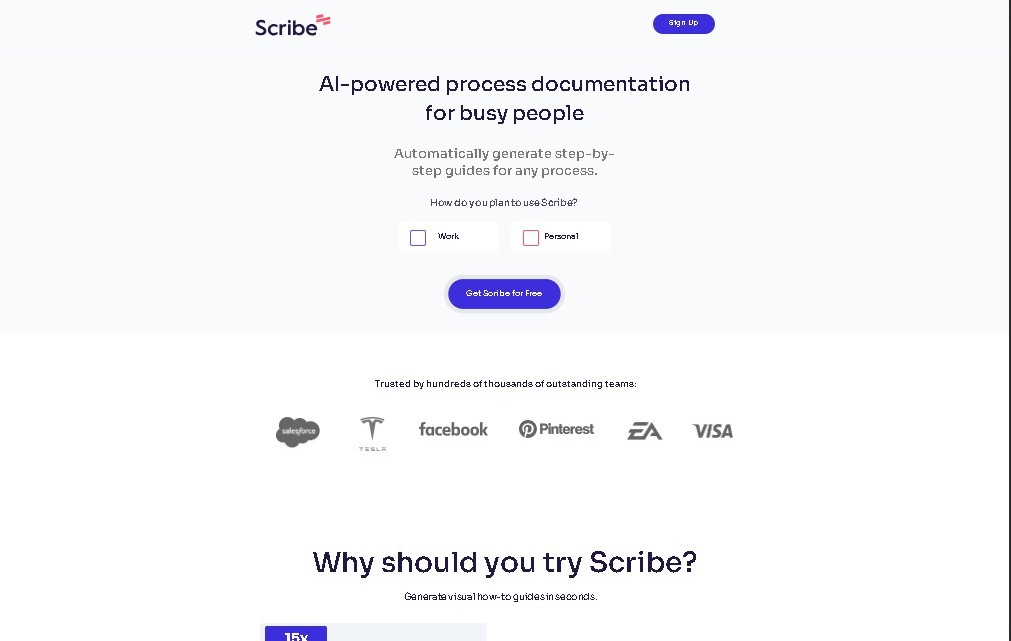
Scribe AI
Share
Scribe AI
Automate step-by-step guides and process manuals by capturing screen actions. Streamline technical documentation, support, and team training.
General Information about Scribe AI
Scribe AI is a documentation automation platform designed to instantly transform any digital workflow into a detailed visual guide. This artificial intelligence tool allows users to capture processes in real time while performing their routine tasks on a computer or mobile device, eliminating the need to write manuals by hand. Its primary function is to simplify the creation of step-by-step guides and procedure manuals, turning every click and action into a clear, structured, and easy-to-follow instruction.
Scribe operates using an intelligent capture system that records screen activity across web, desktop, and mobile applications. Once process recording is activated, the tool's technology analyzes every interaction to automatically generate screenshots and precise text descriptions for each step. This process documentation AI detects the interface elements being interacted with, ensuring the final result is a professional document ready to share without requiring extensive technical editing.
Key capabilities and practical benefits of Scribe AI include:
- Automatic generation of training manuals and onboarding materials for new hires, speeding up their learning curve.
- Creation of Standard Operating Procedures (SOPs) that ensure consistency across team tasks.
- Development of technical support documentation and customer help guides, improving issue resolution through visual content.
- Ability to edit and customize screenshots, allowing users to highlight relevant information or redact sensitive data.
- Versatile export options in formats like PDF, HTML, or Markdown, making it easy to integrate guides into internal wikis or knowledge bases.
This solution is particularly useful for operations teams, consultants, HR departments, and customer service professionals who need to document complex processes quickly. By using Scribe, users optimize their time and ensure that critical company knowledge is accessible and understandable for everyone. The tool breaks down technical communication barriers, enabling any professional to produce high-quality visual process documentation simply by performing their usual workflow on screen.
Features and Use Cases of Scribe AI
How Scribe AI Works
Frequently Asked Questions about Scribe AI
What is Scribe AI and exactly what does it do?
Scribe AI is an AI-powered platform that captures your on-screen actions and automatically transforms them into visual, step-by-step guides.
How much does Scribe AI cost?
There is a free Basic plan for creating unlimited guides, as well as paid plans like Pro and Team that offer advanced editing and export features.
How does Scribe automatically generate guides?
The tool records your clicks and movements as you use an application, automatically drafting text instructions and capturing screenshots for every step.
What kind of documents can I create with Scribe AI?
You can create training manuals, standard operating procedures (SOPs), technical documentation for customers, and onboarding materials for new hires.
Can I export Scribe AI guides to other formats?
Yes, with the paid versions, you can export your documents to PDF, HTML, or Markdown and customize them with your own branding.
Does Scribe AI offer features to protect sensitive data?
The Enterprise plan includes advanced security features and automatic redaction of sensitive information to ensure the privacy of your recorded processes.
What is the difference between Scribe AI’s Free and Pro plans?
The Free plan allows you to create basic guides, while the Pro plan includes desktop app recording, screenshot editing, and advanced export options.
Can I use Scribe AI for team-based process documentation?
Yes, the Pro Team and Enterprise plans are specifically designed to facilitate user collaboration and joint project management.
Scribe AI Pricing
Basic Plan - Free
- Price: 0 € (Free).
- Unlimited guide creation with basic features.
- Process capture and recording.
- Auto-generated text instructions.
Personal Pro Plan
- Price: Approximately 23 USD/month per user.
- Process recording with advanced features.
- Screenshot editing tools.
- Export guides in PDF, HTML, and Markdown formats.
- Branding and custom branding options.
Team Pro Plan
- Price: Approximately 12 USD/month per user (requires a minimum number of users).
- Includes all Personal Pro plan features.
- Advanced collaboration tools for team members.
- Project management features.
Enterprise Plan
- Price: Custom (Contact sales).
- Advanced security and Single Sign-On (SSO).
- Automatic redaction of sensitive data in screenshots.
- Enterprise management tools and technical support.
Scribe AI Screenshots