Share
What is Skyvern?
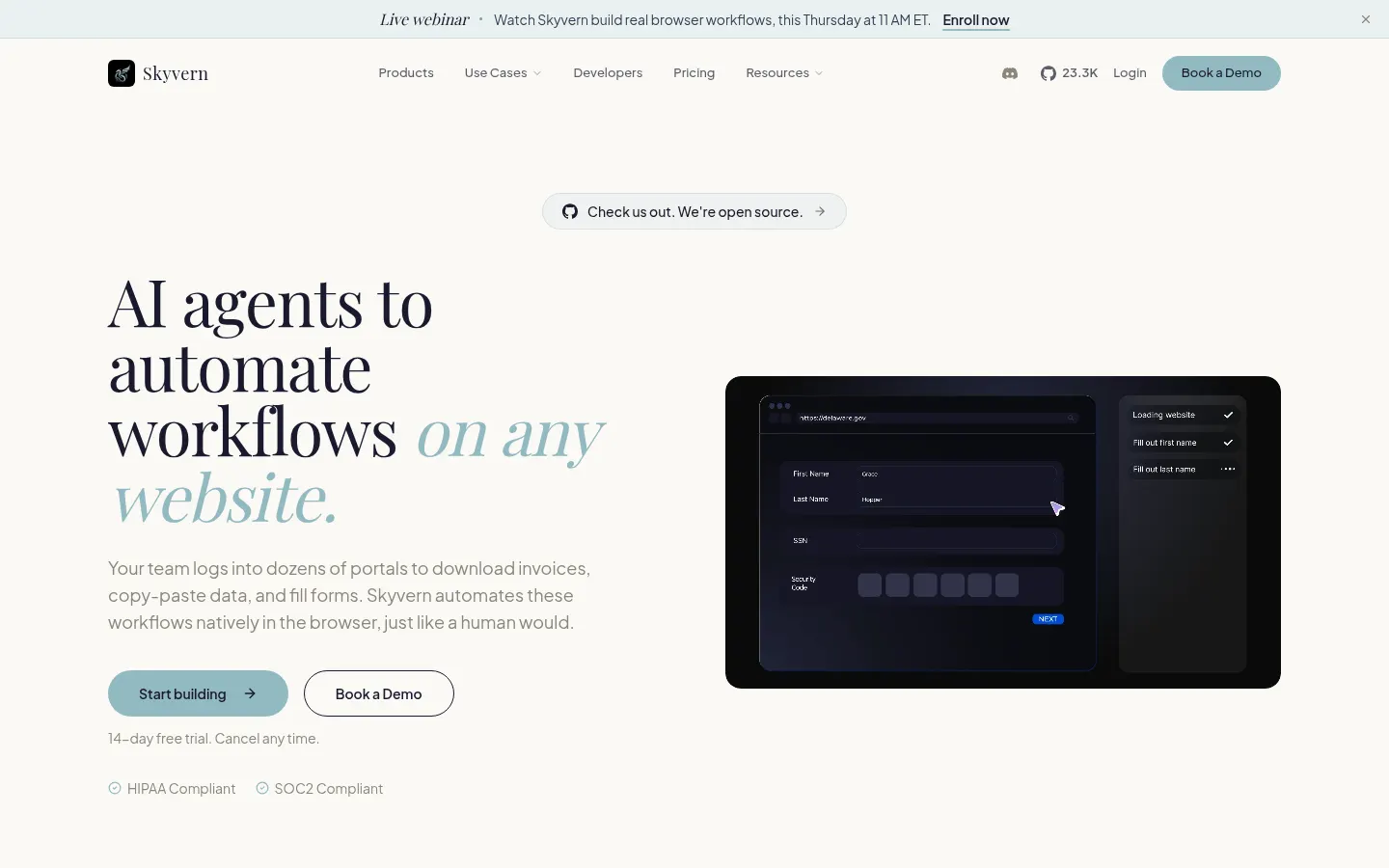
Skyvern is an AI browser automation platform that runs agents able to use any website the way a person would. Instead of relying on CSS selectors that break with every redesign, the agent reads the page visually and decides where to click or what to type. It is open source and backed by Y Combinator.
What tasks does Skyvern automate?
- Filling long forms on supplier, insurer or government portals.
- Downloading invoices, statements and documents from dozens of accounts.
- Extracting structured data from websites with no API.
- Logging in with stored credentials and 2FA / TOTP codes.
- Solving CAPTCHA and getting past bot protection with proxies and geo-targeting.
How are workflows built?
It offers a drag-and-drop visual workflow builder, custom code blocks and human-in-the-loop steps when a decision needs review. Technical teams get a REST API, Python and TypeScript SDKs and an MCP server, so agents fit into other products or pipelines.
Is it suitable for regulated industries?
Yes. Skyvern states HIPAA compliance and SOC 2 Type II certification, supports self-hosting on AWS, GCP or Azure and integrates secret managers such as 1Password, Bitwarden and Azure Key Vault. That makes it workable in healthcare, insurance, logistics or finance, where teams deal with portals that have no API.
Who is Skyvern best for?
Developers maintaining scraping or test scripts that keep failing, and operations teams losing hours copying data between portals. Webhooks and concurrent runs let these processes reach production.
Skyvern pros and cons
- Pro: understands new pages without selectors
- Pro: open source with a self-hosting option
- Pro: security features for regulated environments
- Con: designing reliable workflows still needs technical judgment
- Con: credit usage varies with the complexity of each task
Skyvern features and use cases
How to use Skyvern
Skyvern FAQ
What is Skyvern?
Skyvern is an open-source platform that automates browser tasks with AI agents that read each website visually.
Is Skyvern free?
There is no free cloud plan, but there is a 14-day trial with 30,000 credits, and the open-source code can be self-hosted.
How is Skyvern different from Selenium or Playwright?
It does not rely on CSS selectors: the agent understands the page and adapts to layout changes without rewriting the script.
Can Skyvern solve CAPTCHA?
Yes, it includes a basic CAPTCHA solver on Hobby and an advanced one on Pro and Enterprise.
Does Skyvern work with portals that require 2FA?
Yes, it supports TOTP and 2FA codes, and Pro adds Skyvern SMS numbers.
Does Skyvern have an API and SDKs?
Yes, it offers a REST API, Python and TypeScript SDKs and an MCP server.
Can Skyvern be self-hosted?
Yes, it can be deployed on AWS, GCP or Azure, an option aimed at Enterprise customers.
What is a Skyvern credit?
It is the usage unit for runs; Hobby includes 30,000 credits per month, roughly 1,200 actions.
Is Skyvern safe for sensitive data?
It states HIPAA compliance and SOC 2 Type II and integrates 1Password, Bitwarden and Azure Key Vault.
What are the best Skyvern alternatives?
On GptZone you can compare it with Browserbase, Browser Use and Bardeen.
Skyvern pricing and plans
Reference price: 29 USD / month. Source · Verified: November 1, 2026
Prices in US dollars (USD). Checked on: 01/11/2026.
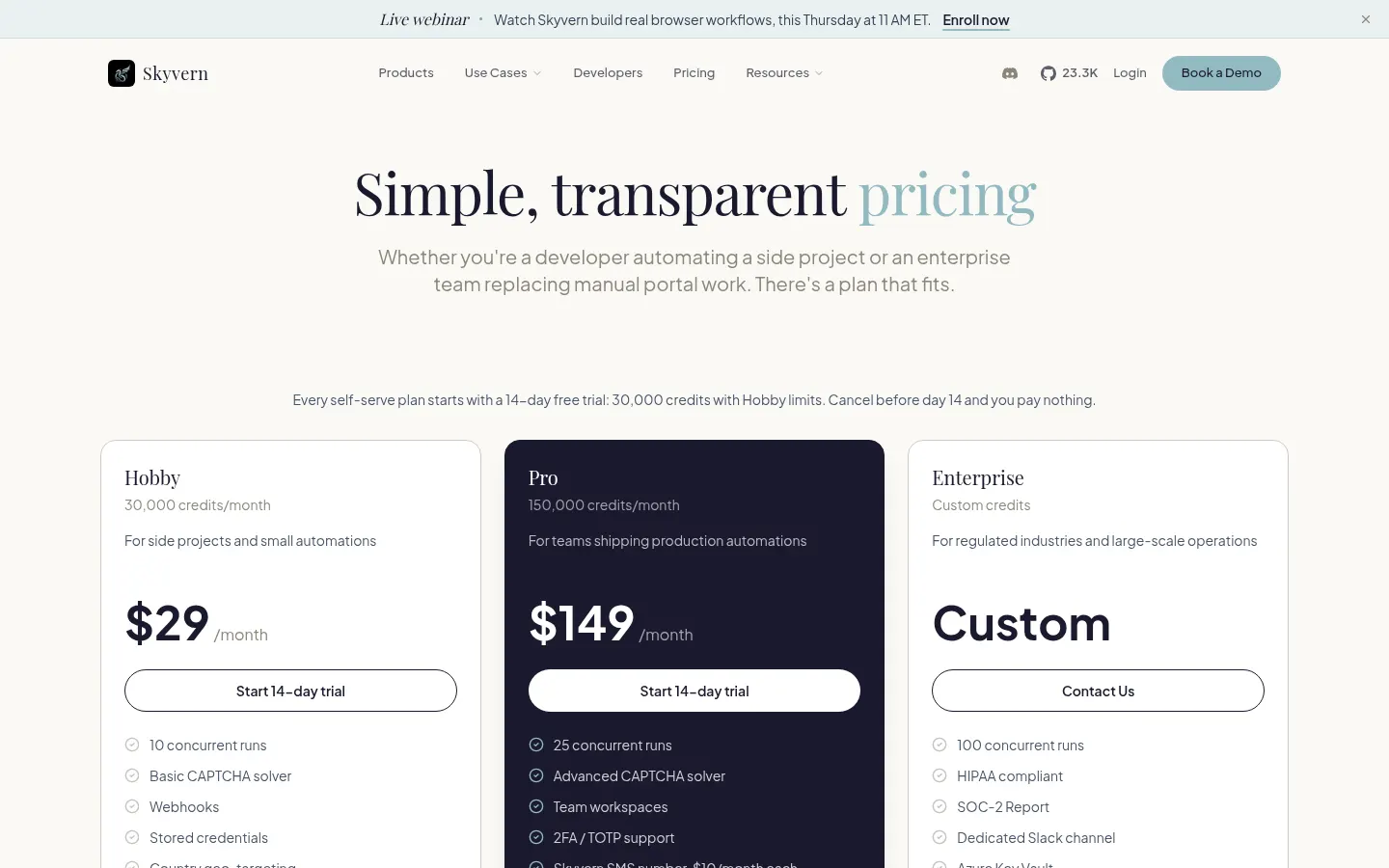
14-day trial on self-serve plans: 30,000 credits with Hobby limits; cancel before day 14 and you pay nothing.
Hobby: $29/month; 30,000 credits per month (about 1,200 actions), 10 concurrent runs, basic CAPTCHA solver, webhooks and stored credentials.
Pro: $149/month; 150,000 credits per month (about 6,200 actions), 25 concurrent runs, advanced CAPTCHA solver, team workspaces, 2FA, residential proxy and priority support. Skyvern SMS numbers: $10/month each.
Enterprise: custom pricing; custom credits, 100 concurrent runs, HIPAA, SOC 2 report and a dedicated Slack channel.
Skyvern Screenshots
Skyvern user reviews
Write a review
Checking your session...
Skyvern Reviews
Loading reviews...
Skyvern alternatives

Browser Use
Browser Use pairs agents that finish web tasks for you with cloud browser infrastructure that gets past bot walls and connects to Playwright or Puppeteer.

TextCortex
Enterprise platform to build, deploy and govern no-code AI agents connected to company knowledge bases and tools.