Spawnbase
Share
Spawnbase
Automate recurring tasks with AI workflows. Connect your apps, choose from hundreds of models, and visually deploy intelligent agents.
General Information about Spawnbase
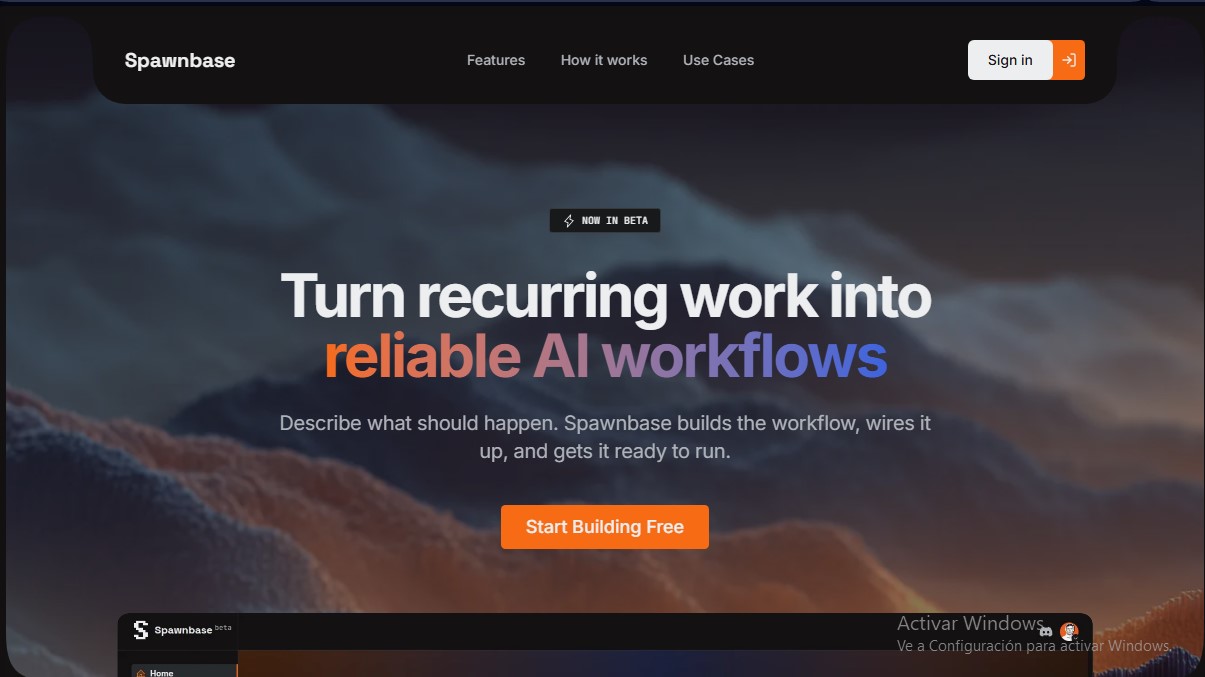
Spawnbase is an automation platform designed to transform recurring tasks into reliable AI workflows. Currently in beta, this tool allows product and operations teams to create agentic workflows using natural language, eliminating the need to rely exclusively on engineering departments to implement complex automated solutions from their computers.
Spawnbase operates on an AI-agnostic approach, allowing users to choose from over 200 models and 7 different providers, including Anthropic, OpenAI, Google Vertex, and Llama. This flexibility makes it easy to optimize each step of the process based on the required quality, speed, or performance, enabling users to switch models at any stage of the flow without having to rebuild the entire system.
Automations are created through a visual flow builder assisted by a Copilot. The user describes the desired goal, and the AI proposes a draft architecture, connecting triggers, app actions, and AI nodes. Its core capabilities include:
- Native AI Agents: Execution of agents with built-in memory, tools, and support for Model Context Protocol (MCP), facilitating multi-step operations with real-world context.
- Advanced Connectivity: Native integration with professional ecosystem tools such as Slack, GitHub, Notion, HubSpot, Jira, and Airtable.
- Testing and Debugging Environment: Allows for step-by-step inspection of every execution before deployment, verifying inputs, outputs, and response times to ensure reliability.
- Deployment and Monitoring: A dashboard to oversee active flows, review execution history, and manage success rates in real-time.
From a functional standpoint, Spawnbase excels at solving specific business problems. Users can configure systems for customer churn risk detection, reactivate stalled sales opportunities, or automatically generate sprint reports. On the technical side, it allows for the creation of incident management flows, linking Sentry errors with Linear tasks and notifying the relevant teams.
The tool is designed so that non-technical users can securely deploy intelligent automations. Connection credentials are encrypted and executions remain isolated, guaranteeing data integrity. By automating tasks such as support ticket triaging or social media content adaptation, teams achieve significant weekly time savings, improving overall operational efficiency. It is also worth highlighting its ability to scale processes without adding extra technical complexity, allowing AI agents to operate autonomously under clear supervision.
Features and Use Cases of Spawnbase
How Spawnbase Works
Frequently Asked Questions about Spawnbase
What exactly is Spawnbase, and what is it used for?
Spawnbase is a beta platform that lets you easily transform recurring tasks into AI-powered automated workflows.
Do I need coding skills to use Spawnbase?
No engineering background is required. The tool allows you to design workflows visually and use an assistant to generate drafts using natural language.
Which AI models can I integrate into my workflows?
You can choose from over 200 models from seven different providers, such as OpenAI, Anthropic, and Google, and swap them at any step depending on your needs.
How does Spawnbase's pricing work?
There are no monthly fees or per-user charges. You only pay for the actual AI credits used when your agents run.
What kind of apps can I connect with this tool?
The platform features native integrations for common tools like Slack, GitHub, Notion, and Jira, and also supports connections via MCP servers.
How can I monitor if a workflow has failed?
The dashboard allows you to review every execution step-by-step, letting you inspect response times and input/output data to quickly fix errors.
What workflow trigger options does Spawnbase currently offer?
Currently, you can run your automations manually or schedule them to trigger at specific times.
Can I try Spawnbase for free?
Yes, you can start building workflows at no cost. Signing up includes free credits so you can test your first AI agents.
Spawnbase Pricing
Free Plan
$0 per month
- Free credits included upon sign-up to start building.
- No monthly fees or mandatory subscriptions.
- No additional costs based on the number of users (seats).
- No locked features; full access to all platform tools.
- Includes a visual workflow builder and Copilot assistant.
- Support for agents with memory, tools, and MCP servers.
Pay-As-You-Go Plan
From $5 (credit top-up)
- Pay only for actual AI usage; credits are deducted per model call (LLM).
- No platform fees or per-user licensing.
- Access to over 200 models from 7 different providers (OpenAI, Anthropic, Google, etc.).
- Ability to run workflows on a schedule or via triggers.
- Full execution monitoring and step-by-step debugging.
- Balance top-up management through Stripe.
Spawnbase Screenshots