Summarize Video to Text
Share
Summarize Video to Text
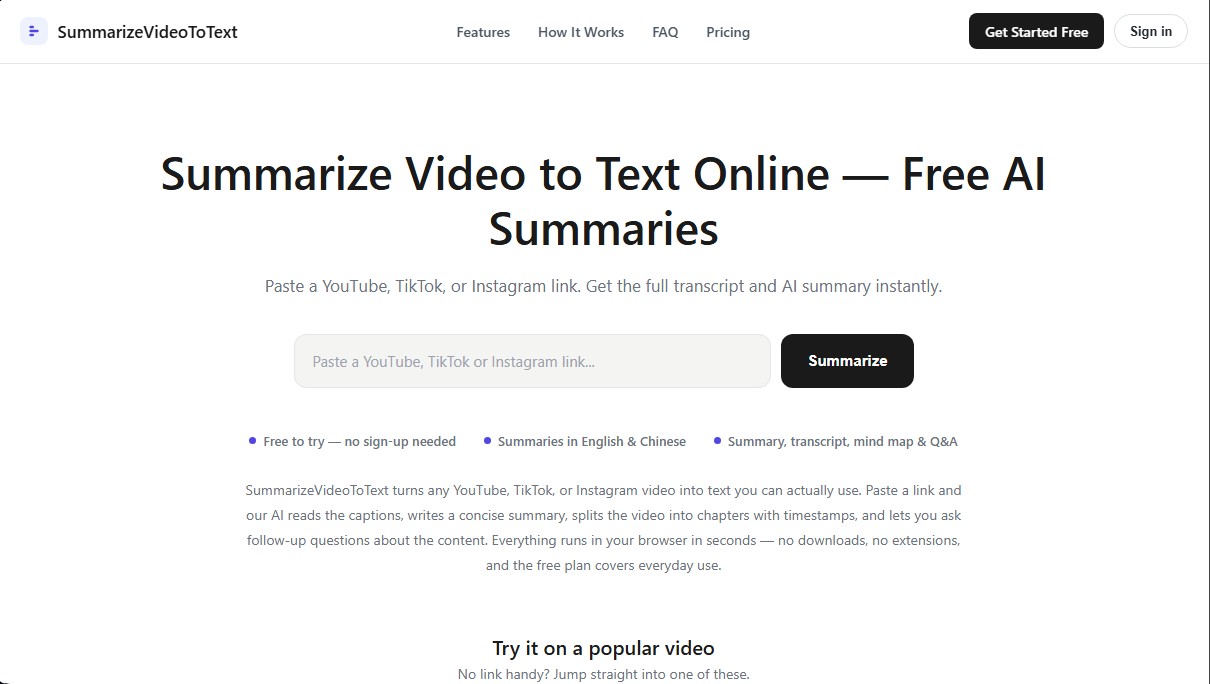
Convert YouTube, TikTok, and Instagram videos into summaries, transcripts, and mind maps. Generate timestamped chapters and get instant answers about the content.
General Information about Summarize Video to Text
Summarize Video to Text is an advanced web solution that transforms YouTube, TikTok, and Instagram videos into structured, ready-to-use text documents. Its primary goal is to optimize the consumption of audiovisual information, making the content of a class, meeting, or podcast readable and searchable in seconds. This eliminates the need to watch the entire video on a computer or mobile device.
The workflow of this AI tool is incredibly simple: the user just enters the video URL, and the system automatically processes the audio captures. Since it is a browser-based application, it requires no additional installations or extensions. The technology focuses on extracting and analyzing subtitles through artificial intelligence, ensuring that the generated information remains faithful to the speaker's original discourse and is free from external assumptions.
Key features of SummarizeVideoToText include:
- Smart Summaries: Instantly obtain a clear synthesis featuring fundamental concepts and general overviews of the content.
- Instant Transcription: Access the full text of the video to perform keyword searches or extract direct quotes.
- Chapter Breakdown: Automatic content segmentation using timestamps that make it easy to navigate to specific points in the footage.
- Mind Maps and Q&A: Interactive tools to visualize information hierarchy and a question panel where the AI responds based strictly on the transcript.
- Multilingual Support: The ability to generate summaries in various languages, such as English or Chinese, allowing users to understand videos recorded in languages they have not mastered.
This application is ideal for students preparing for exams from recorded lessons, professionals who need to document meeting agreements, and content creators looking to streamline their research and repurposing processes. By converting video format into text, information is no longer hidden behind a timeline; instead, it becomes a digital asset that is easy to copy, paste, and organize into knowledge bases.
The reliability of Summarize Video to Text lies in the fact that its answers are anchored in the actual transcript, allowing you to verify any data with a single click on the corresponding timestamp. Additionally, its caching system allows previously processed videos to load instantly, improving efficiency when consulting or sharing analyzed materials. It is a practical tool that solves the problem of managing information in long videos through a direct and functional approach.
Features and Use Cases of Summarize Video to Text
How Summarize Video to Text Works
Frequently Asked Questions about Summarize Video to Text
What is Summarize Video to Text, and what features does it offer?
It is a web-based service that transforms YouTube, TikTok, and Instagram videos into smart summaries, transcripts, mind maps, and Q&A sections.
Do I need to register to use Summarize Video to Text?
Registration is not required to summarize up to two 15-minute videos per day, though signing up with a free Google account increases the limit to ten 1-hour videos.
What languages are available for the results?
You can generate summaries and analyses in English, Spanish, Chinese, and other additional languages, regardless of the original language spoken in the video.
What happens if the video I want to summarize doesn't have captions?
The tool requires the video to have available captions to function; if it lacks them, the tool cannot generate the text at this time.
How does Summarize Video to Text help students and professionals?
It saves time by converting long lectures or meetings into structured text that can be quickly read, searched, and cited without having to watch the entire video.
What are the video length limits for each plan?
The free plan without registration allows for 15 minutes, a free account allows for one hour, and the Pro subscription supports videos up to six hours long.
Can I download or copy the generated text?
Yes, the platform allows you to copy the summary or chapters with a single click and download the full transcript to save to your personal notes.
What types of social media links does the tool accept?
You can paste standard YouTube links, TikTok videos, and Instagram Reels to instantly get their content in text format.
Summarize Video to Text Pricing
Free
$0
2 summaries per day without registration (videos up to 15 minutes).
10 summaries per day when signed in with a free account (videos up to 1 hour).
Saved video history.
TikTok and Instagram Reels summaries.
Q&A feature for video content.
Access to all summary templates.
Re-viewing previously processed videos does not consume your daily quota.
Monthly Pro
$9 per month (launch price)
Includes all features from the Free plan.
Unlimited summaries (subject to fair use policy).
Support for long-form videos up to 6 hours.
Annual Pro
$54 per year
Includes all features from the Free plan.
Unlimited summaries (subject to fair use policy).
Support for long-form videos up to 6 hours.
Summarize Video to Text Screenshots