Share
Suno
Generate complete songs with vocals and lyrics from text. Edit tracks, separate instruments, and create professional-quality music in any genre.
General Information about Suno
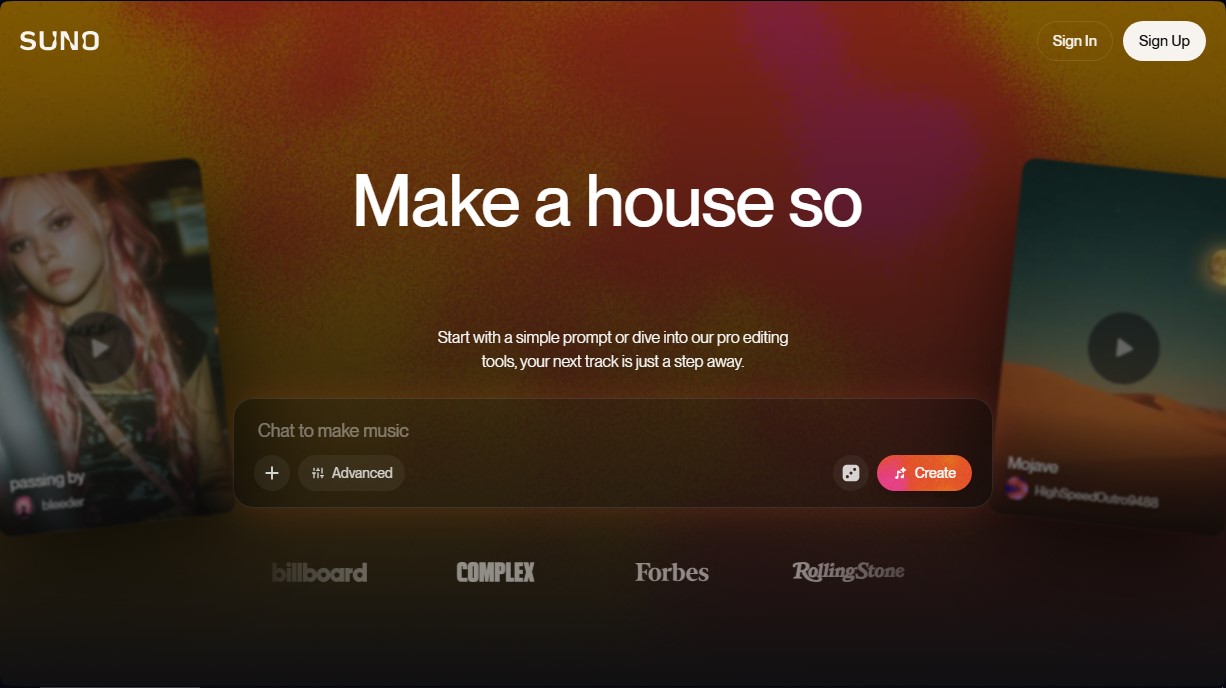
Suno is an advanced AI music generation platform designed to transform ideas, lyrics, or melodies into high-fidelity sound compositions. This tool allows any user, regardless of their technical production experience, to create full songs that include realistic vocals, instrumentation, and professional arrangements. Its primary goal is to facilitate accessible music creation, allowing a simple descriptive text to become a finished audio track that can be played on any computer or mobile device.
The technology behind this audio AI is powered by evolutionary models, most notably the v5 model, which offers superior sound quality and more authentic, expressive vocals. The system works through natural language processing and sound synthesis algorithms that interpret the genre, rhythm, and mood desired by the user. Through its workspace, Suno Studio, the application combines the power of generative AI with editing tools, allowing for granular control over the final result.
Some of Suno’s most notable features include:
- Text-to-Music Generation: Instant song creation using simple prompts or detailed descriptions of musical styles.
- Stem Extraction: The ability to separate a track into up to 12 independent channels (vocals and instruments) in WAV format, streamlining workflows in professional audio editors.
- Audio File Upload: Allows users to upload their own recordings of up to eight minutes to add new vocal or instrumental layers over an existing base.
- Advanced Editing Controls: Style adjustment through "Personas," vocal gender selectors, and tools to reorder sections or selectively rewrite lyrics.
- Remixing and Customization: Options to reimagine sounds, create alternative versions, and adapt compositions to specific needs.
This tool is especially useful for content creators, songwriters seeking inspiration, and users who require custom music for audiovisual projects or social media. The system allows users with subscription plans to manage commercial use rights, enabling the possibility of publishing tracks on external platforms or monetizing the generated content. As a comprehensive web-based solution, Suno eliminates the technical barriers of conventional sound production, offering an efficient and versatile AI-assisted composition environment.
Features and Use Cases of Suno
How Suno Works
Frequently Asked Questions about Suno
What is Suno and what kind of music can I create?
Suno is an artificial intelligence platform that lets you generate songs in any genre and style simply by describing an idea, a feeling, or providing your own lyrics.
Can I use Suno for free to try out the tool?
Yes, there is a free plan that includes fifty daily credits, allowing you to generate up to ten songs at no cost.
Who owns the commercial rights to the generated songs?
Commercial ownership of the generated tracks belongs exclusively to users with an active Pro or Premier subscription at the time of creation.
Does Suno allow for advanced editing of music tracks?
Yes, paid plans offer professional tools to split songs into twelve independent tracks, add new vocals, and use advanced creation models.
Can I upload my own recordings to the platform?
Yes, you can upload your own audio files to work with them, with a one-minute limit on the free version and an eight-minute limit on paid versions.
How do daily credits work on Suno’s free plan?
Free plan users receive fifty credits every day that reset automatically, allowing for continuous exploration of the tool.
What are the benefits of accessing the Suno studio?
The studio functions as a digital audio workstation that combines traditional editing tools with generative artificial intelligence features.
What happens if I run out of monthly credits early?
If you are a subscriber, you can purchase additional credits or wait to receive fifty daily bonus credits until your billing cycle renews.
Can I change my subscription plan at any time?
Yes, you can upgrade or downgrade your subscription tier from your account settings; changes will take effect either immediately or at the end of the current billing period.
What are stems and how can I use them?
Stems are individual audio tracks that you can export in WAV format for professional editing in external software like Ableton or Logic.
Suno Pricing
Basic Plan ($0/month):
- 50 daily renewable credits (approx. 10 songs).
- Access to the v4.5-all model.
- Commercial use of generated songs is prohibited.
- Standard features only.
- Upload up to 1 minute of audio.
- Shared generation queue.
- Additional credit purchases are not available.
Pro Plan ($10/month or $8/month billed annually):
- 2,500 monthly credits (approx. 500 songs).
- Includes commercial use rights for new songs.
- Access to the latest and most advanced v5 model.
- Pro features for advanced editing and "Personas" creation.
- Split songs into up to 12 vocal and instrumental stems.
- Upload up to 8 minutes of audio.
- Ability to add new vocals or instrumentals to existing songs.
- Early access to new features.
- Priority queue to generate up to 10 songs at a time.
- Option to purchase additional credits if monthly credits run out.
Premier Plan ($30/month or $24/month billed annually):
- 10,000 monthly credits (approx. 2,000 songs).
- Includes commercial use rights for new songs.
- Full access to Suno Studio and the v5 model.
- Pro features for advanced editing and "Personas" creation.
- Split songs into up to 12 independent stems.
- Upload up to 8 minutes of audio.
- Tools to add new vocals or instrumentals to existing tracks.
- Early access to new features.
- Priority queue to process up to 10 songs simultaneously.
- Ability to purchase additional credits.
Suno Screenshots