Transla Buddy
Share
Transla Buddy
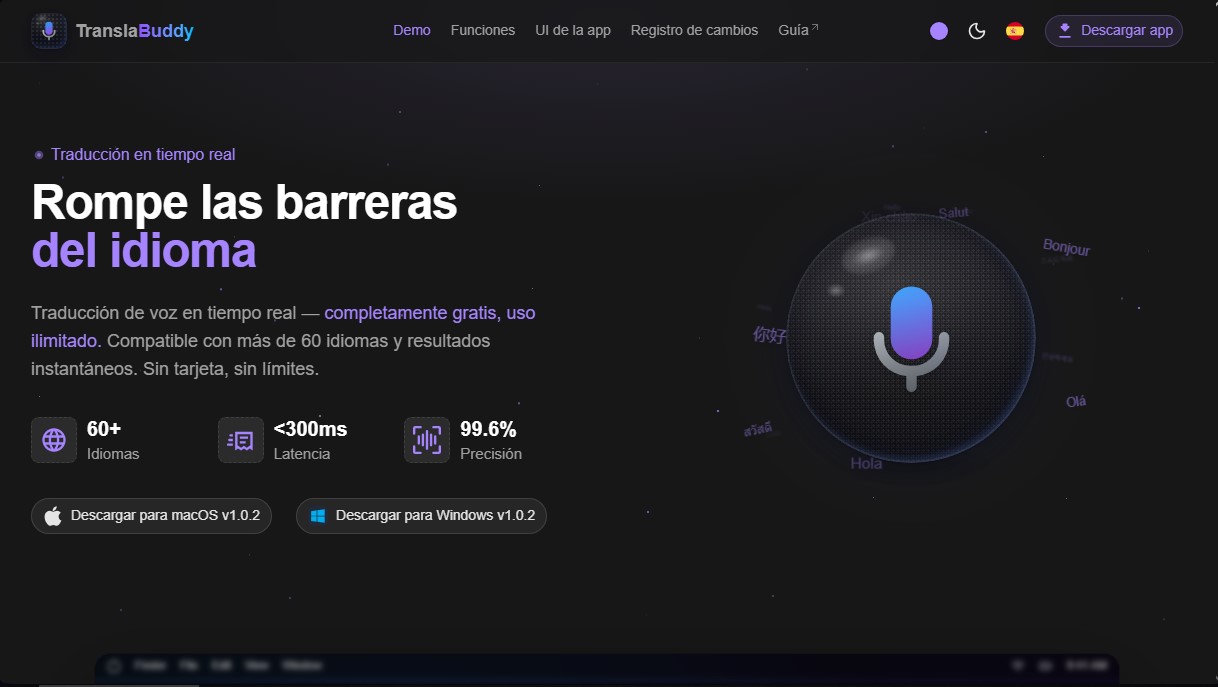
Highly accurate real-time voice translator for meetings and videos. Supports 60+ languages, compatible with Zoom or Meet, and completely free for desktop.
General Information about Transla Buddy
Transla Buddy is a specialized desktop tool for real-time voice translation, designed to break down language barriers using advanced artificial intelligence. This application allows users to process both microphone and system audio, making it a versatile solution for various professional and educational users operating in multilingual environments from their computer.
The tool is powered by a high-precision speech recognition engine that achieves 99.6% reliability. Thanks to its optimized processing technology, it offers ultra-low latency of less than 300 milliseconds, allowing translations to appear almost instantaneously. Transla Buddy is compatible with more than 60 languages and features an automatic detection system, which simplifies interaction by eliminating the need for constant manual source language configurations.
Key capabilities and practical benefits include:
- Third-party integration: Fully compatible with communication tools like Zoom and Google Meet, as well as browsers and video players like YouTube.
- Adaptive context: Users can define the usage scenario (meetings, movies, studying, or gaming) so the AI can adjust its vocabulary and precision based on the subject matter.
- Non-intrusive interface: It features an always-on-top, transparent overlay that sits above other windows, allowing users to follow subtitles without losing focus on their primary task.
- Local history management: All transcriptions and sessions are saved on the user's device, allowing for later searches and reviews of the processed information.
- Guaranteed privacy: Audio processing is performed instantly and is never stored on external servers, ensuring the confidentiality of data handled during sessions.
This productivity tool is optimized for Windows and macOS, offering a clean and minimalist workspace. By not imposing time limits on its core functions, Transla Buddy positions itself as an essential resource for anyone requiring fluid and accurate AI voice translation. Its design, centered on visual clarity, makes it easy to follow fast-paced conversations, transforming the way international content is consumed and how people collaborate in a globalized environment.
Features and Use Cases of Transla Buddy
How Transla Buddy Works
Frequently Asked Questions about Transla Buddy
What is Transla Buddy and what is it used for?
Transla Buddy is a desktop application that provides real-time voice translation with 99.6% accuracy to eliminate language barriers.
Is Transla Buddy really free?
Yes, the tool is completely free and offers unlimited use without the need to enter a credit card or pay hidden fees.
How many languages does Transla Buddy currently support?
The app is compatible with over 60 different languages and features automatic source language detection.
Can I use Transla Buddy for my Zoom or Google Meet meetings?
Yes, the program is compatible with both system and microphone audio, so it works perfectly with Zoom, Google Meet, YouTube, and other sources.
How does Transla Buddy ensure the privacy of my conversations?
Audio is processed in real-time and is never stored on external servers, ensuring that your personal information always remains protected.
Which operating systems can I install the app on?
Transla Buddy is available for download on both Windows PCs and macOS devices.
Is there a significant delay in Transla Buddy's translations?
No, the tool offers ultra-low latency of less than 300 milliseconds, allowing you to follow any conversation smoothly and almost instantaneously.
Are translations saved for later reference?
Yes, all sessions and transcripts are saved locally on your computer so you can search and review any previous conversation.
Does Transla Buddy allow for translation context customization?
Yes, you can adjust the context based on your specific use case, whether it's for watching movies, participating in meetings, gaming, or studying.
Is the app interface difficult to set up?
No, the interface is minimalist and designed for instant use without the need for complex configurations or interruptions.
Transla Buddy Pricing
Free Version
Price: 0 €
- Real-time voice translation with sub-300ms latency.
- Unlimited use with no time limits.
- Support for over 60 languages with automatic language detection.
- 99.6% speech recognition accuracy.
- Compatible with system audio and microphone (Zoom, Google Meet, YouTube, etc.).
- Context customization to improve accuracy for meetings, movies, or studies.
- Transparent, always-on-top overlay.
- Session history and transcripts saved locally.
- Real-time audio processing with no server-side storage.
- No credit card required and no hidden costs.
Transla Buddy Screenshots