Visme
Share
Visme
Generate AI-powered presentations, documents, and social graphics. Customize styles, add your branding, and export in multiple formats.
General Information about Visme
Visme is a visual communication platform that features a powerful AI design generator designed to create professional graphic materials from text prompts. This tool allows users to transform a detailed prompt into complete projects—such as presentations, documents, newsletters, or social media graphics—in less than two minutes. Its primary function is to streamline the creative process, providing a solid visual foundation that users can edit and customize to meet their specific communication needs.
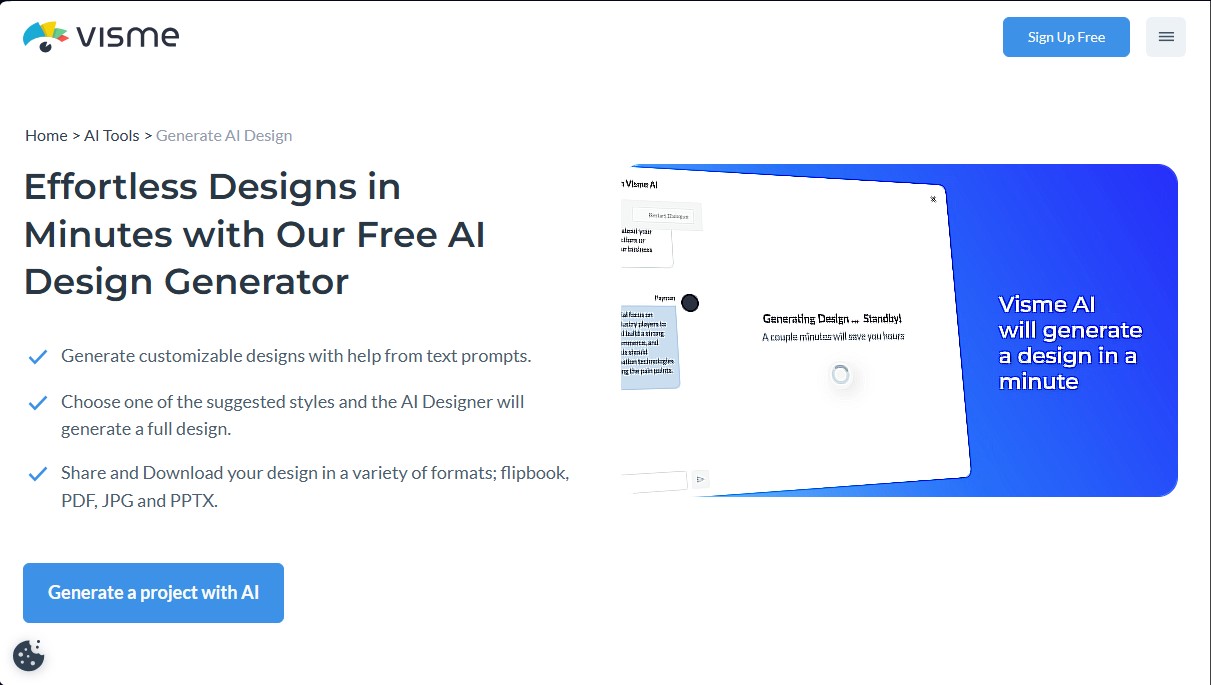
The system operates via an interactive chatbot that guides the user through the creation phase. After entering a project description, Visme’s AI requests additional details and suggests various visual styles. Once a preferred style is selected, the tool generates the design by combining proprietary technology with third-party APIs like ChatGPT for text generation and Unsplash for visual assets. A standout feature is the ability to import external content by uploading files in .pdf or .docx formats, or by providing a URL so the AI can extract relevant information and integrate it directly into the design.
The Visme ecosystem includes several support utilities that enhance the workflow:
- AI Writer: A tool for drafting, proofreading, summarizing, or changing the tone of text within the project.
- AI Image Generator: Automatically generates unique images and graphic assets.
- AI TouchUp Tools: Allows for easy photo retouching, including removing or replacing objects.
- AI Resize: Automatically adjusts the canvas size and all its elements to different formats in seconds.
- Brand Wizard: Simplifies the application of brand identity, ensuring generated designs automatically adhere to the brand's colors, fonts, and logos.
This solution is particularly beneficial for marketing teams, entrepreneurs, and content creators who need to produce high-quality materials quickly without requiring advanced design skills. Professional designers can also use it to speed up the sketching and idea exploration phase. The platform allows projects to be exported in multiple formats, including JPG, PNG, PDF, and PPTX, ensuring compatibility for computer presentations or digital distribution.
While the tool can generate up to 100 different project types, it does have some technical limitations, such as a maximum of 10 pages per AI-generated project and the inability to create infographics or videos directly through the chat assistant—though these features are available within the platform's manual editor. Ultimately, Visme positions itself as a comprehensive content creation tool that combines AI automation with a flexible, professional editor.
Features and Use Cases of Visme
How Visme Works
Frequently Asked Questions about Visme
What is Visme’s AI Designer?
It’s a tool that lets you create presentations, documents, and social media graphics in minutes using text prompts.
How many credits does it cost to generate a design in Visme?
Each full design generation uses 3 credits, while using other individual AI tools costs 1 credit.
Can I use my own files to power the AI?
Yes, you can upload PDF or DOCX files and provide web links so the AI assistant can extract content for your project.
Can I customize AI-generated designs?
Yes. After the initial generation, you can use the editor to change colors, fonts, and images, or add interactive elements and graphics from the library.
What file formats can I use to download my Visme projects?
Depending on your plan, you can export your creations as JPG, PNG, PDF, PPTX, HTML5, video, or GIF files.
Is there a free option to try out the AI tools?
Yes, the basic free plan includes 10 credits so any user can test how the design generator works.
Can I use the generated designs for commercial purposes?
All designs created with the tool are royalty-free, allowing them to be used for both personal projects and commercial activities.
What types of content can Visme’s AI Designer create?
The tool can generate over 100 types of projects, including presentations, proposals, newsletters, brochures, and social media graphics.
Visme Pricing
Basic
$0 per month
- Unlimited projects.
- Limited access to templates and design assets.
- Standard support.
- 10 AI credit limit (each design generation consumes 3 credits and other AI tools consume 1 credit).
Starter
$29 per month (or $12.25/mo billed annually)
- Full access to all premium templates and assets.
- Download files in JPG, PNG, and PDF formats.
- 24/7 email and chat support.
- 200 AI credit limit.
Pro
$59 per month (or $24.75/mo billed annually)
- Download files in PPTX, HTML5, video, and GIF formats.
- Complete Brand Kit to manage corporate identity.
- Data analytics and privacy controls.
- Advanced integrations and team collaboration tools.
- 500 AI credit limit.
Enterprise
Custom pricing (for teams of 10+ users)
- Custom subdomain and advanced security.
- Single Sign-On (SSO).
- Project management, approval workflows, and enhanced workspace visibility.
- Personalized training and a dedicated Customer Success Manager.
- Unlimited AI credits.
Visme Screenshots