Vmaker Video Editor
Share
Vmaker Video Editor
Edit videos automatically with AI, add captions, and music. Create social media clips from long videos and generate professional content from text.
General Information about Vmaker Video Editor
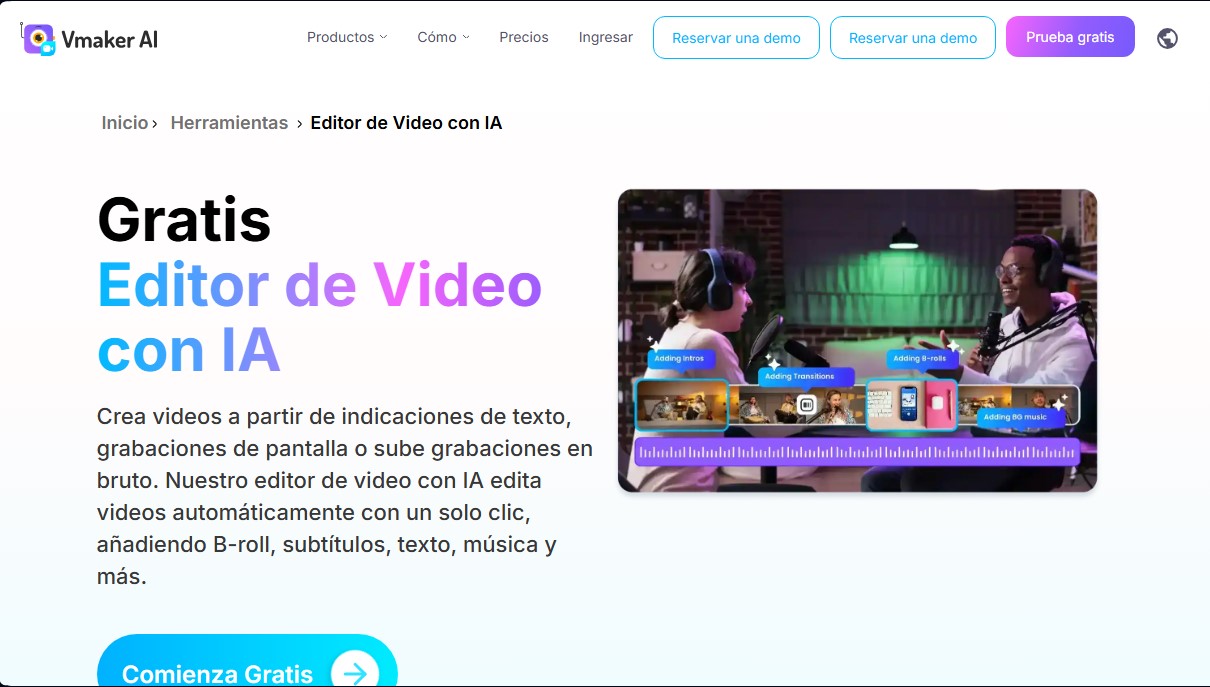
Vmaker Video Editor is an advanced AI video editing solution designed to automatically transform raw recordings into professional content. This tool, awarded AI Startup of the Year, allows users to generate audiovisual pieces from text prompts, screen recordings, or uploaded files. Its primary goal is to simplify the workflow for content creators, businesses, and marketing professionals, delivering publication-ready videos with a single click.
The technology behind Vmaker AI is based on machine learning algorithms that analyze every frame to understand context and enhance the final result. Powered by its proprietary MAD AI engine, the software intelligently adds elements such as B-roll, transitions, background music, and visual effects. The process is intuitive: after uploading the material, the AI applies selected enhancements and allows for final customization through a manual suite before exporting in 4K quality.
Key features designed to optimize audiovisual production include:
- Text-to-Video Creation: Transforms written commands into videos featuring over 100 AI avatars and 150 voices in multiple languages with high-precision lip-syncing.
- Long-to-Short Video Conversion: Its AI clip maker identifies highlights to generate viral content optimized for YouTube Shorts, Reels, and TikTok.
- Automatic Subtitle Generator: Produces transcriptions with 98% accuracy, allowing users to quickly edit styles, fonts, and animations.
- AI Background Removal: Enables users to virtually remove or change the background of any recording, even without a green screen or chroma key.
- Smart Audio Cleanup: Includes a feature to automatically remove silences and duplicates, polishing the speech in just a few minutes.
Beyond automation, Vmaker Video Editor offers a complete editing suite with a professional timeline. This allows for fine color adjustments (brightness, contrast, saturation), clip trimming, reverse playback, or speed control for slow-motion and time-lapse effects. The ecosystem is rounded out by a library of over 1,000 premium assets and the ability to publish directly to social media from a computer. It is a tool built to edit videos faster with AI, eliminating the technical learning curve and allowing any user to achieve high-quality results without the hassle.
Features and Use Cases of Vmaker Video Editor
How Vmaker Video Editor Works
Frequently Asked Questions about Vmaker Video Editor
What is Vmaker AI and what exactly is it used for?
It’s an advanced video editor that uses artificial intelligence to automatically transform raw footage into professional videos complete with music, transitions, and effects.
Does Vmaker Video Editor allow me to create short clips for social media?
Yes, the tool features a clip maker that converts long-form videos into short snippets optimized for platforms like TikTok, Instagram Reels, and YouTube Shorts.
How does Vmaker AI generate subtitles for my videos?
The system automatically analyzes your audio to generate highly accurate subtitles, and you can easily customize the style, font, and text animations.
Can I use Vmaker Video Editor to remove the background from a recording?
Yes, the AI allows you to quickly remove the background from any video, even if you didn't use a green screen during filming.
Do I need prior editing experience to use Vmaker AI?
Not at all. The tool is designed so that beginners can create professional, viral content in just a few minutes without any technical headaches.
What export quality does Vmaker Video Editor offer?
The platform allows you to export your final projects in various resolutions depending on your plan, with support for up to 4K quality for a polished, professional look.
Can the tool automatically remove silences from my recordings?
Yes, Vmaker AI automatically detects and removes silences and duplicate takes from your videos to ensure the final result is fast-paced and engaging.
Does Vmaker Video Editor include a stock media library?
Yes, users have access to a library of over a thousand premium assets, including images, videos, and audio tracks to enhance their productions.
Is it possible to translate my video subtitles into other languages?
Absolutely. The tool allows you to generate and translate subtitles into multiple languages, making it easy for your content to reach a global audience.
Does Vmaker AI offer a free plan for new users?
Yes, there is a free version that lets you test out the AI features and export videos, though downloads currently include a watermark.
Vmaker Video Editor Pricing
Free Plan
Price: 0 $ per month.
- 3 social media posts per month.
- Max export quality of 720p.
- Export duration limited to 5 minutes.
- 5 GB upload limit or 120 minutes max duration.
- 20 minutes of auto-captions per month.
- Access to 4 AI avatars.
- 60 seconds of generative credits.
- 1 minute of screen recording.
Starter Plan
Price: 24 $ per month (or 18 $/mo if billed annually at 216 $).
- 10 video uploads and 10 social media posts per month.
- 1080p export quality.
- Up to 30-minute export duration.
- 10 GB upload limit or 120 minutes max duration.
- Access to 29 premium features per month.
- 60 minutes of auto-captions and 40 minutes of subtitle translation per month.
- Access to 80 AI avatars.
- 3 minutes of generative credits per month.
- 30 minutes of screen recording.
- Restriction: 15 $ for each additional video upload.
Teams Plan
Price: 39 $ per month (or 25 $/mo if billed annually at 300 $).
- 30 video uploads and 30 social media posts per month.
- 2K export quality.
- Up to 45-minute export duration.
- 10 GB upload limit or 120 minutes (supports multiple projects).
- Access to 60 premium features per month.
- 15 minutes of video background removal and green screen removal feature.
- 120 minutes of auto-captions and 60 minutes of subtitle translation per month.
- Access to 99 AI avatars and 200+ premium voices.
- 12 minutes of generative credits per month.
- 4 hours of screen recording.
- Includes custom video player page.
- Restriction: 10 $ for each additional video upload.
Vmaker Video Editor Screenshots