

Share
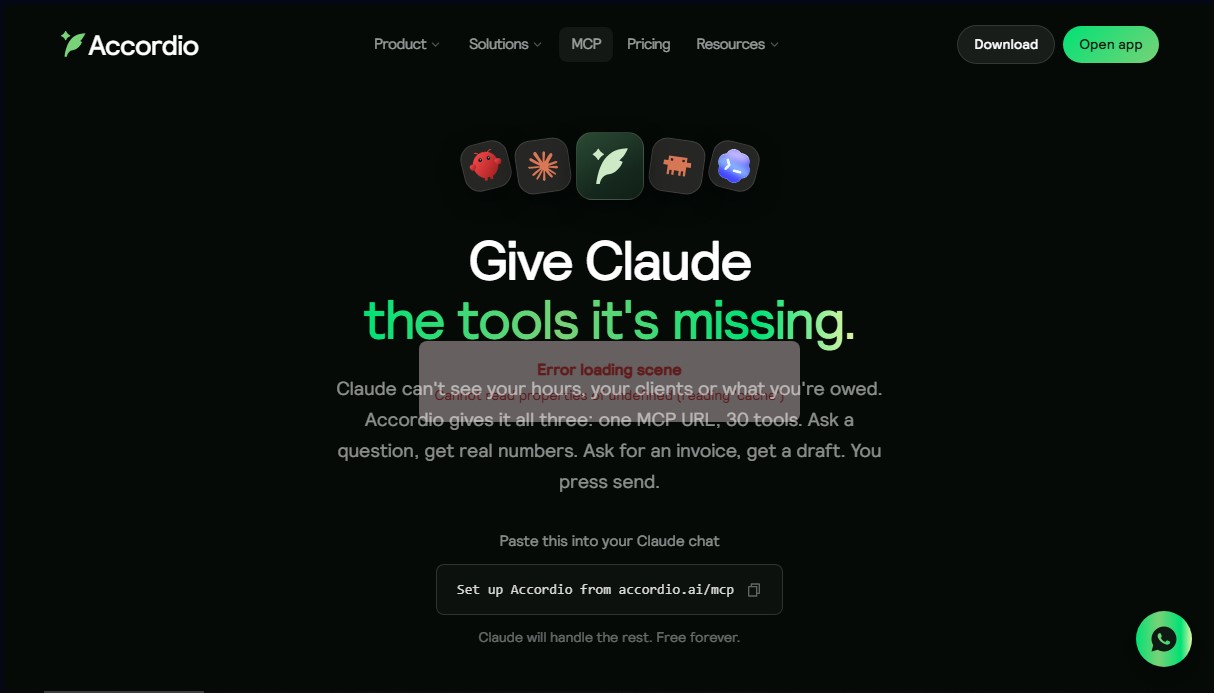
Connect your AI via MCP to your business management to track hours and clients. Draft invoices, contracts, and quotes directly from the chat.
What is Accordio MCP?
Accordio MCP is a specialized server that utilizes the Model Context Protocol (MCP) standard to connect business management tools with artificial intelligence agents like Claude or ChatGPT. Its primary purpose is to provide language models with the operational context needed to manage complex administrative tasks directly from the chat interface. By integrating this solution, AI evolves from a generic text generator into an assistant with access to real data regarding clients, billable hours, and the user’s financial status.
The operation of Accordio MCP is based on a remote server architecture that links to the user's account via a specific URL. For data collection, it employs an open-source Mac time tracker that automatically monitors computer activity, attributing every minute to specific projects without manual intervention. Security is integrated by design through the use of OAuth with limited permissions, ensuring the AI can only read data or write drafts; any critical action, such as sending invoices or signing contracts, requires final human validation within the Accordio platform.
The core capabilities of this tool include:
- Back-office automation: Centralizing contracts, proposals, and invoicing into a single AI-assisted workflow.
- Real-time activity tracking: Automatically logging applications, documents, and meetings to generate precise timesheets.
- Conversational finance management: The ability to request summaries of outstanding payments or create draft invoices through voice or text commands.
- Integrated meeting assistant: Recording and transcribing calls with automatic extraction of tasks and action items.
- Multi-device synchronization: Full access via browsers, desktop apps, or mobile devices through WhatsApp and Telegram.
This tool is designed for professionals such as consultants, founders, agencies, and content creators who need to delegate administrative management. Accordio MCP eliminates the need to toggle between multiple project management and accounting applications, allowing users to focus on productive work while the AI handles business logistics. Thanks to its focus on AI-driven productivity, it provides a clear overview of business performance without the need to navigate complex traditional dashboards, enabling professionals to make decisions based on real-time data.
Accordio MCP features and use cases
How to use Accordio MCP
Accordio MCP FAQ
What exactly is Accordio MCP, and what is it used for?
It’s a connector that allows Claude to access your business data—such as hours worked and client information—to manage administrative tasks directly from the AI chat.
What information can Claude see through Accordio MCP?
Claude can view your logged time, associated projects, and a summary of your outstanding invoices, but it never has access to your screen or your private personal data.
Can Claude send invoices on its own with Accordio MCP?
No, the tool only generates invoice drafts that you must review and send manually from the platform to ensure you maintain total control over your finances.
Do I need to download the desktop app to use the tool?
You only need to download the Mac tracker if you want to log your time automatically; however, you can use all other Accordio MCP features directly in your browser.
How much does it cost to use Accordio MCP for my daily work?
Time tracking and AI queries are free forever, while contract generation and advanced features require a subscription to the Legend plan.
Is my data used to train AI models?
No, Accordio does not use any information from your work or business to train language models or other machine learning systems.
Can I access Accordio MCP from my mobile phone?
Yes, once the connector is set up in your account, you can interact with the tool through the Claude mobile app or via WhatsApp and Telegram messages.
Is it safe to install the Accordio MCP time tracker?
Yes, the Mac tracker code is open source, which allows any user to audit and verify exactly what data is being recorded before installing it.
How can I disconnect Accordio MCP from my Claude account?
You can revoke access at any time through the connected apps settings in your Accordio configuration, and the tools will stop working immediately.
Accordio MCP pricing and plans
Free
Price: 0 $ per month (free forever).
- Automatic Mac tracker, timers, and full history.
- Unlimited clients and projects.
- Claude and ChatGPT connector (read and log time).
- Virtual assistant on WhatsApp or Telegram.
- Timesheet generation for clients.
- Manual time attribution to projects via chat.
Legend
Price: 39 $ per month (or 29 $ per month with 348 $ annual billing). Includes a 14-day free trial, no credit card required.
- 10,000 AI credits per month (options available up to 60,000 credits).
- Automatic client and project attribution via Accordio AI.
- Draft invoice creation based on tracked hours and rates.
- Contract and proposal management with integrated e-signatures.
- Lead capture forms and quote widgets for your website.
- Calendar-synced meeting booking links.
- Meeting recording with transcriptions and action item extraction.
- Bank reconciliation, expense management, P&L reports, and tax reporting.
- Custom branding.
- Integration with Gmail, Google Calendar, and over 160 additional apps.
Accordio MCP Screenshots
Accordio MCP user reviews
Write a review
Checking your session...
Accordio MCP Reviews
Loading reviews...
Accordio MCP alternatives


Nenos Software
Deploy AI agents to automate complex processes and optimize enterprise productivity through knowledge management and secure cloud integrations.
FactorialHR
AI platform centralizing HR, finance, and IT. Automate payroll, time tracking, and expenses to streamline management and boost your company's productivity.



Base.com AI for e-commerce
Optimize your online store with AI to list on marketplaces, create multilingual descriptions, edit product photos, and automate customer support at scale.