
Share
What is AI Doc Maker?
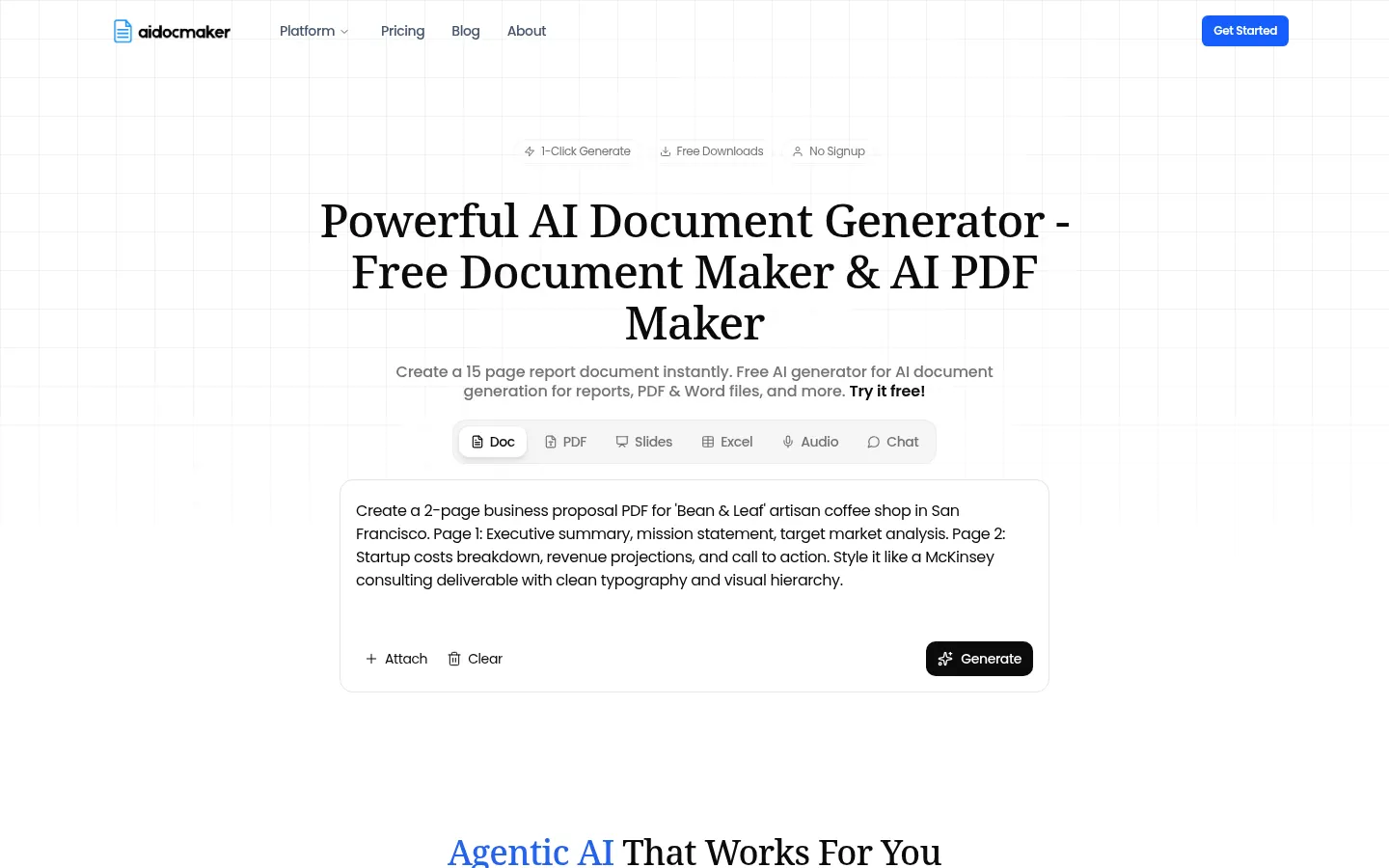
AI Doc Maker is an AI document generator that turns a description into a formatted, ready-to-use file: reports, proposals, contracts, letters, resumes, presentations or spreadsheets. It is built for people who need a finished document in minutes rather than loose text they still have to lay out.
How does AI Doc Maker work?
You type what you need into the main box, pick the output type (document, slides, Excel or audio) and hit generate. The AI structures the content with headings, lists, tables and page breaks and exports it to PDF, Word, Excel or HTML. You can keep editing in chat: ask for a different tone, expand a section or rewrite a document you already had. It also accepts attachments, so you can import their content and draft something new from them.
What kinds of documents can it create?
Beyond the general generator, it has templates for lesson outlines, cover letters, pitch decks, meeting notes, essays, newsletters, brochures, investor memos and project trackers. The spreadsheet generator builds tables with formulas and charts you can export to Excel or Google Sheets, and there is an AI voiceover module. Advanced modes use models such as GPT, Gemini or Claude and handle uploaded documents of hundreds of pages.
Who is AI Doc Maker for?
- Professionals who regularly write reports, proposals or contracts.
- Teachers and students preparing lesson outlines, syllabi or essays.
- International teams that need multilingual documents.
AI Doc Maker pros and cons
Pros: documents, slides, spreadsheets and audio live in one place, and you can try it without signing up. Cons: output quality depends heavily on the prompt, so figures and clauses need checking, and the basic tier caps requests every three hours and requires attribution for commercial use.
AI Doc Maker features and use cases
How to use AI Doc Maker
AI Doc Maker FAQ
What is AI Doc Maker?
AI Doc Maker is an AI document generator that creates reports, PDFs, Word files, presentations and spreadsheets from a description.
Is AI Doc Maker free?
There is a free Starter plan with a request cap every three hours; Standard and Premium are paid and include a 7-day trial.
Do I need to sign up?
Not to get started: the site lets you generate and download documents without an account, though an account gives access to more features.
Which formats can I download?
PDF, Word (DOCX), Excel (XLSX) and HTML.
Can I edit a document I already have?
Yes, attach it and ask in chat to rewrite it, expand it or change the tone.
Does it create spreadsheets with formulas?
Yes, it builds tables with formulas and charts that export to Excel or Google Sheets.
Which AI models does it use?
Higher tiers give access to models such as ChatGPT, Gemini and Claude.
How many languages does it support?
According to the site, more than 50 languages for documents and PDFs.
Can I use the documents commercially?
Yes, though the free plan requires attribution; paid plans include a commercial audio license with no attribution.
What are the alternatives to AI Doc Maker?
Gamma or Tome for slides, or ChatGPT with manual export; AI Doc Maker focuses on delivering the file already formatted.
AI Doc Maker pricing and plans
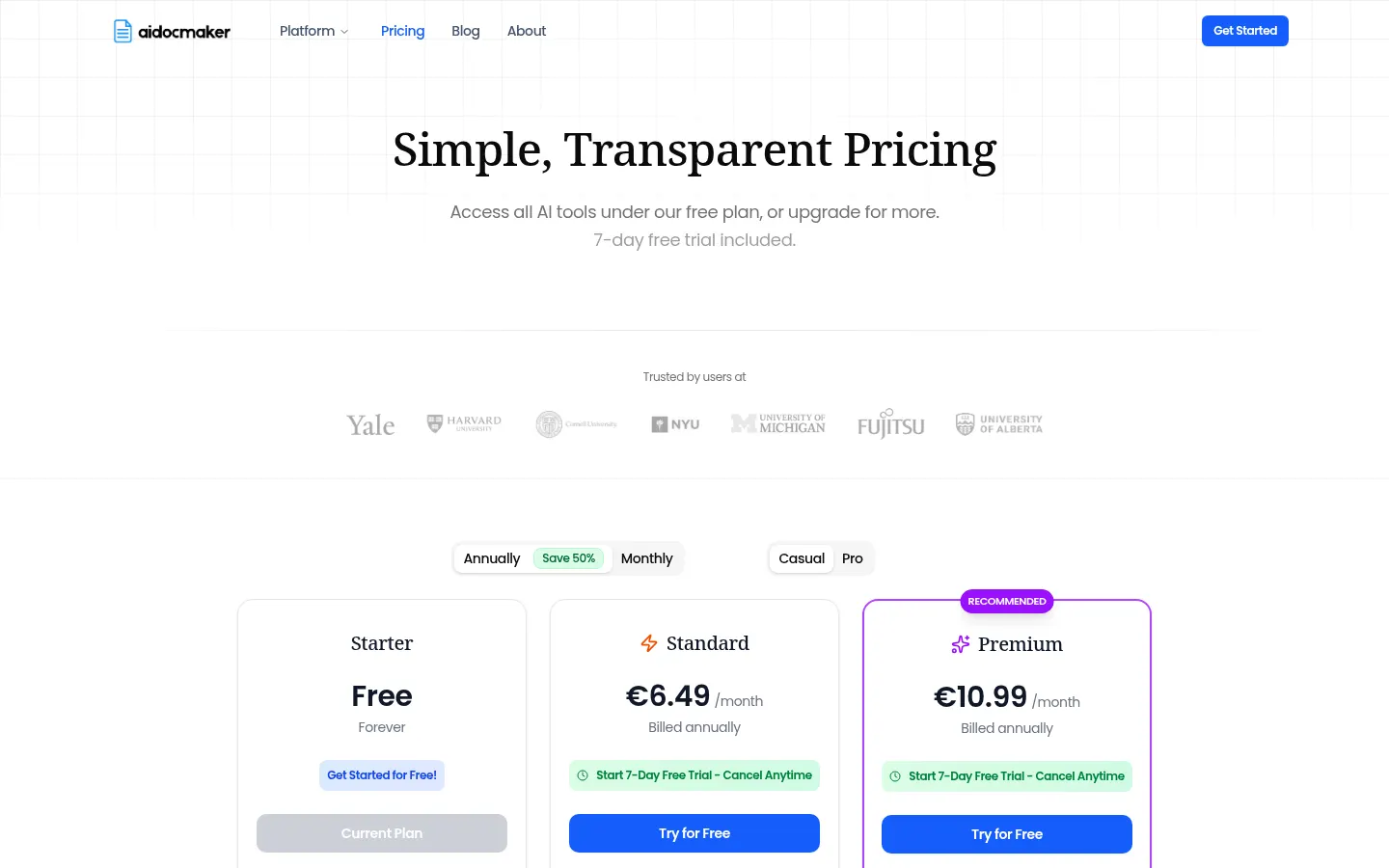
Reference price: 6.49 EUR / month. Source · Verified: November 21, 2026
Prices in euros (EUR) shown on the official website for Casual mode with annual billing (50% saving over monthly). Checked on: 21/11/2026. Paid plans include a 7-day free trial.
Starter: free. Documents, presentations and spreadsheets, 50 requests every 3 hours, 100 premium credits a month and 30K voice characters; commercial use requires attribution.
Standard: €6.49/month billed annually. Pro mode, uploads up to 500 pages, no 3-hour cap, 800 premium credits and a commercial audio license.
Premium: €10.99/month billed annually. Flagship models (ChatGPT, Gemini, Claude), uploads up to 2,500 pages, 1,400 premium credits and premium voices.
Month-to-month pricing without the annual commitment is higher; check the website.
AI Doc Maker Screenshots
AI Doc Maker user reviews
Write a review
Checking your session...
AI Doc Maker Reviews
Loading reviews...
AI Doc Maker alternatives




MemoryPlugin
MemoryPlugin is a shared memory layer for 21+ AI tools that keeps your context, imports your chat history and brings it into ChatGPT, Claude, Gemini or Cursor.