

Share
What is Flexnote?
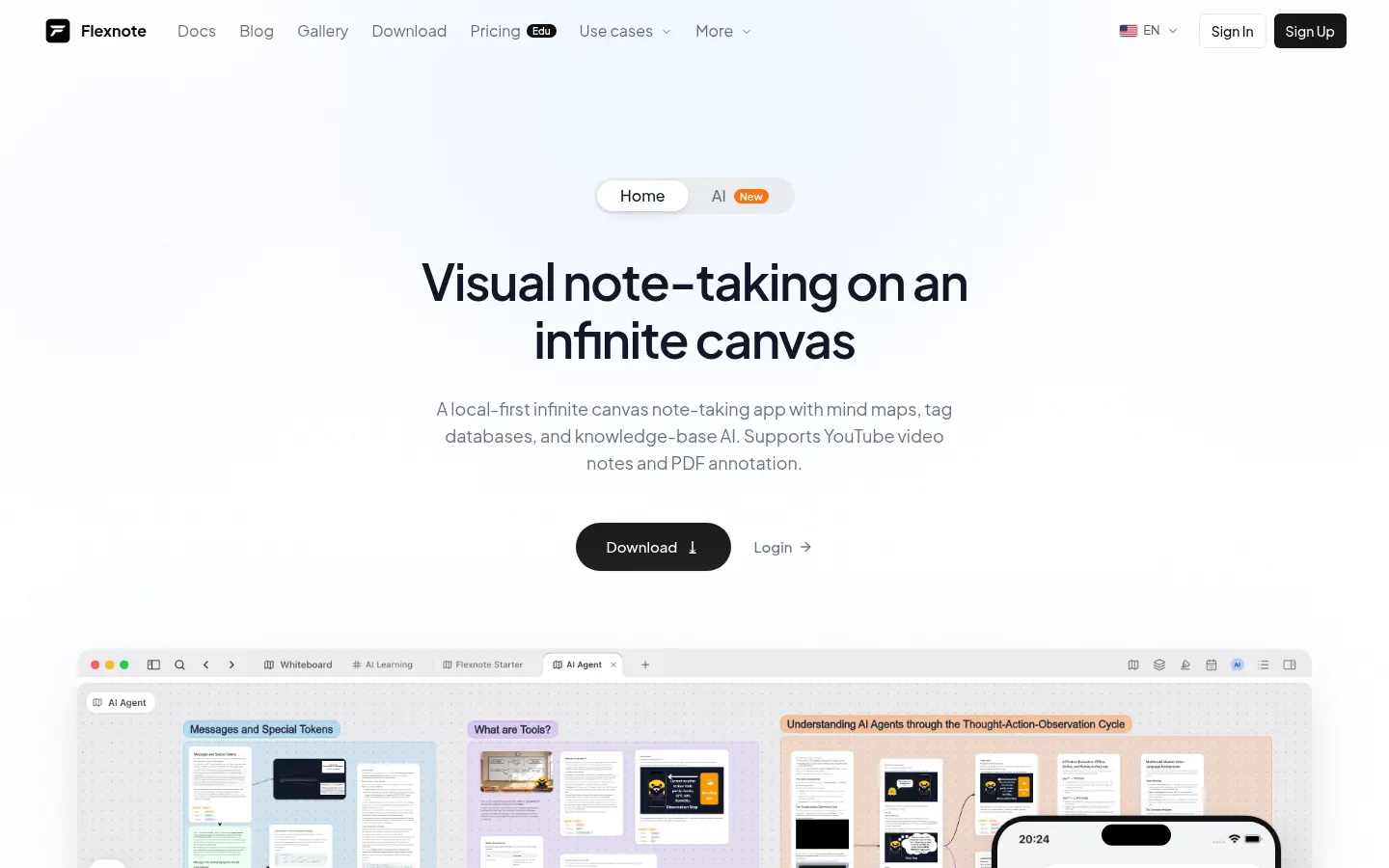
Flexnote is a visual notes app (from the makers of myflexnote.com) that combines an infinite canvas, mind maps, a tagged card database and an AI assistant that queries your own material. It is aimed at students, researchers and professionals who want to think on a board, not just in a linear notebook, and it keeps content on the device first before any sync.
How are notes organized in Flexnote?
You work on whiteboards where you place cards, links and mind maps. You can annotate PDFs and take notes on YouTube videos. A semantic index (Smart Index) processes text in your notes and in images to improve search and the AI answers; that allowance is measured in points and does not expire.
What does the AI do, and where is data stored?
The AI answers from the knowledge base you have built on the canvas. By default the content stays on the device; if you turn on sync, you can use Baidu, OneDrive, S3 or WebDAV and several devices. If the index allowance runs out, keyword search and chat still work, though long documents and PDFs give the assistant less to draw on.
Who is Flexnote for?
- Students and researchers who mix notes, PDFs and videos.
- People who prefer a visual board to a linear notebook.
- Anyone who wants to work offline and sync only when they need to.
- Small teams that publish a board online (with online publishing, when it is included).
Flexnote pros and cons
On the plus side: a local-first approach, a canvas and a semantic index that does not expire, and a lifetime licence. On the downside, the starter allowance caps whiteboards, cards and devices, and some advanced features (cloud sync, richer export or online publishing) are reserved for paid accounts. Students can write to [email protected].
Flexnote features and use cases
How to use Flexnote
Flexnote FAQ
What is Flexnote?
Flexnote is a visual notes app with an infinite canvas, mind maps, PDF annotation and an AI assistant that queries the knowledge base you build.
Is Flexnote free?
Yes, there is a permanent Free plan, with caps on whiteboards, cards and a single device. Pro plans and the lifetime license are paid; the amounts are in the pricing section.
Are my notes stored in the cloud?
On the free plan, storage is local. Sync with Baidu, OneDrive, S3 or WebDAV comes with Pro.
What is the Smart Index?
It is a points allowance that processes the text in your notes and in images to improve semantic search and the AI answers. The points do not expire.
Can I annotate PDFs and videos?
Yes. You can annotate PDFs and take notes on YouTube videos on the same canvas.
Does it work on several devices?
The free plan is limited to one device. On Pro you can use several devices and sync your content.
Is there a student discount?
Yes. The site invites you to email [email protected] to ask about a discount.
Can I get a refund?
They offer a 7-day money-back guarantee. If you are not satisfied, you can request a full refund within that window.
Does Flexnote have an affiliate program?
When we checked on 18/11/2026 we did not find a public affiliate program on its site.
What are the alternatives to Flexnote?
On GptZone you can compare it with other AI-assisted notes and mind-mapping tools.
Flexnote pricing and plans
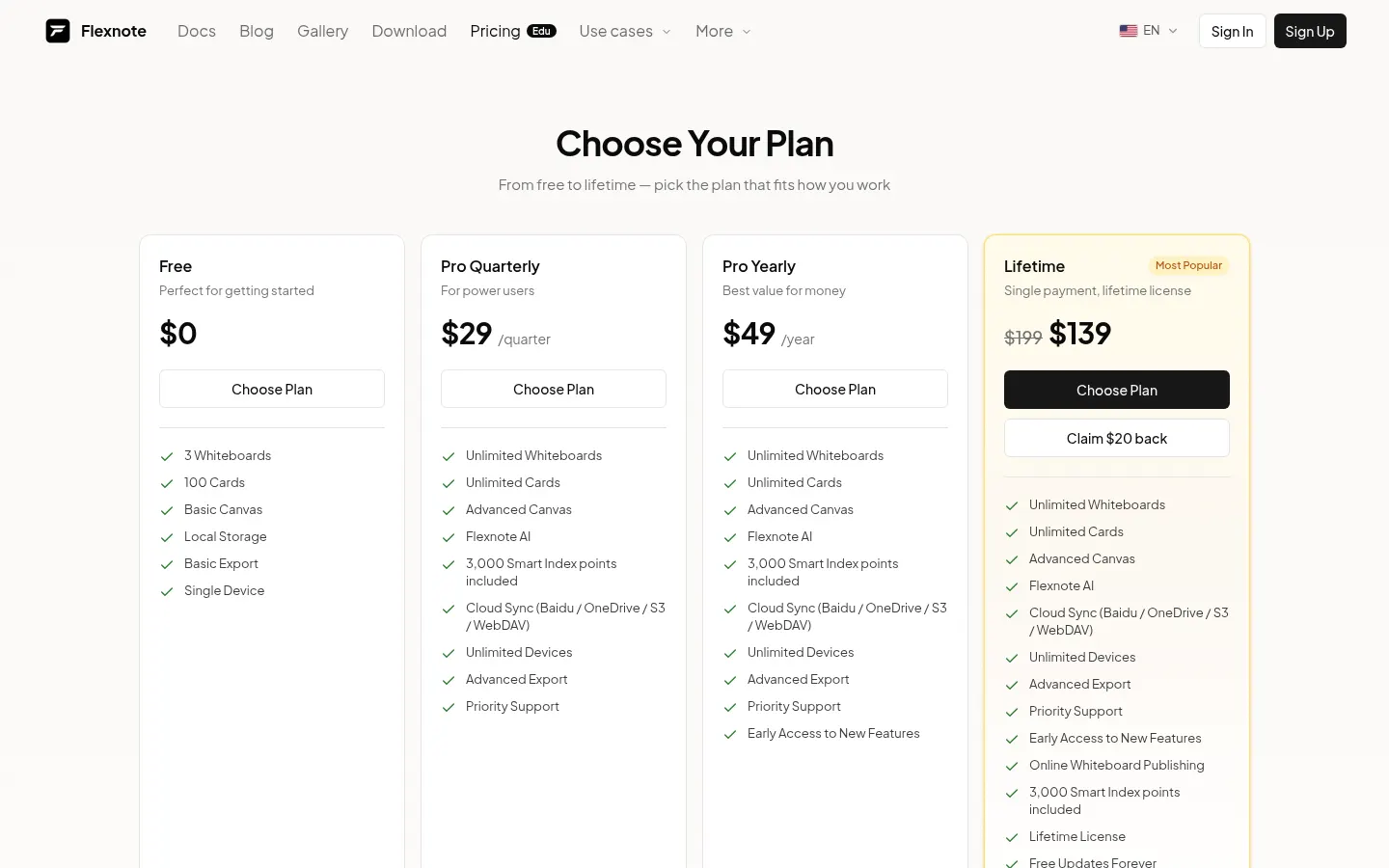
Reference price: 49 USD / year. Source · Verified: November 18, 2026
Prices in US dollars (USD) as listed on the official site. Checked on: 18/11/2026. There is a permanent free plan. They offer a 7-day refund and invoices from the billing page. Student discount: [email protected].
Free: 3 whiteboards, 100 cards, basic canvas, local storage, basic export and a single device.
Pro Quarterly: $29/quarter. Unlimited whiteboards and cards, advanced canvas, 3,000 Smart Index points, sync (Baidu, OneDrive, S3 or WebDAV), several devices, advanced export and priority support.
Pro Yearly: $49/year. Everything in Pro plus early access to new features. This is the entry recurring paid plan we use as the reference amount.
Lifetime (highlighted): $199 one-time; on the day we checked it was shown at $139 with a $20-back promotion. Includes online whiteboard publishing, updates, dedicated support and priority feature requests.
Smart Index packs (one-time, points do not expire): Starter $2.99 (5,000 points), Standard $7.99 (20,000) and Plus $14.99 (50,000). When the allowance runs out, keyword search and AI chat still work.
Flexnote Screenshots
Flexnote user reviews
Write a review
Checking your session...
Flexnote Reviews
Loading reviews...
Flexnote alternatives

Easy-Peasy.AI
Easy-Peasy.AI is an AI platform that combines writing, multi-model chat, images, video, voice, transcription and custom chatbots in one account.


NoteLyn AI
AI note-taking app for students and teams: record a class or meeting, add a PDF or link, and get notes, a summary, flashcards and a quiz.

BlaBlaScribe
Turn audio and video into text in 120+ languages, edit and translate captions, and dub the video into 27 languages in a browser editor.