

Caffeine
Share
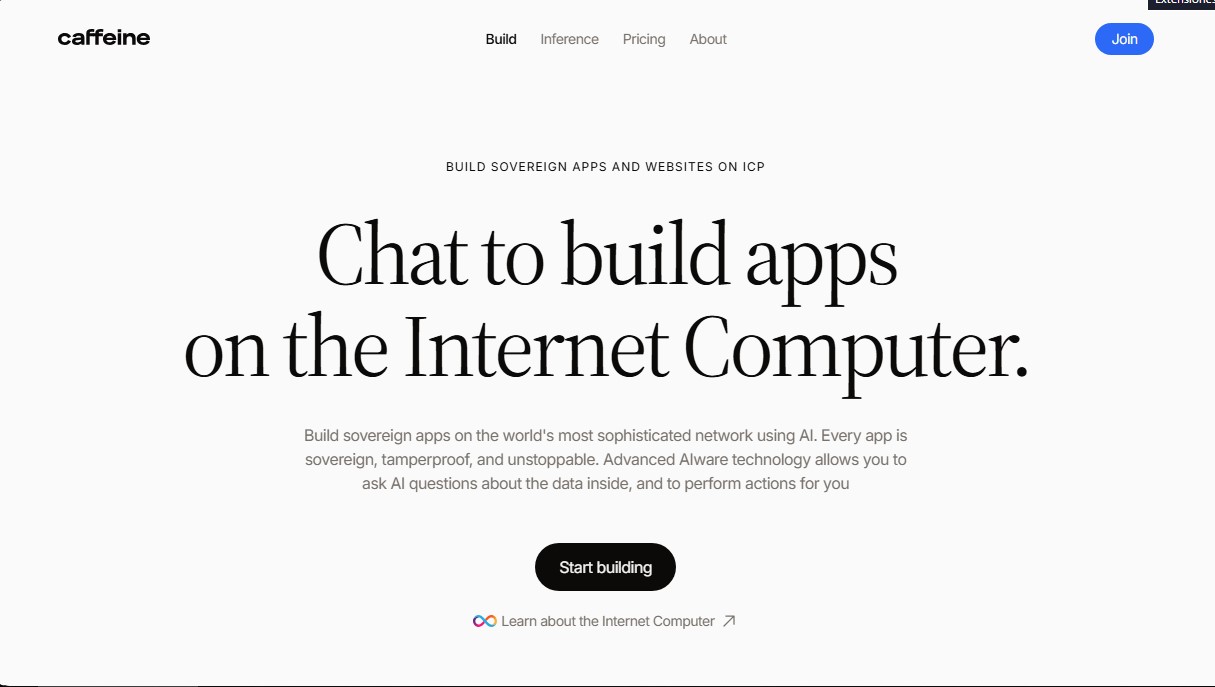
AI-powered no-code platform for building sovereign apps on ICP. Automate processes, analyze unified data, and rapidly deploy secure tools.
What is Caffeine?
Caffeine is an advanced software creation platform that allows you to develop sovereign applications and websites without writing a single line of code. It utilizes the Internet Computer (ICP) network to ensure that every tool created is tamper-proof and unstoppable. This solution is specifically designed for operations, finance, sales, and support teams that need custom internal tools quickly, eliminating dependence on engineering departments or external agencies.
The core technology behind Caffeine is based on the concept of AIware, an artificial intelligence approach that allows users to interact with applications using natural language. Users can chat to build applications, ask questions about the data they contain, and execute automated actions. Unlike traditional databases, the applications generated with this tool "understand" how the business works, allowing for dynamic data management accessible from any computer or mobile device.
One of its most powerful features is the ability to perform cross-functional queries through its intelligence system. Caffeine reads information from all user-created applications to provide integrated answers in plain language. This eliminates the need to set up complex dashboards or jump between different platforms to get a global overview of business performance or risks. Additionally, the AI is capable of identifying necessary workflows based on detected data gaps, suggesting which tool should be built next to optimize operations.
Regarding deployment, the platform stands out for offering data and code sovereignty. Applications can run on OpenCloud, private clouds, or specific servers selected based on security and geographic location requirements. By generating clean, exportable code, users avoid vendor lock-in, maintaining full ownership of their software and retaining the ability to migrate it at any time without the product ceasing to function.
- Accelerated No-code Development: Go from an idea to a functional tool up to 90% faster than with traditional programming methods.
- Native Integration: Connects with the ecosystem of standard corporate tools, including Slack, Salesforce, Jira, Microsoft Teams, Google Drive, and Workday.
- Decentralized Security: Built on the Internet Computer network, the infrastructure is inherently secure and resistant to centralized failures.
- AI-Driven Maintenance: Changes in business processes are reflected in the tools immediately; simply describe the new requirement, and the AI updates the workflow.
This AI software development tool is ideal for automating financial approvals, managing HR onboarding processes, or streamlining customer support ticket resolution. By centralizing business logic into interconnected applications that "talk" to each other, Caffeine maximizes operational efficiency and drastically reduces the use of scattered spreadsheets and manual processes.
Caffeine features and use cases
How to use Caffeine
Caffeine FAQ
What is Caffeine and what kind of solutions can I develop with it?
Caffeine is an AI-powered platform that allows you to quickly build sovereign applications and websites on the Internet Computer network without writing any code.
Do I need programming knowledge to use Caffeine?
No technical background or engineering experience is necessary, as the tool allows you to build functional software simply by describing your needs through a chat interface.
How does Caffeine allow me to query information across different applications?
The platform's advanced technology lets you ask questions in natural language about data from all your apps and get direct answers without having to check separate dashboards.
Where is the data hosted and who owns the code in Caffeine?
You choose where your software runs and maintain absolute ownership of both the data and the exportable code, ensuring there is no platform lock-in or external dependencies.
How much time is saved when building tools with this platform?
Development with Caffeine is up to ten times faster than traditional methods, reducing creation time by up to 90% and allowing you to launch tools in just a few days.
What is the difference between the free plan and the paid plans?
The free plan allows you to use marketplace applications with welcome credits, while the Studio and Business plans allow you to build apps from scratch, use custom domains, and collaborate as a team.
Can Caffeine be integrated with the services my company already uses?
Yes, the tool integrates seamlessly with popular platforms like Slack, Salesforce, Jira, and Microsoft Teams so that new applications fit perfectly into your current workflow.
Caffeine pricing and plans
Free
$0/month
- 15 welcome credits upon signup.
- Exclusive access to apps in the "Remix App Market."
- Restriction: Cannot publish your own apps to the App Market.
Studio
$25/month ($20/month billed annually). First month promotional price of $10.
- 100 credits per month.
- Create apps from scratch.
- Publish with your own custom domain.
- Send emails to users.
- App insights and analytics.
- Option to purchase domains directly through Caffeine.
- Publish unlimited apps to the App Market.
Business
$100/month ($80/month billed annually). Includes 2 user seats.
- 400 monthly credits for the team.
- Includes all Studio plan features.
- 2 seats included (with the option to add more).
- Unified data analytics for all apps.
- Shared workspace and collaboration tools.
- User roles and permissions management.
- Advanced admin controls.
- Specialized support from a Caffeine expert.
Caffeine Screenshots
Caffeine alternatives
StellarFirm
AI agents for founders to plan, build, and launch apps or websites. Automate technical and management tasks under your direct supervision and approval.


shipsite.sh
Deploy static sites for AI agents with a single API call. No Git or configuration needed—upload files and get a public URL instantly.


Apper-App & Website Builder
Build professional apps and websites with your ChatGPT or Claude subscriptions. Includes enterprise security, databases, and payments without paying for AI credits.

Workshop AI
Create websites, AI apps, and dashboards via chat. Design professional tools, connect databases, and launch projects quickly.