ConceptSeek
Share
ConceptSeek
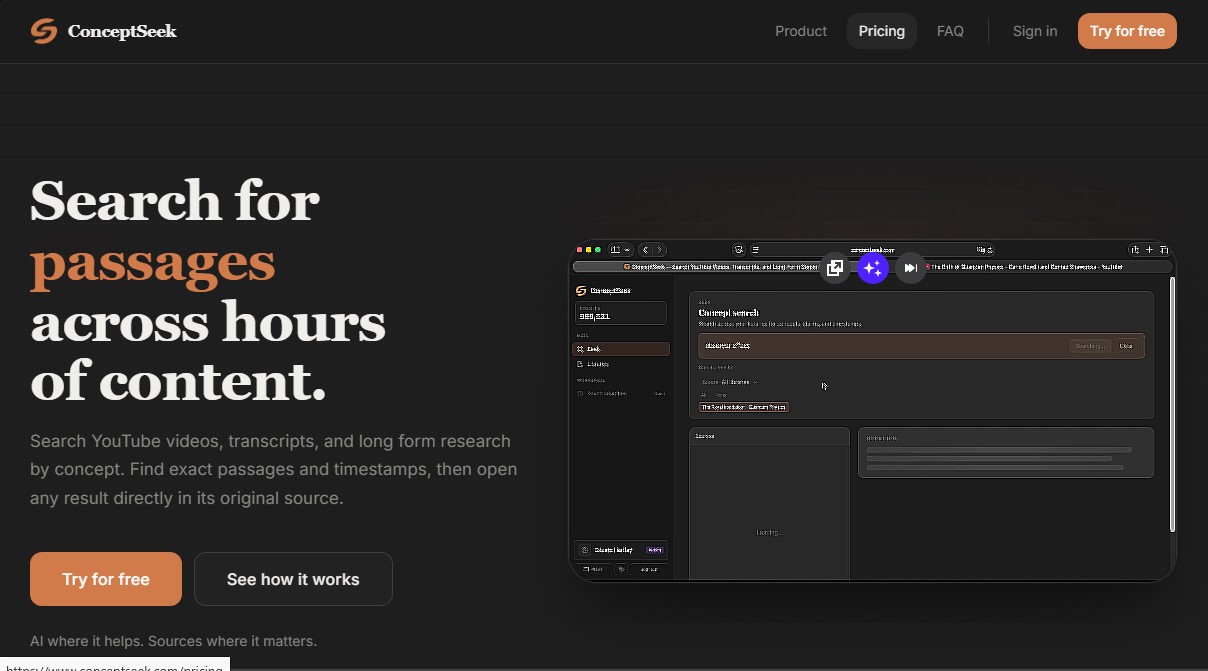
Semantic search engine for YouTube videos and long-form content. Find exact moments and quotes by concept for research with direct access to original sources.
General Information about ConceptSeek
ConceptSeek is a semantic search platform designed to locate specific concepts, ideas, and quotes within long-form content, such as YouTube videos, transcripts, and text documents. Unlike traditional search engines based exclusively on keywords, this tool allows users to find exact snippets based on the meaning of the content, facilitating access to precise moments through timestamps and direct references to the original source.
ConceptSeek’s technology utilizes a two-stage search system that combines lexical precision with the power of vector search through OpenAI embeddings. This artificial intelligence approach allows users to perform natural language queries; the system identifies conceptual relevance even if the exact words do not match the query. When a YouTube URL is added, the application automatically retrieves the transcript, indexes it semantically, and organizes it into passages linked to the original footage. This saves time by eliminating the need to watch hours of video in their entirety on a computer or mobile device.
Key capabilities and practical benefits include:
- Custom Library Creation: Organize sources by project, topic, or field of study, narrowing the scope of each search to obtain much more precise results.
- Exact Moment Localization: Results show the exact second of a video or the specific paragraph of a text, allowing users to open the original source directly at that point.
- Evidence-Based Synthesis: Generates an overview of how a concept appears across selected sources, linking every data point to verifiable passages to avoid the "hallucinations" typical of other AI models.
- Multi-Channel Search: The ability to track an idea simultaneously across multiple lectures, interviews, podcasts, and research notes.
This tool is especially valuable for researchers, journalists, students, and content creators who manage large volumes of information. It is ideal for developing doctoral theses, preparing interviews, analyzing narratives in political debates, or reviewing masterclasses. By focusing on verbatim data retrieval rather than creative response generation, ConceptSeek ensures that users always work with verified, citable information.
The workflow is functional and straightforward: the user creates a library, adds sources, and defines the scope of the query. After performing a concept search, the platform presents a content analysis and allows the user to jump to the original context to verify the information immediately. It is a robust knowledge management solution that prioritizes primary sources, ensuring that data is neither paraphrased nor altered by external generative processes.
Features and Use Cases of ConceptSeek
How ConceptSeek Works
Frequently Asked Questions about ConceptSeek
What is ConceptSeek, and how can it help me with my research?
ConceptSeek is a semantic search tool designed to locate specific concepts and ideas within YouTube videos and long-form text, allowing you to find the exact moment of a quote or argument.
How is ConceptSeek different from AI assistants like ChatGPT?
Unlike other models that generate responses based on general training, ConceptSeek extracts literal snippets from sources you have personally selected, ensuring the information is always accurate and citable.
What types of sources can I add to my content libraries?
Currently, you can add YouTube video links to get automatic transcripts, as well as plain text notes to organize your information by specific projects or topics.
How does ConceptSeek find exact moments in a YouTube video?
When you enter a URL, the tool processes the transcript and generates a semantic index, allowing you to click directly on the result's timestamp to view that segment in the original video.
Is it possible to search multiple sources at the same time?
Yes, you can select one or more libraries at once so the search engine can analyze all stored content and show you results ranked by conceptual relevance, regardless of the source.
Does ConceptSeek offer a free plan for new users?
Yes, there is a free plan that includes the creation of one library and an initial set of credits so you can test the search features before opting for a paid subscription.
Are my data and the content I add to the platform secure?
All information you upload is stored privately in your personal account and is not used to train AI models or shared with third parties under any circumstances.
What is a library in ConceptSeek, and what is it for?
A library is a personalized container where you group sources related to a specific topic, allowing you to define the scope of your searches for much more precise and organized results.
ConceptSeek Pricing
Free
$0
Get started with ConceptSeek at no cost.
- 1 library.
- 5 sources per library.
- 100 credits (one-time use).
Starter
$9 / month
Designed for light personal use and regular research.
- 5 libraries.
- 15 sources per library.
- 500 credits per month.
Pro
$19 / month
Our most popular option, geared toward researchers, students, and analysts.
- 25 libraries.
- 50 sources per library.
- 2,000 credits per month.
Max
$39 / month
For power users who require full search processing capabilities.
- 50 libraries.
- 200 sources per library.
- 10,000 credits per month.
ConceptSeek Screenshots