Share
Transform your recipes into professional cookbooks. AI automates design and layout, creating print-ready documents from your notes or photos.
What is Cookbook AI?
Cookbook AI is an advanced platform designed to transform recipe collections into professional, print-ready cookbooks. This tool utilizes an AI cookbook generator that eliminates the need for prior graphic design knowledge, allowing any user to automatically convert scattered notes into a structured, illustrated, and visually appealing document.
The operation of Cookbook AI is based on a simplified three-step process that leverages natural language processing. First, the user inputs content by pasting text or uploading files in formats such as PDF, Word, or photos of handwritten recipes. Thanks to recipe digitization technology, the AI reads the content and generates an initial outline. Subsequently, the user confirms the structure and selects a visual style, allowing the AI design agent to layout each page in real time. Finally, the result can be refined manually or via chat commands before being exported.
Key capabilities of this AI tool for food content creators include:
- Automatic Layout: Cleanly organizes ingredients, steps, and servings in A4 format, ensuring the content is print-ready with no text overflow.
- AI Food Image Generation: If a recipe lacks a photo, the AI generates illustrations or realistic images to complete the visual design.
- Text Recognition (OCR): The ability to process photos of old recipe cards or handwritten notes, integrating them into the digital format.
- Categorization: Automatically classifies dishes by type, such as appetizers, main courses, or desserts, creating a coherent table of contents.
- Chat Customization: Allows for design adjustments or text edits by interacting directly with the virtual assistant.
This solution is ideal for various user profiles. Families can use it to preserve family cookbooks and create physical legacies. Professional chefs and small kitchen managers find Cookbook AI to be a fast way to design menus and training manuals without hiring outside designers. Additionally, content creators and nutritionists can transform meal plans into marketable or downloadable digital books.
The platform ensures that personal notes and exact measurements remain intact, as the system designs the visual layout while respecting the user's original text. The final product is delivered as a high-definition PDF or a shareable link, facilitating both home printing and the digital distribution of a custom cookbook.
Cookbook AI features and use cases
How to use Cookbook AI
Cookbook AI FAQ
Can I try Cookbook AI for free?
Yes, you can start using the tool at no cost to create and preview your cookbook before using credits to generate the final pages.
What file types can I upload to Cookbook AI to create my book?
The platform allows you to upload PDF documents, Word files, and recipe photos, or you can simply paste text directly into the editor.
Will Cookbook AI change my recipe content when laying out the book?
No, the system preserves your exact wording and original measurements to ensure accuracy; it only handles the design and illustration.
What happens if one of my recipes doesn't have its own photo?
The tool's AI can automatically generate or find a suitable food image so that no page in your book is left blank.
Can I digitize my handwritten recipe cards with Cookbook AI?
Yes, you can upload photos of handwritten notes, and the tool will process them to integrate them into a clean, professional cookbook layout.
Are the books designed for physical printing?
Yes, all pages are laid out in A4 size with no text overflow, so they are ready for easy printing and binding.
Can I make changes to the pages after they have been generated?
Yes, you have the option to edit any page at any time using the support chat or the visual editor to adjust text or swap out photos.
How can I download or share my finished cookbook?
Once the process is complete, you can export your cookbook as a high-definition PDF or share it via an interactive web link.
What languages does Cookbook AI support for creating books?
The tool is capable of reading and creating cookbooks in many different languages, adapting to the original content you uploaded.
Cookbook AI pricing and plans
Free Version
Start for free to create and preview your cookbook.
Credits are applied when generating full recipe book pages.
Basic Monthly: 19,9 $ per month (9,9 $ per month billed annually)
1,800 credits per month.
HD PDF and interactive flipbook export.
No watermark.
Cancel anytime.
Plus Monthly: 29,9 $ per month (17,9 $ per month billed annually)
5,000 credits per month.
Priority queue (2x faster generation).
Premium image model.
HD PDF and interactive flipbook export.
No watermark.
Premium Monthly: 49,9 $ per month (29,9 $ per month billed annually)
10,000 credits per month.
Priority queue (2x faster generation).
Premium image model.
OCR for PDF screenshots.
HD PDF and interactive flipbook export.
No watermark.
Credits Pack: 79,9 $ (one-time payment)
16,000 credits.
Valid for 8 months.
Priority queue (2x faster generation).
Premium image model.
OCR for PDF screenshots.
HD PDF and interactive flipbook export.
No watermark.
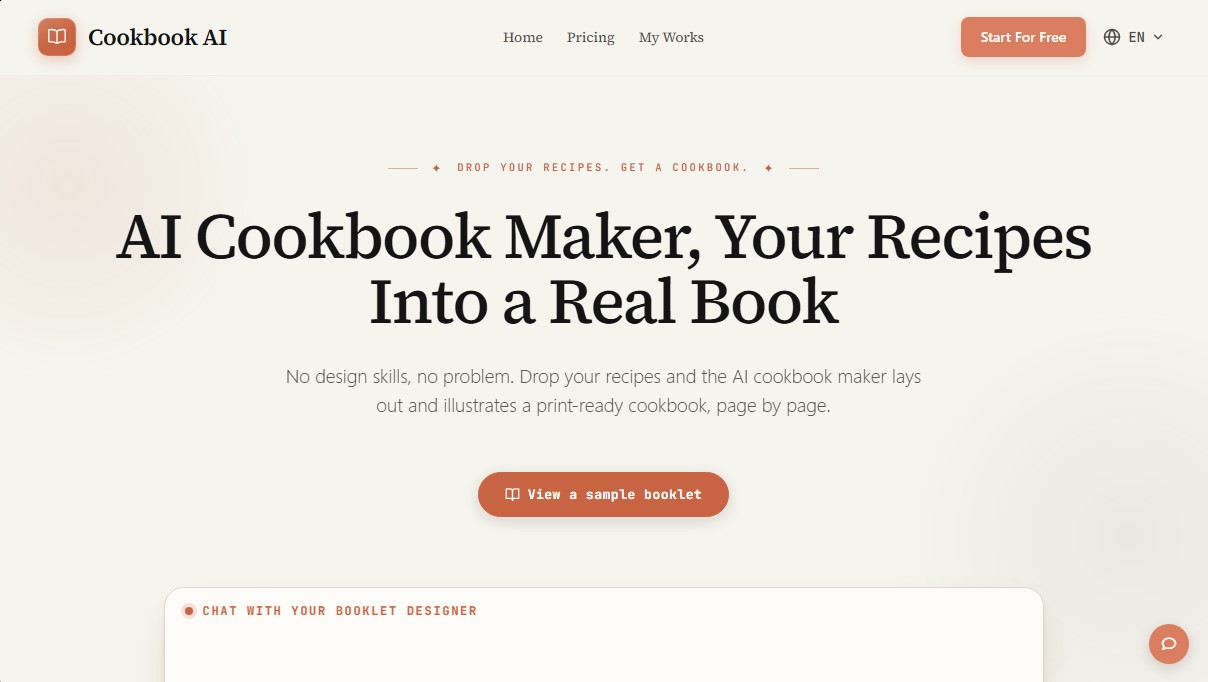
Cookbook AI Screenshots
Cookbook AI user reviews
Write a review
Checking your session...
Cookbook AI Reviews
Loading reviews...
Cookbook AI alternatives

Nellie by Anello
Family assistant that manages schedules, tasks, and shopping lists via text. Integrates with calendars and group chats without installing any apps.


Hireci recipe saver app
Convert social media videos, photos, and links into editable recipes. Organize your digital cookbook, plan menus, and automatically generate grocery lists.

Nommer cook recipes together
Turn any recipe into a plan for two. Split tasks and sync steps in real time to cook in coordination and finish at the same time.

ReciBites: Recipe Meal Planner
Save recipes from any source, plan meals, and generate grocery lists. Analyze nutrients and calories to personalize your diet with AI.