

Share
Smart family manager that centralizes calendars, tasks, and menus. AI optimizes home organization, reduces mental load, and streamlines daily coordination.
What is Nori?
Nori is a smart command center designed for comprehensive home management and family coordination. This tool functions as a shared intelligence system that centralizes calendars, tasks, and communications into a single point of access, reducing the mental load for family members. Unlike individual virtual assistants, Nori is optimized for collective use, allowing every member of the household to have a clear view of daily logistics through a common device.
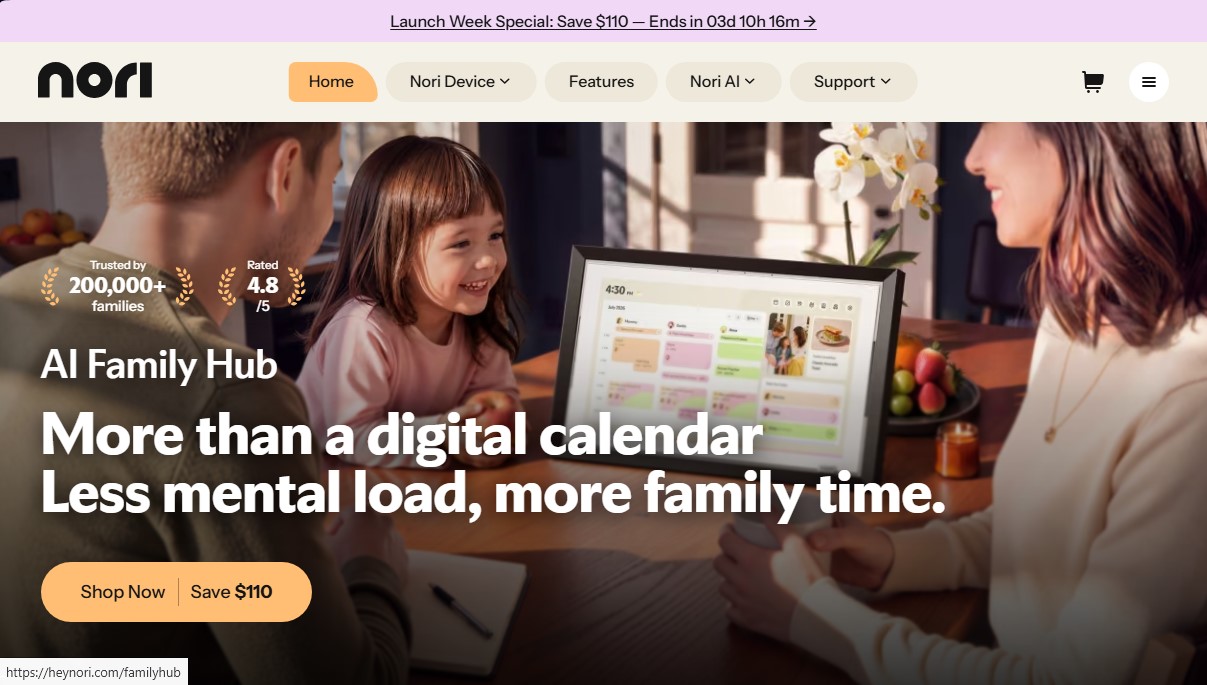
The ecosystem is powered by the Nori Family Hub, a physical device featuring a 15.6-inch screen, and is complemented by mobile apps and web access. The core technology, called SuperNori, utilizes proactive AI agents capable of processing cluttered information and turning it into structured plans. Thanks to its multimodal capabilities, users can dictate voice commands, send screenshots of school emails, or take photos of flyers so the AI can automatically extract dates and tasks, integrating them into the system without manual intervention.
Key capabilities include:
- Smart family calendar: Syncs everyone's schedules into a single, accessible view, preventing scheduling conflicts.
- Task and reward management: Facilitates the assignment of household chores and goal tracking, fostering independence in children.
- Meal and recipe planner: The AI suggests weekly menus based on user preferences and generates automatic grocery lists.
- Hands-free voice control: Allows interaction with the system using the "Hey Nori" command to add reminders or check the schedule while multitasking.
- Adaptive family memory: The system learns the household's routines and preferences to offer personalized suggestions and proactive reminders.
The Nori Family Hub hardware includes an FHD IPS display with anti-glare technology and ambient light sensors to blend aesthetically into any room. Its technical architecture features 4 GB of RAM and a four-microphone array designed to capture voices accurately in home environments. Privacy is guaranteed through physical controls to disable the microphones and visual signals that indicate the device's status.
This home artificial intelligence solution developed by Domus Next Inc. is ideal for families looking to eliminate the fragmentation of information scattered across different apps. By acting as a centralized brain, Nori helps coordinate doctor’s appointments, extracurricular activities, and errands collaboratively, ensuring that household management is an automated and efficient process for everyone.
Nori features and use cases
How to use Nori
Nori FAQ
Which countries does Nori ship to?
We currently ship to the United States and Canada, though we are working to expand our availability to other regions in the future.
What are the main features of the Nori family hub?
Nori combines a shared calendar, task lists with rewards, a meal planner, recipes, and synced grocery lists into a single smart display.
What are the benefits of a Nori AI Plus subscription?
This subscription enables full voice control, schedule importing from photos, and a smart assistant that learns your family’s specific routines and preferences.
Can I use Nori without a paid subscription?
Yes, you can use basic calendar, task, and list features for free; the paid version is designed for those who need advanced AI tools.
How does Nori ensure my family’s privacy at home?
The device only listens after detecting the wake word and features a physical button to mute the microphone, along with a visual status indicator on the screen.
Can I customize the look of the Nori display?
Yes, the device features interchangeable frames that can be swapped in seconds. They are available in various colors—including pink, blue, black, white, and green—to match your decor.
What is the return policy and warranty for the device?
We offer a 30-day return period for products in perfect condition and a one-year limited warranty that covers any manufacturing defects.
How is information synced between different family members?
All information updates in real time across the physical device in your home, the mobile app for iOS and Android, and the web version.
Nori pricing and plans
Free Plan (Free Forever)
- Price: $0.
- Shared family calendar, tasks, recipes, shopping lists, and meal plans.
- Access to the Nori AI chatbot via email.
- New free tools added regularly.
- Limit: 10 free AI uses (includes chat, voice input, and basic AI tools).
Nori AI Plus
- Price: $7.99 per month or $59.90 per year (equivalent to $4.99/month with annual billing).
- Unlimited access to AI chat mode and voice input.
- Agent Mode: AI manages complex, multi-step plans like trips, birthdays, and routines.
- Adaptive AI that learns family preferences, schedules, and specific dietary needs.
- Full management (add, edit, or delete) of events, tasks, and recipes via text or voice.
- Optimized shopping lists, ingredient substitution suggestions, and balanced meal plans.
- Premium access synced across Nori Family Hub, mobile app, and web version.
Nori Family Hub (Hardware)
- Price: $329 (Device only) or $339 (Launch offer: Device + 1 year AI subscription).
- 15.6" FHD IPS anti-glare and fingerprint-resistant display.
- Includes basic organization features: shared calendar, tasks, rewards, meal plans, and lists.
- The recommended $339 bundle includes the first year of Nori AI Plus subscription (a $110 savings off the official price).
- Restriction: The "Device Only" model does not include fluid AI conversation features or multimodal information capture tools.
Nori Screenshots
Nori alternatives


Hireci recipe saver app
Convert social media videos, photos, and links into editable recipes. Organize your digital cookbook, plan menus, and automatically generate grocery lists.

Nommer cook recipes together
Turn any recipe into a plan for two. Split tasks and sync steps in real time to cook in coordination and finish at the same time.

ReciBites: Recipe Meal Planner
Save recipes from any source, plan meals, and generate grocery lists. Analyze nutrients and calories to personalize your diet with AI.

Cookbook AI
Transform your recipes into professional cookbooks. AI automates design and layout, creating print-ready documents from your notes or photos.

Meal Planner Pro
Personalized diet planner tailored to your health and fitness goals. Generates weekly menus with recipes, macro tracking, and automatic grocery lists.