

Share
Analytics platform with a semantic layer that unifies metrics to deliver precise AI-powered answers across dashboards, reports, and integrated applications.
What is Cube?
Cube is an agentic analytics platform built on a universal semantic layer that centralizes an organization’s metric and data definitions. Its primary function is to act as a bridge between complex data sources and end-user tools, ensuring that any query—whether made through traditional dashboards or via natural language—always returns consistent and accurate results. This solution is particularly useful for data teams requiring end-to-end governance and for software companies looking to integrate high-quality embedded analytics into their own products.
The tool's technology is based on a governed semantic model that serves as a contextual map for large language models (LLMs). Unlike generic AI approaches, Cube bases its Analytics Chat responses on definitions pre-established by the data team, eliminating the risk of hallucinations and ensuring business context remains intact. Thanks to its AI context layer, users can ask complex questions in plain language and receive precise answers directly linked to the company’s operational logic.
The platform’s functional capabilities are divided into several key pillars:
Analytics Chat: An AI interface for querying data using natural language, allowing any team member to get answers without needing to write SQL.
AI-Native Embedded Analytics: Enables developers to embed analytics chats and custom dashboards into SaaS applications, with native support for multi-tenant environments.
Workbooks and Dashboards: Visual tools for deep data exploration that allow for reports where every figure matches the centralized definition.
Flexible APIs: Provides access via SQL, REST, and the Analytics Chat API, making it possible to build custom data experiences or connect with tools like Slack and spreadsheets.
dbt Integration: Allows for syncing and leveraging existing data transformation models to maintain consistency across the entire tech stack.
To ensure optimal performance in production environments, the platform features Cube Store, a query caching and acceleration technology that reduces latency and improves response speeds for large data volumes. By separating business logic from the visualization layer, Cube enables companies to maintain a scalable single source of truth. This ensures that both internal analysts and external clients can access governed, secure, and up-to-date information from any device, whether a computer or a mobile terminal.
Cube features and use cases
How to use Cube
Cube FAQ
What is Cube and what exactly is it used for?
It is an agentic analytics platform built on a semantic layer that unifies data definitions to provide consistent answers through artificial intelligence.
How does Cube ensure that the data shown by the AI is reliable?
Answers are based on an end-to-end governed semantic model, which ensures that every figure always aligns with your company's official definitions.
Can I integrate Cube analytics into my own software product?
Yes, the platform allows you to embed dashboards, analytics chats, and data APIs directly into your application with native multi-tenant management.
What are the main differences between Cube's Starter and Premium plans?
The Starter plan is geared toward professionals looking to optimize workflows, while the Premium plan adds explorer roles, embedded analytics, and longer history retention.
Is it possible to connect Cube with other data modeling tools like dbt?
Yes, the tool offers integration with dbt to sync your semantic layer and leverage existing definitions within your data infrastructure.
What kind of technical support does Cube offer across its different subscription tiers?
Support ranges from community assistance on basic plans to chat, email, and dedicated success managers on the Enterprise plan.
Does Cube allow the use of my own language models and cloud services?
Yes, through the Enterprise option, you can use your own language models and deploy the platform on your own cloud infrastructure.
What does the free version of the Cube tool include for new users?
It allows you to connect any data source, model in the IDE, create workbooks, and publish up to five dashboards at no cost.
How does Cube manage security and user access in enterprise environments?
The platform offers workspace access control, full audit logs, and SSO authentication via SAML 2.0 on its higher-tier plans.
What advantages does using Cube Store provide within the platform?
It is a caching layer that significantly improves query performance and dashboard response times.
Cube pricing and plans
Free
Free forever.
Connect to any data source.
Semantic layer IDE modeling.
Data exploration in workbooks (up to 5).
Publish workbooks as dashboards.
Semantic model agent and workbook/dashboard agent.
Analytics chat.
1,000 daily request limit and 1-day query history retention.
Starter
40 $ per developer per month.
Includes everything in the Free plan.
Unlimited workbooks.
Premium LLM usage.
Extended agent limits.
Production deployment compute and Cube Store caching.
Semantic layer sync, observability, and high availability.
10,000 daily request limit (shared) or 50,000 (dedicated).
Dedicated deployment available for 0.60 $/hour.
Premium
80 $ per developer per month.
Includes everything in the Starter plan.
Explorer (40 $/user) and Viewer (20 $/user) roles.
Embedded dashboards and analytics chat.
Unlimited queries.
99.950% uptime SLA.
Custom domains and multi-cluster deployment.
Performance Insights.
7-day query history retention.
Dedicated deployment available for 1.20 $/hour.
Enterprise
Custom pricing (contact us via the official website).
Includes everything in the Premium plan.
99.990% uptime SLA.
Dedicated single-tenant installation.
Bring Your Own Cloud (BYOC) and Bring Your Own LLM (BYOLLM) options.
SAML 2.0 SSO and workspace access control.
DAX API for Power BI.
Full audit logs and advanced network security (VPC Peering).
Dedicated Customer Success Manager (CSM).
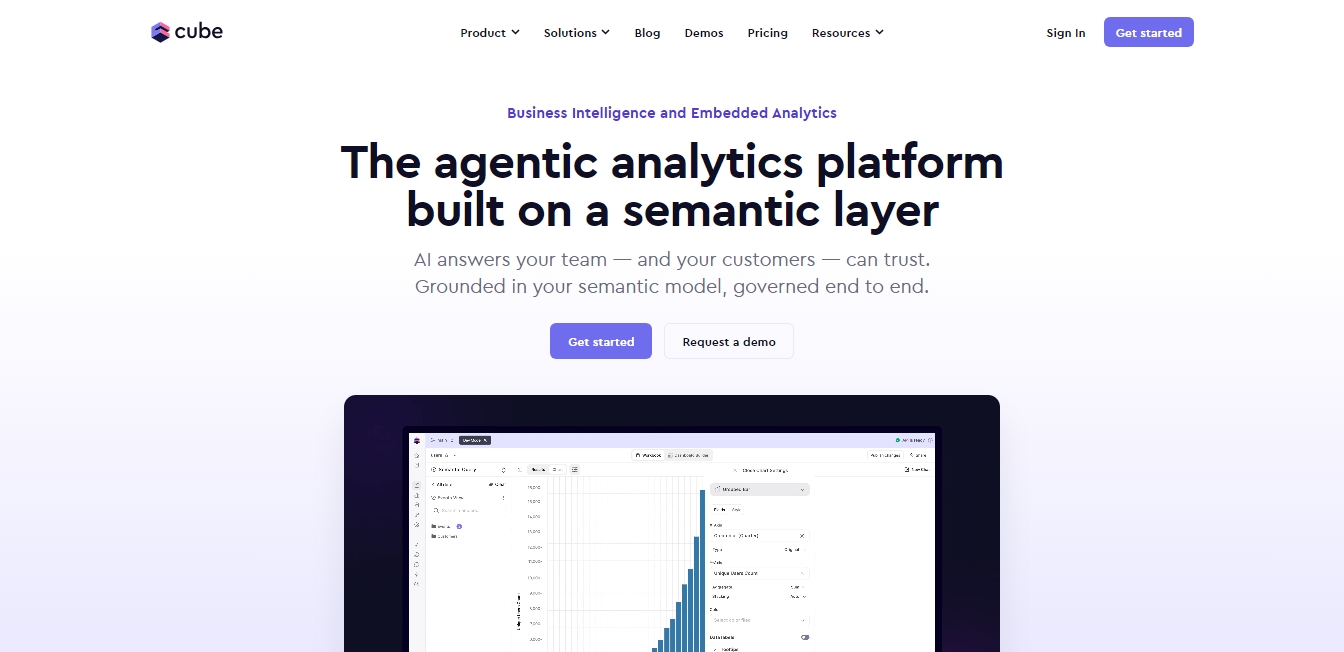
Cube Screenshots
Cube user reviews
Write a review
Checking your session...
Cube Reviews
Loading reviews...
Cube alternatives


Mel By Skymel
Tracks open-web signals to build knowledge graphs. Generates intelligence reports and databases, and monitors relevant changes for any target.




Velivo One
Monitor AI engine mentions, verify accuracy, and manage your brand's SEO, local presence, and social media to optimize visibility and digital reputation.