
Share
AI spreadsheet assistant that generates formulas, analyzes data, and edits files via chat. Automate tasks, create charts, and optimize your Excel workbooks.
What is ExcelGen?
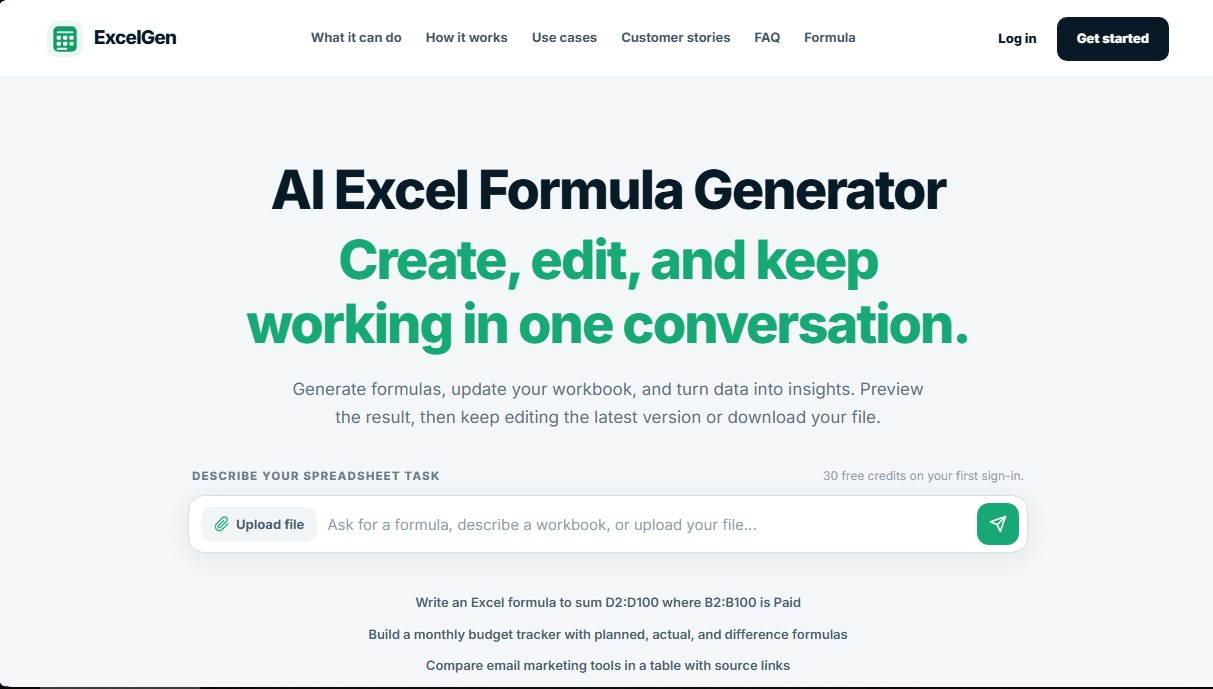
ExcelGen is an advanced AI-powered workspace designed for creating, analyzing, and transforming spreadsheets using natural language. This tool functions as an AI Excel assistant that enables users to manage complex tasks without needing to be experts in technical syntax. Its primary function is to act as an Excel formula generator capable of interpreting descriptive instructions to automate processes in existing workbooks or create new ones from scratch.
The operation of ExcelGen is structured into an interactive three-step process. First, the user can upload an XLSX, XLS, or CSV file or describe an initial idea. Next, the AI agent processes the information, reads the data, and prepares the requested result, maintaining constant communication if clarifications are needed. Finally, the system provides a workbook preview so the user can validate the structure and data before downloading the final version to their computer.
Key functional capabilities and practical benefits include:
- Generating and explaining complex formulas such as XLOOKUP, SUMIFS, or nested conditional functions.
- Creating dashboards and trend charts from raw sales or inventory data.
- Automating monthly budget tracking, calculating differences between projected and actual spending.
- Transforming unstructured project notes into professional tracking tables with dates, owners, and statuses.
- Conducting integrated market research, gathering features and prices into comparative tables with links to sources.
- Identifying outstanding invoices and summarizing balances for accounts management.
Unlike simple text generators, ExcelGen does not overwrite the original file; instead, it generates successive versions of the workbook. This allows for precise version control where each successful edit becomes the foundation for the next request. It is important to note that the tool inserts real Excel formulas that calculate when the downloaded file is opened, ensuring the team can continue working conventionally without depending on AI.
This platform is especially useful for business operations professionals, financial analysts, and project managers who need to streamline massive data processing or campaign report generation. By allowing editing via chat, ExcelGen eliminates the technical barrier of spreadsheets, making it easy for any professional to obtain accurate data analysis and keep their files updated quickly and efficiently. The tool supports file uploads of up to 20 MB depending on the workflow and allows for data cleaning, merging sheets, and advanced formatting through simple instructions.
ExcelGen features and use cases
How to use ExcelGen
ExcelGen FAQ
What exactly is ExcelGen, and how can it help me?
It is an AI-powered assistant designed to generate formulas, analyze data, and edit spreadsheets using natural language.
Does ExcelGen offer a free trial for new users?
Yes, when you log in for the first time, you receive thirty free credits to test the formula generation and editing features.
Can ExcelGen directly edit my existing Excel files?
Yes, you can upload a file and ask it to insert formulas or update values, generating a new version of the document that is ready for download.
What file formats are compatible with the tool?
The platform supports XLSX, XLS, and CSV files, although advanced editing features specifically require the use of XLSX files.
Will my original file be modified when making changes with the AI?
No, the tool never overwrites your original document; instead, it creates new versions so you can review all changes before accepting them.
Why don't I see the calculated formula results immediately in the preview?
ExcelGen writes the formulas into the file, but they are calculated when the document is opened in Excel, so you must download the file to see the final values.
What types of Excel formulas can ExcelGen generate?
It can create everything from simple operations to complex formulas like XLOOKUP, SUMIFS, or advanced conditionals based on the instructions you provide.
Is there a size limit for the files I can upload?
The upload limit depends on your subscription plan, ranging from five megabytes on the free plan to twenty megabytes on the premium plan.
ExcelGen pricing and plans
Free Plan
Price: $0 per month.
- 30 one-time credits upon first login.
- Write formulas directly in the spreadsheet.
- Edit spreadsheets via chat.
- Export charts in PNG format.
- File upload limit up to 5 MB.
- Includes 1 web research trial and 1 chart trial.
- Download the first result in XLSX format.
- Files available on the platform for 7 days.
Pro Plan
Price: $7.99 per month (or $6.58 per month billed annually at $79).
- 1,200 monthly credits.
- Write formulas in the spreadsheet.
- Edit spreadsheets via chat.
- Export charts in PNG format.
- File upload limit up to 10 MB.
- Download all generated XLSX files.
- Files available on the platform for 90 days.
Max Plan
Price: $19.99 per month (or $16.58 per month billed annually at $199).
- 4,000 monthly credits.
- Write formulas in the spreadsheet.
- Edit spreadsheets via chat.
- Export charts in PNG format.
- File upload limit up to 20 MB.
- Download all generated XLSX files.
- Files available on the platform for 365 days.
ExcelGen Screenshots
ExcelGen user reviews
Write a review
Checking your session...
ExcelGen Reviews
Loading reviews...
ExcelGen alternatives



Mel By Skymel
Tracks open-web signals to build knowledge graphs. Generates intelligence reports and databases, and monitors relevant changes for any target.