
Share
Convert PDF bank statements to Excel, CSV, or QBO. Automate accounting with fast, secure data imports into financial software.
What is Finstatly?
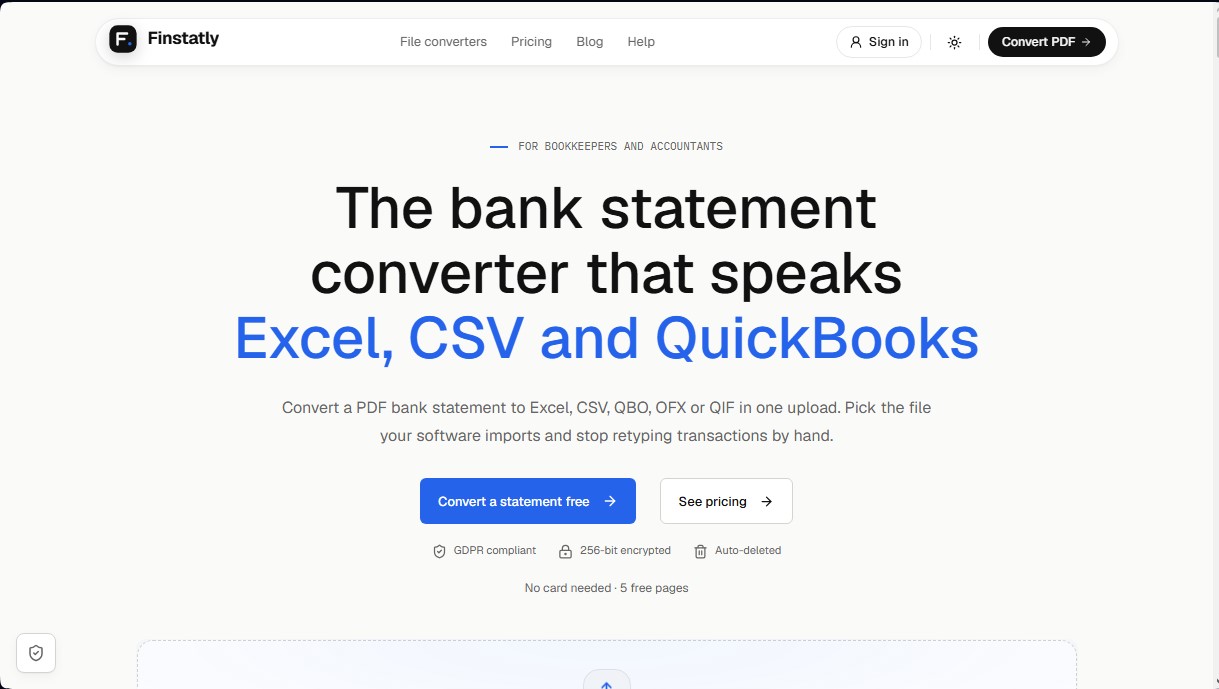
Finstatly is a specialized tool for converting PDF bank statements into editable formats compatible with accounting software. Its primary function is to automate financial data extraction, allowing accountants and advisors to transform static documents into Excel, CSV, QBO, OFX, or QIF files. This solution eliminates the need for manual data entry on the computer, drastically reducing the risk of transcription errors and optimizing bank reconciliation processes.
Finstatly's technology focuses on processing text-based PDFs downloaded directly from online banking portals. The system uses advanced algorithms to identify and structure each transaction row, maintaining the integrity of critical data such as dates, descriptions, debits, credits, and running balances. The process is simple: the user uploads the file, selects the desired output format, and the tool generates a document ready to be imported into platforms like QuickBooks, Xero, Sage, or Quicken.
Key features of this bank statement converter include:
- Compatibility with over 1,000 banking institutions worldwide, including traditional banks and digital platforms.
- Export to spreadsheets (Excel or Google Sheets) with a clean, one-row-per-transaction structure for preliminary reviews.
- Support for direct import formats such as QBO, OFX, and QIF, which facilitate integration with accounting management tools without additional configuration.
- Ability to process files up to 25 MB, ideal for clients with high transaction volumes or full fiscal years.
Regarding security, Finstatly applies rigorous standards to protect sensitive financial information. It uses AES-256 encryption both in transit and at rest and strictly complies with GDPR. Privacy is guaranteed through an automated processing system where no human accesses the files; furthermore, documents are automatically deleted after conversion and are not used to train AI models.
This tool is especially beneficial for managing monthly closings, onboarding new clients, or catching up on accounting backlogs. By providing a fast alternative to manual data entry, Finstatly allows finance professionals to improve operational efficiency and ensure the accuracy of their ledgers. Its practical and functional approach makes it an essential resource for firms looking to digitize their workflow with an AI tool specialized in banking data.
Finstatly features and use cases
How to use Finstatly
Finstatly FAQ
What is Finstatly and how can it help my accounting firm?
Finstatly is an automated converter that transforms PDF bank statements into editable formats like Excel or CSV, eliminating the need for manual data entry.
What export formats does Finstatly currently support?
The tool allows you to export your transactions to Excel, CSV, QBO, OFX, and QIF files, so you can import them directly into software like QuickBooks or Xero.
Can I process scanned or photographed bank statements?
Currently, Finstatly only processes text-based PDF files downloaded from online banking, though support for scanned documents will be available soon.
Is the handling of financial data secure on Finstatly?
Yes, all files are encrypted with AES-256 and are automatically deleted after processing. Furthermore, your data is never used to train artificial intelligence models.
Does Finstatly offer a free option for new users?
Yes, when you sign up, you receive your first five conversion pages for free without having to enter any credit card information.
What happens if a conversion is not successful?
If a conversion process fails for any reason, the reserved pages are automatically returned to your balance so you don't lose your credits.
Do additional credits purchased on the platform expire?
Extra credits purchased to supplement your subscription plan do not have an expiration date, so you can use them whenever it is most convenient for you.
How many banks is the tool compatible with?
Finstatly is compatible with over a thousand financial institutions worldwide, including major banks in Spain, Europe, and the United States.
How can I check the accuracy of the data converted by Finstatly?
We recommend downloading the file in Excel format to compare the transactions and ending balances with the original document before performing the final import.
Do I need to install any software to use Finstatly?
No installation is necessary, as Finstatly is entirely cloud-based; you can perform all your conversions directly from your web browser.
Finstatly pricing and plans
Free
$0
5 free pages (one-time allocation upon sign-up).
1 user (seat).
No credit card required.
Access to all export formats (Excel, CSV, QBO, OFX, and QIF).
Beginner
$25 per month (or $20.83 per month with $250 annual billing).
140 pages per month ($0.18 per included page).
1 user (seat).
Ability to add extra credits.
Includes free re-downloads and all export formats.
Pro
$59 per month (or $49.17 per month with $590 annual billing).
350 pages per month ($0.17 per included page).
3 users (seats) for the team.
Ability to add extra credits.
Includes free re-downloads and all export formats.
Business
$99 per month (or $82.50 per month with $990 annual billing).
650 pages per month ($0.15 per included page).
10 users (seats) for the team.
Ability to add extra credits.
Includes free re-downloads and all export formats.
Enterprise
Custom pricing (contact sales).
Custom page allocation.
Unlimited users (seats).
Designed for large teams.
Add-on Credits (Top-ups)
Starting at $10 (one-time payment).
$0.20 per additional page.
50-page minimum purchase ($10).
Credits do not expire as long as a paid plan remains active.
Available only for paid plan subscribers.
Finstatly Screenshots
Finstatly user reviews
Write a review
Checking your session...
Finstatly Reviews
Loading reviews...
Finstatly alternatives


Futureproof
AI finance team that automates accounting, general ledger, and cash forecasting. Autonomously manages collections, payments, and profitability metrics.

Candor Money
Manage your finances with an AI agent that builds savings plans and budgets. Securely link your bank accounts to reach goals in read-only mode.

PropHours-Material Participation
Track rental tasks and material participation hours with AI. Attach evidence and generate reports to maximize tax deductions.

FactorialHR
AI platform centralizing HR, finance, and IT. Automate payroll, time tracking, and expenses to streamline management and boost your company's productivity.