

Share
What is FormEmailAPI?
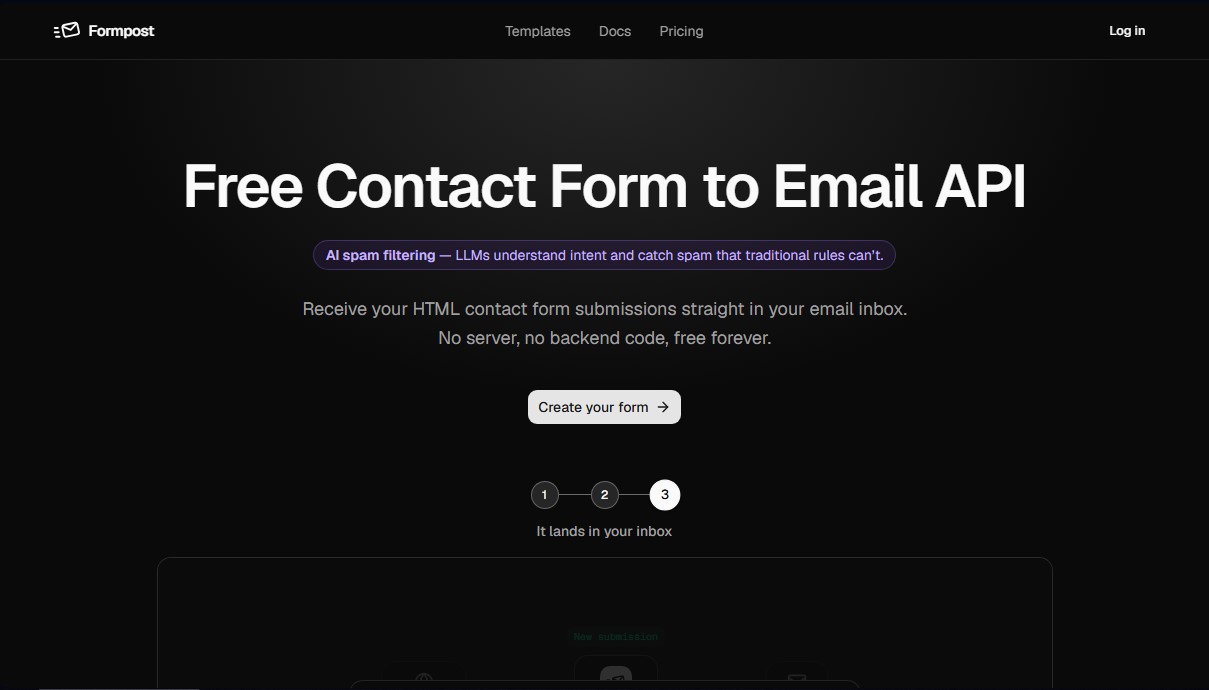
FormEmailAPI (formerly Formpost) is a contact form-to-email API designed for websites that do not have their own backend. Its fundamental purpose is to receive submissions sent through HTML forms and deliver them directly to the user's email inbox, completely eliminating the need to manage servers, configure databases, or write server-side code.
How it works
FormEmailAPI's core technology is built on a lightweight service developed in Go, optimized for asynchronous request processing. This ensures that visitors do not experience unnecessary delays while integrations or email deliveries are being processed. For security and storage, the platform leverages Amazon S3 infrastructure and managed databases in AWS regions, ensuring that attachments and data are maintained under professional standards for availability and end-to-end encryption.
The most innovative aspect of the tool is its AI-powered spam filtering. Unlike traditional methods based on fixed rules, it uses Large Language Models (LLMs) to understand message intent and detect spam that other systems might miss. This artificial intelligence layer is complemented by additional protections such as honeypots, support for reCAPTCHA, hCaptcha, and Turnstile, as well as a domain blocking system that prevents fraudulent use of the form on unauthorized sites.
Operation is straightforward and requires no complex installations or invasive scripts. The user generates a unique endpoint in the dashboard and inserts it into the action attribute of their HTML form. Since it is an API and not a closed widget, it offers total freedom for custom styling via CSS, without relying on iframes that could slow down loading on the visitor's computer or mobile device.
Key features
Key features and practical benefits include:
- Secure Storage: Data is stored encrypted and is accessible for searching or exporting in JSON and CSV formats.
- Webhook Integrations: Allows submissions to be automatically redirected to Slack, Discord, or Telegram channels.
- File Management: Supports attachment uploads that are stored and served directly from the cloud.
- Autoresponders: Facilitates sending personalized, automatic confirmations to senders immediately.
- Submissions API: Features a read-only REST endpoint to integrate collected information into dashboards or external tools.
Who it's for
FormEmailAPI is ideal for web development agencies, static site creators, and marketing teams looking for an efficient, maintenance-free lead capture solution. It is compatible with any tech stack, from pure HTML to modern frameworks like React, Next.js, or Vue, providing a reliable infrastructure for contact forms, job applications, or satisfaction surveys.
FormEmailAPI features and use cases
How to use FormEmailAPI
FormEmailAPI FAQ
What exactly is FormEmailAPI, and how does it work?
It’s an API that allows you to receive contact form submissions directly in your email without needing to set up a server or write any backend code.
Is FormEmailAPI really free forever?
Yes, the free plan allows you to receive up to 250 messages per month with unlimited forms, and it doesn't require a credit card to get started.
How can I add a FormEmailAPI form to my website?
Just create a form in the dashboard, copy the generated endpoint URL, and paste it into the "action" attribute of your HTML code.
Does the contact form work if the user has JavaScript disabled?
Yes, the forms work natively via a browser POST request, so they don’t rely on JavaScript to deliver messages correctly.
How does FormEmailAPI protect my inbox from spam?
It uses four layers of security, including honeypots, smart AI filters, keyword rules, and domain blocking to prevent abuse.
Can I customize my form's design with FormEmailAPI?
Absolutely. Since we provide an API rather than a closed widget, you can use your own HTML and CSS to make it fit your brand perfectly.
Where are the messages sent through FormEmailAPI stored?
In addition to being sent to your email, all submissions are stored with encryption in your dashboard so you can view, search, or export them whenever you need to.
Is it possible to redirect users to my own thank-you page?
Yes, you can set up a custom redirect URL for each form, ensuring that visitors stay within your site after submitting their data.
What happens if I need to receive file attachments in my FormEmailAPI form?
Paid plans allow for file uploads, which are securely stored on Amazon S3 and sent to your inbox along with the form notification.
Is FormEmailAPI GDPR compliant?
Yes, all submissions are encrypted in transit and at rest. We don't use third-party trackers, and you have full control to export or delete your data at any time.
FormEmailAPI pricing and plans
Reference price: 180 USD / year. Source · Verified: October 19, 2026
Free: $0 forever
- 250 submissions a month.
- Unlimited forms and domains.
- Email notifications with honeypot, captcha and AI spam filtering.
- Custom redirect and thank-you pages, plus 30-day history.
Pro: $15/month billed yearly ($180/year)
- 10,000 submissions a month and up to 5 recipients per notification.
- File uploads up to 10 MB and autoresponders.
- Webhooks, Slack, Discord, Telegram and a REST API.
- 1-year history and a custom sending domain.
Business: $40/month billed yearly ($480/year)
- 20,000 submissions a month, up to 10 recipients and 25 MB uploads.
Monthly billing is also offered; yearly works out to two months free.
FormEmailAPI Screenshots
FormEmailAPI user reviews
Write a review
Checking your session...
FormEmailAPI Reviews
Loading reviews...
FormEmailAPI alternatives



Ami by AiSDR
AI agent automating sales prospecting. Generate lead lists, launch email and LinkedIn campaigns, manage replies, and optimize your market strategy.



Base.com AI for e-commerce
Optimize your online store with AI to list on marketplaces, create multilingual descriptions, edit product photos, and automate customer support at scale.