Wingflow
Share
Automate LinkedIn prospecting with personalized messages and automated follow-ups. Manage multiple accounts and centralize responses to book more meetings.
What is Wingflow?
Wingflow is a LinkedIn prospecting automation platform designed specifically for founders, sales teams, and agencies looking to scale their client acquisition. Its primary function is to simplify the initial outreach and lead follow-up process, allowing users to focus exclusively on responding to interested prospects and closing meetings. As a cloud-based solution, Wingflow executes all tasks remotely, eliminating the need to install browser extensions or keep your computer on for campaigns to run.
The tool’s operation is structured into three phases: importing, sequence creation, and response management. Users can extract prospect lists directly from LinkedIn searches, Sales Navigator, Recruiter, or by identifying individuals who have engaged with specific posts. Once profiles are imported, the platform allows users to design workflows that include automated profile visits, post reactions, and direct messages.
Wingflow’s technology places a critical focus on security and human-like behavior. To avoid detection by the social network, each connected account is assigned a dedicated proxy in its country of origin and operates under strict daily limits. The system randomizes actions during the user's local business hours, mimicking the natural pace of a real person.
Key capabilities and functional benefits include:
- Smart follow-up sequences: Enables the configuration of multi-step contact flows. If a prospect does not accept an invitation within a set timeframe, the system can withdraw the request or perform an alternative action based on the settings.
- Dynamic personalization: Uses tags to automatically insert the contact's name, company, job title, or location, ensuring every interaction feels individually crafted.
- Unified inbox: Centralizes conversations from all linked LinkedIn accounts into a single dashboard, making it easy to manage responses without constantly switching sessions.
- Auto-stop upon reply: The system detects when a contact has responded and immediately pauses any scheduled follow-up messages for that profile, ensuring natural communication.
- Exclusion and block lists: Allows users to add specific domains, companies, or profiles to a "do not contact" list to avoid accidental interactions with competitors or current clients.
Wingflow is ideal for professionals who need to maintain a consistent outreach flow without spending hours each day on manual tasks. Its focus on cloud automation and multi-account management makes it a robust tool for optimizing qualified lead generation efficiently and securely.
Wingflow features and use cases
How to use Wingflow
Wingflow FAQ
What is Wingflow and how does it help with my professional prospecting?
It is a cloud-based tool that automates LinkedIn outreach by sending personalized connection requests and follow-ups to efficiently book meetings.
Do I need to keep my computer on for Wingflow to work?
No. As a cloud-based solution, campaigns run autonomously without the need to install browser extensions or keep your device turned on.
How does Wingflow ensure the safety of my LinkedIn account?
The platform uses dedicated proxies, respects local business hours, and applies daily activity limits to mimic human behavior and minimize risk.
What happens to the message sequence if a contact responds?
Wingflow automatically stops any scheduled messages for that user the moment it detects a response, allowing you to manually take over the conversation.
Can I use Wingflow with a free LinkedIn account?
Yes, the tool is fully compatible with standard accounts, although using Sales Navigator or Premium profiles allows you to reach a higher number of daily prospects.
What personalization options does Wingflow offer for messages?
It allows you to insert automated variables such as first name, company, job title, or location, and includes fallback text options in case a profile is missing certain data.
How much does the service cost and what features are included?
The price is forty-nine dollars per month for each connected account and provides access to all features, unlimited campaigns, and a unified inbox.
Can I manage multiple LinkedIn accounts from one place?
Yes, the tool allows you to connect multiple profiles and manage them from a single workspace, which is ideal for sales teams and agencies.
How do I import leads into Wingflow campaigns?
You can add contacts directly from LinkedIn searches, Sales Navigator lists, or even people who have interacted with a specific post.
Is it possible to modify a Wingflow campaign once it has already started?
Yes, you can pause the campaign at any time to edit messages or add new steps, and the changes will apply to the contacts still in the sequence.
Wingflow pricing and plans
Free Trial
Price: Free for 7 days.
Full access to all tool features and functions.
Credit card required (billing begins after the 7-day trial ends).
Cancel at any time.
Wingflow Plan
Price: 49 $ per month for each connected LinkedIn account.
Unlimited campaigns and message sequences.
Unified inbox to manage all replies from a single dashboard.
Dedicated proxy included for each account for enhanced security.
Lead import from LinkedIn searches, Sales Navigator, Recruiter, and post reactions.
Message personalization using tags (name, company, job title, location) with fallback text.
Cloud-based execution (no browser extensions required; no need to keep your computer running).
Human-like activity limits: up to 30 daily connection requests for standard accounts and up to 80 for Premium accounts.
Automated sequence pausing the moment a prospect replies.
Blocklist to avoid contacting specific domains, companies, or profiles.
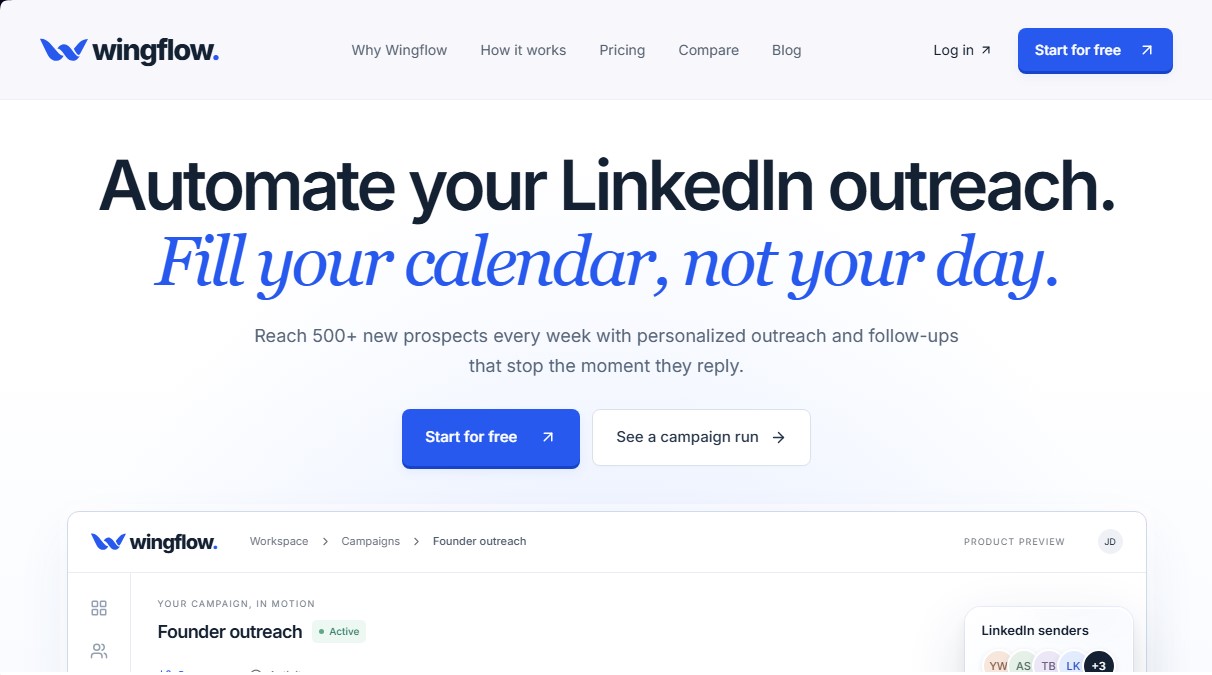
Wingflow Screenshots
Wingflow alternatives

Kairosy AI
Audit and improve your brand reputation in AI search engines. Monitor mentions on ChatGPT or Claude, analyze sentiment, and optimize visibility to attract more customers.


BridgeForge
Build bridge pages and use voice-cloned AI assistants to close sales after signup. Handle objections in real-time and automate phone and text follow-ups.