
Share
Open-source desktop voice dictation. Transcribes audio to text in real-time in any app via keyboard shortcuts. Supports 100+ languages.
What is GladiaFlow?
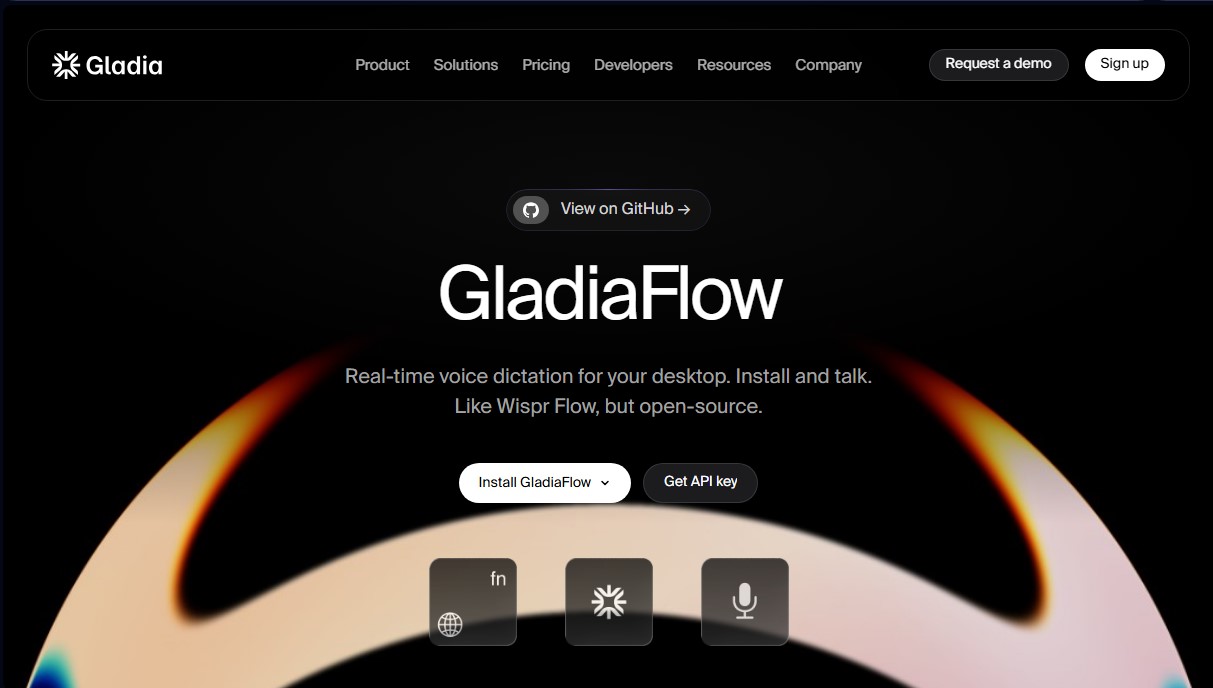
GladiaFlow is a real-time voice dictation application for desktop systems designed to instantly transform speech into text. It is presented as an efficient, open-source solution that allows users to type in any text field on their computer simply by speaking. Its primary function is to streamline workflows by eliminating the need for manual typing, integrating directly into the operating system through the use of a hotkey.
This tool stands out for its versatility, as it works in virtually any application installed on the device, from code editors like Cursor to communication and productivity platforms like Slack, Notion, Gmail, or ChatGPT. The operation process is straightforward: upon activating the configured command, GladiaFlow captures the user's audio, transmits it to the Gladia API for processing, and inserts the transcription into the active text field without noticeable latency, avoiding awkward waits or pauses.
The technology behind GladiaFlow is based on advanced Speech-to-Text (STT) models that support over 100 languages. One of its most relevant technical capabilities is automatic language detection and the management of mid-sentence language switching, ensuring high accuracy in multilingual environments. Additionally, the system allows for vocabulary customization, facilitating the recognition of technical jargon, specific acronyms, product names, and industry terms unique to the user's environment.
Its core capabilities and practical benefits include:
- Instant dictation: Seamless voice-to-text streaming, allowing words to appear on screen while speaking.
- Universal compatibility: Works in any field where a keyboard can type, making it useful for drafting emails, messages, or technical documentation.
- Transparency and customization: As an open-source tool (MIT license), the code is available on GitHub for auditing or community improvement.
- Adaptive accuracy: The ability to learn proper nouns and user-specific vocabulary to reduce transcription errors.
- Security and privacy: The processing engine complies with international regulations such as GDPR, HIPAA, and SOC 2 Type 2, offering options to ensure data is not used for model training.
GladiaFlow is aimed at professionals looking to optimize their productivity, developers who prefer open-source solutions, and users who require a reliable conversational AI tool for daily writing. By leveraging a robust transcription AI infrastructure, it positions itself as a superior technical alternative for those who need accuracy and speed without relying on closed subscriptions, allowing for total control over the tool's use on the computer.
GladiaFlow features and use cases
How to use GladiaFlow
GladiaFlow FAQ
What is GladiaFlow and what is it used for?
It is a real-time desktop voice dictation tool that allows you to transcribe audio to text in any application using a hotkey.
What applications can I use GladiaFlow with?
It works in any text field within any program you already use on your computer, such as Slack, Notion, Gmail, ChatGPT, or Cursor.
How much does it cost to use GladiaFlow?
The tool uses a pay-as-you-go model through the Gladia API, with rates starting at $0.75 per hour for real-time transcription.
Does GladiaFlow support Spanish?
Yes, the tool supports over 100 different languages and can detect language changes mid-sentence without losing accuracy.
Is GladiaFlow open-source software?
Yes, the code is available on GitHub under the MIT license, allowing users to review its functionality, add features, or suggest improvements.
How do I start dictating with the tool?
You just need to install the app on your system, obtain an API key from the Gladia dashboard, and link it to activate dictation.
What security measures does GladiaFlow provide for my data?
The platform complies with international standards such as GDPR and SOC 2, ensuring data sovereignty and offering options to exclude your information from model training.
Do I need to pay for a monthly subscription to use GladiaFlow?
No, it doesn't require expensive subscriptions because you only pay for what you use via the API, which is much more cost-effective for most users.
GladiaFlow pricing and plans
Free Tier (Initial Credits): Get a €50 credit bonus upon sign-up to start using the API.
Starter Plan: A flexible pay-as-you-go model for moderate audio volumes. Pricing is $0.61/hour for asynchronous processing and $0.75/hour for real-time processing.
30 concurrent real-time requests.
25 concurrent asynchronous requests.
Automatic language detection and switching.
Speaker diarization (identifying who is speaking).
Support for over 100 languages.
GDPR, HIPAA, and AICPA SOC 2 Type 2 compliance.
Support via help center and Discord.
Growth Plan: Reduced unit rates for fast-scaling teams through an upfront spend commitment. Pricing drops to as low as $0.20/hour for asynchronous and $0.25/hour for real-time.
Everything included in the Starter plan.
Flexible concurrent requests.
Custom volume discounts.
Automatic model training opt-out.
Enterprise Plan: An annual plan featuring custom models and unlimited scalability. Contact the sales team for a custom quote.
Everything included in the Growth plan.
Unlimited concurrent requests.
Model training opt-out by default.
Zero data retention.
Service Level Agreements (SLAs).
Premium support with a dedicated account manager and Slack channel.
Custom hosting options available.
GladiaFlow Screenshots
GladiaFlow alternatives
PropellaDocs
Automate business proposals and technical documents for IT consultants with AI. Create professional drafts and solution designs in minutes from notes or emails.





ReferenceChecker.ai
Verify academic citations and DOIs against scientific databases. Detect errors or fake references and correct bibliographies in multiple professional formats.