Graphy HQ
Share
Graphy HQ
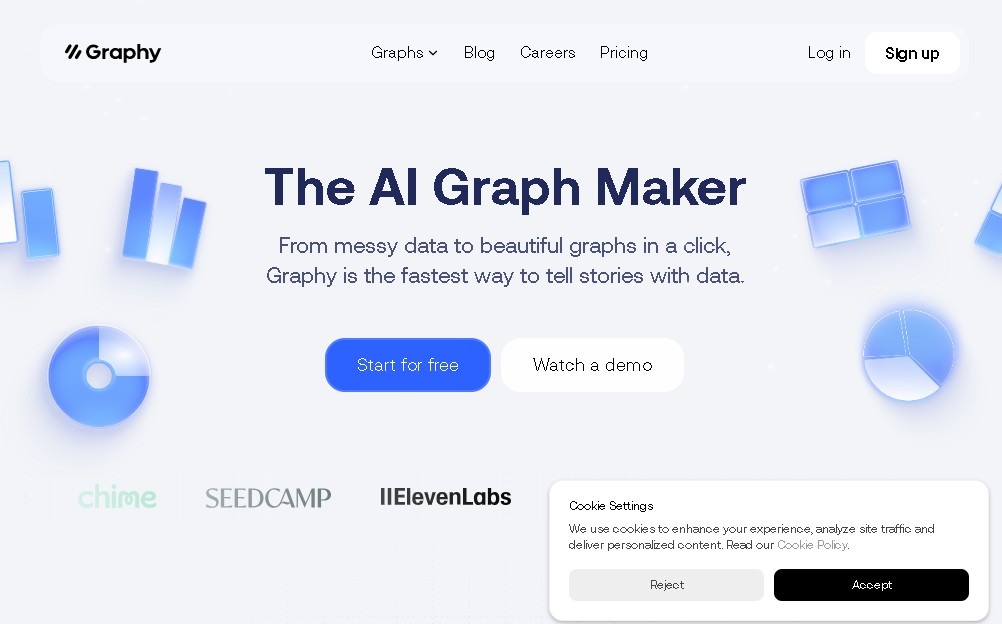
Turn data into professional charts with AI. Import files, customize styles, and generate impactful visualizations quickly and easily.
General Information about Graphy HQ
Graphy HQ is an advanced data visualization platform designed to transform complex datasets into interactive and professionally polished charts. Unlike conventional spreadsheet tools, this application leverages artificial intelligence to simplify the creation process, enabling any user to generate high-impact visual representations without requiring deep technical expertise in Business Intelligence. Its primary focus is on communicative clarity and operational efficiency when managing massive amounts of information.
The way Graphy operates is notable for its flexibility in data entry. Users can upload files in CSV or Excel format, directly link their Google Sheets, or even enter values manually. Once the information is imported, Graphy’s AI analyzes the data structure to automatically suggest the most appropriate chart type, whether it be bar charts, line graphs, pie charts, or heatmaps. This technology doesn't just automate design; it also provides key explanations and insights to help interpret trends and facilitate data storytelling.
The tool offers a wide range of functional capabilities and practical benefits:
- Full aesthetic customization: Adjust colors, styles, and fonts to align with the visual identity of any brand or project.
- Smart annotations: Add contextual notes to highlight specific milestones or anomalies within the graph.
- Export and integration: Export charts for use in presentations or embed them via code into websites, blogs, and internal platforms.
- Dynamic updates: Sync data from external sources so reports reflect real-time changes without the need for constant manual intervention.
This solution is particularly useful for data analysts, digital marketing teams, business managers, and academics seeking to optimize their workflows. By centralizing report creation within an intuitive desktop interface, Graphy HQ helps save time on meeting preparation and substantially improves data-driven decision-making. It is the ideal tool for those who need to present results clearly and professionally, eliminating the friction of complex formulas and allowing raw data to be transformed into a strategic visual asset instantly.
Features and Use Cases of Graphy HQ
How Graphy HQ Works
Frequently Asked Questions about Graphy HQ
What exactly is Graphy HQ, and what is it used for?
Graphy HQ is a data visualization tool that lets you easily transform complex information into engaging charts without needing advanced spreadsheet skills.
How can I import my data into Graphy HQ?
You can import your data by uploading CSV or Excel files, connecting directly to your Google Sheets, or simply typing the values into the platform.
Is there a free version to try out Graphy HQ?
Yes, the tool offers a free plan that includes a limited number of charts and basic access to AI features to get you started.
What AI features does Graphy HQ offer?
The AI analyzes your data to suggest the most suitable charts and generates automatic explanations to help tell the story behind the data.
Can I customize the design of my charts in Graphy HQ?
Yes, you can modify the colors, styles, and annotations for each chart to match your brand, then export or embed them into presentations or websites.
What are the benefits of the Graphy HQ Plus plan?
The Plus plan costs approximately sixteen dollars per user per month and includes unlimited charts, full AI access, and the removal of watermarks.
Does Graphy HQ support automatic data updates?
This feature is available through the Business plan, which allows you to automatically sync data from Google Sheets so your charts are always up to date.
Who is Graphy HQ primarily designed for?
It is designed for analysts, marketing teams, and businesses that need to present clear reports and make data-driven decisions quickly and visually.
Can I password-protect my charts in Graphy HQ?
Yes, the option to password-protect your visualization links is an advanced feature available in the Business plan.
What types of charts can I create with Graphy HQ?
You can generate a wide variety of formats, including bar, line, and pie charts, heatmaps, and other eye-catching visual representations.
Graphy HQ Pricing
Free Plan
Free.
- Limited number of charts.
- Basic AI access for creating visualizations.
Plus Plan
Approximately 16 $ per month per user.
- Remove Graphy watermark.
- Unlimited chart creation.
- Full access to all AI features.
Business Plan
Approximately 36 $ per month per user.
- Includes all Plus plan features.
- Automatic data updates from Google Sheets.
- Password-protected links.
- Access to brand kits and other advanced features.
Graphy HQ Screenshots