HandOCR
Share
HandOCR
Convert images and PDFs into editable text with high-precision AI. Securely digitize invoices, handwritten notes, and documents fast—no registration required.
General Information about HandOCR
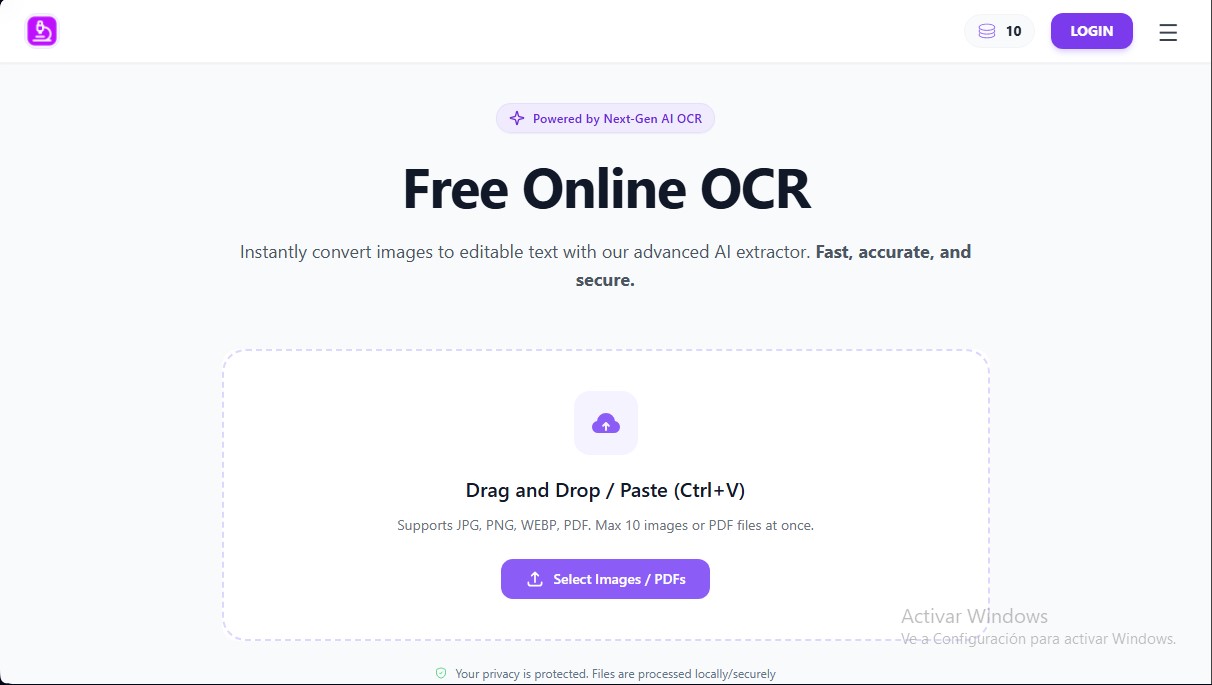
HandOCR is an advanced online OCR solution designed to convert images into editable text instantly using next-generation artificial intelligence. This tool allows users to transform visual files and static documents into actionable data, eliminating the need for time-consuming manual transcriptions. Its advanced AI engine can process common formats such as JPG, PNG, WEBP, and PDF, delivering high accuracy even with complex layouts or varied fonts.
The operation of this AI text extractor is straightforward and efficient. Users simply upload their files from a computer or mobile device, and the system automatically scans and recognizes the characters. Thanks to its batch processing capabilities, it is possible to manage up to 10 images or PDF files simultaneously, significantly streamlining workflows in professional and academic environments.
One of HandOCR's most notable technical features is its handwriting recognition capability, which allows for the digitization of physical notes, class lectures, or meeting minutes with optimal legibility. Additionally, it features an automatic language detection system, facilitating information extraction in multiple languages without prior configuration. Security is a cornerstone of the platform; files are processed securely and are regularly deleted from the servers to ensure the total privacy of confidential information.
This tool is particularly useful for various user profiles:
- Business Sector: Ideal for digitizing invoices, receipts, and contracts, making documentation easy to search and edit within management systems.
- Students and Researchers: Simplifies extracting content from library books, scanned journals, or online class screenshots to speed up thesis writing.
- Administration and Finance: Automates the capture of key financial data, such as vendor names and dates, reducing the risk of human error in accounting.
- Marketing and Sales: Enables business card scanning to integrate contacts directly into databases or CRMs.
By operating directly from the browser, HandOCR establishes itself as an accessible and fast image-to-text converter that requires no additional software installation. The process concludes by allowing the user to copy the extracted text directly to the clipboard or download it as a standalone text file, offering a seamless transition between physical formats and standard digital editing tools.
Features and Use Cases of HandOCR
How HandOCR Works
Frequently Asked Questions about HandOCR
What is HandOCR and what exactly does it do?
It is a state-of-the-art AI-powered tool that allows you to quickly and accurately convert images and PDF documents into editable text.
Is HandOCR free to use?
Yes, we offer a free daily quota. If you need to process a higher volume of files, you can purchase additional credits through a one-time payment with no mandatory subscriptions required.
What file formats does the tool support?
HandOCR is fully compatible with JPG, PNG, WEBP, and PDF files, allowing you to upload up to ten files at once.
Are my data and files secure when using HandOCR?
Privacy is our top priority. We process all files securely and automatically delete them from our servers on a regular basis.
Can HandOCR recognize handwriting?
Our AI technology is trained to identify and digitize handwriting as long as it is legible, though it offers optimal accuracy with printed text.
How can I extract text from a screenshot?
Simply upload the image to our platform and the system will automatically extract the content, allowing you to copy it to your clipboard or download it as a file.
Do I need to register or install anything to use the service?
There is no need to install any software or register for basic features, as the tool works directly in any web browser.
Does HandOCR support different languages?
Yes, the system automatically detects the language used in your images and documents to ensure accurate text extraction without manual errors.
HandOCR Pricing
Free Plan: 0 $
Free daily credit allowance.
No registration required for basic use.
Convert up to 10 images or PDF files simultaneously.
Supports JPG, PNG, WEBP, and PDF formats.
Handwritten and digital text recognition.
Automatic multi-language detection.
Plan 600 Credits: 9,99 $ (One-time payment)
600 credits for document processing.
Credits are only used after the free daily allowance is exhausted.
No monthly subscriptions or automatic renewals.
Access to all AI text extraction features.
Plan 1400 Credits: 19,99 $ (One-time payment)
1400 credits for document processing.
Credits are only used after the free daily allowance is exhausted.
No monthly subscriptions or automatic renewals.
Access to all AI text extraction features.
Plan 4000 Credits: 49,99 $ (One-time payment)
4000 credits for document processing.
Credits are only used after the free daily allowance is exhausted.
No monthly subscriptions or automatic renewals.
Access to all AI text extraction features.
Plan 8500 Credits: 99,99 $ (One-time payment)
8500 credits for document processing.
Credits are only used after the free daily allowance is exhausted.
No monthly subscriptions or automatic renewals.
Access to all AI text extraction features.
HandOCR Screenshots