
Share
AI assistant for Mac that analyzes your screen to teach you how to use apps, draws visual guides, and executes complex tasks via voice-activated agents.
What is heyclicky?
heyclicky is an AI assistant for Mac designed to integrate natively into a user's daily workflow. Unlike conventional chatbots, this tool functions as a contextual companion that resides within the operating system, allowing it to interact with any open application by analyzing what is happening on the computer in real-time. Its primary goal is to eliminate friction when learning new software or executing complex processes, providing direct visual and functional guidance over the user interface.
heyclicky’s technology uses the screen as its primary context to process information. When a user activates the tool via a hotkey, the AI analyzes the visual content to offer precise solutions. One of its most distinctive capabilities is the ability to draw on the screen, pointing out specific elements, menus, or tools within third-party applications. This interactive visual assistance approach is especially useful for mastering technical programs like FL Studio, DaVinci Resolve, Preview, or programming environments like Claude Code.
Key features and capabilities of this AI tool for macOS include:
- Dynamic visual guidance: The AI doesn’t just explain the steps; it physically marks on the screen where the user should click or how to navigate complex interfaces.
- Voice agent deployment: It allows users to summon AI agents via voice commands, without needing to interact with the terminal or write lines of code.
- Integration with productivity tools: The system can connect with platforms like Gmail, Notion, and Google Sheets to perform automated actions and manage cross-platform workflows.
- Immediate contextualization: When encountering an error or roadblock, the user can show the screen to heyclicky so it can instantly identify the problem and propose the most appropriate solution.
This intelligent assistant is aimed at a wide range of users, from developers and content creators to those looking to optimize their task management. Its architecture ensures privacy, as the AI only accesses visual information when the hotkey is activated, ensuring that processed screenshots are not stored on any server.
To use heyclicky, a device running macOS Sonoma 14.2 or higher is required. The application transforms computer usage into an assisted experience, where artificial intelligence acts as a tutor that teaches how to use complex tools while the user works with them, facilitating a much faster and more natural learning curve through the use of autonomous agent technology and natural language processing.
heyclicky features and use cases
How to use heyclicky
heyclicky FAQ
What are the minimum system requirements for my Mac to use heyclicky?
You need to have macOS Sonoma 14.2 or later installed.
How does heyclicky help me with questions about my apps?
The AI uses your screen’s context to draw directly on it and visually guide you through the steps you need to follow.
Is my privacy safe with heyclicky?
The system only views your screen when you activate the keyboard shortcut, and screenshots are never stored on its servers.
Can I use heyclicky for free?
Yes, there is a permanent free plan that doesn't require a credit card and includes a limited number of voice messages and agent interactions.
What kind of tasks can the agents perform for me?
Agents can connect to tools like Gmail or Notion to carry out actions using voice commands.
Are there any special benefits for creators in the heyclicky plans?
Developers and creators can request a 50% discount on the first month of a Pro subscription.
How do Google apps integrate with this tool?
You can directly link Google Sheets and Gmail so that agents can manage information without you ever needing to use the terminal.
Can I cancel my Pro or Max subscription at any time?
Yes, subscriptions are flexible and can be canceled whenever you like through your account settings.
heyclicky pricing and plans
Free ($0 / month): Free version to test the tool's capabilities.
- 25 voice messages (talk) per month.
- Generous dictation.
- 25 agent messages per month.
Pro ($20 / month or $16 / month billed annually): Recommended plan for everyday use.
- Unlimited voice conversations.
- Unlimited dictation.
- 150 agent messages per month.
- "Maker" Discount: 50% off the first month for project creators.
Max ($100 / month or $80 / month billed annually): The most advanced plan for power users.
- Unlimited voice conversations.
- Unlimited dictation.
- 1,000 agent messages per month.
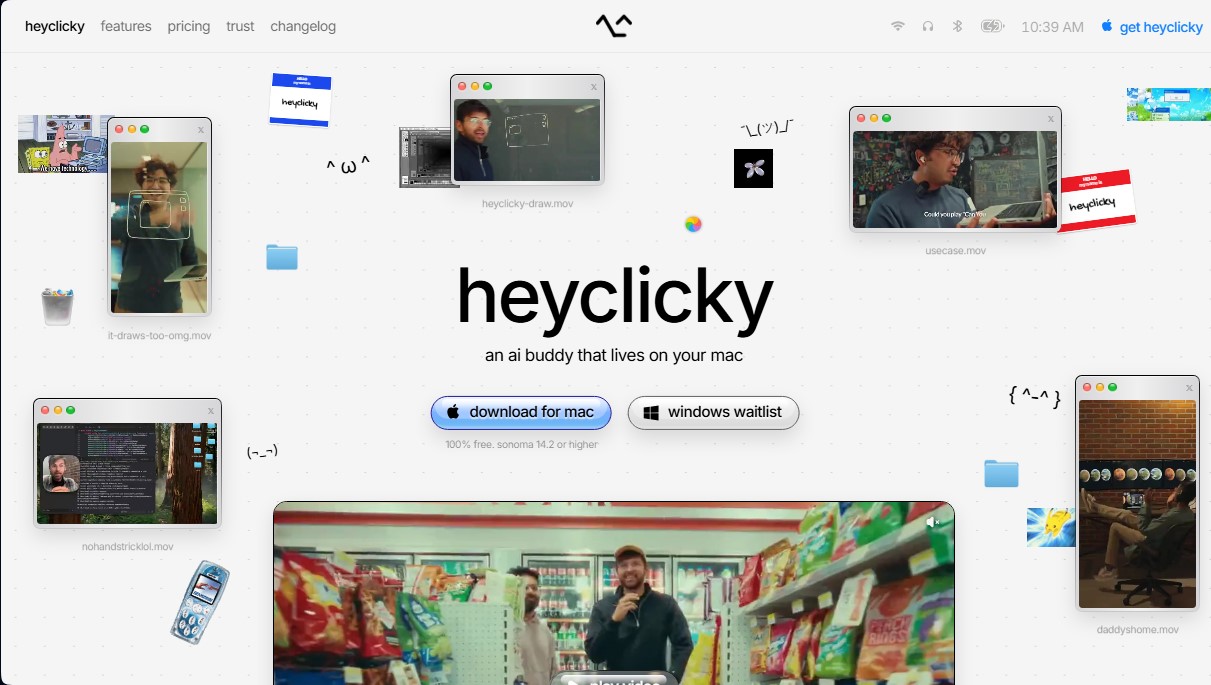
heyclicky Screenshots
heyclicky user reviews
Write a review
Checking your session...
heyclicky Reviews
Loading reviews...
heyclicky alternatives

CourseCrafter AI
CourseCrafter AI builds full courses with modules, lessons and quizzes from a PDF, notes or a topic, then lets you share them and track learner progress.


Rock Identify
Identify rocks, crystals, and minerals using photos. Analyze features like texture and grain to suggest types, explain properties, and answer geological questions.

Songscription AI
Convert audio files and video links into sheet music, MIDI, and tabs. Transcribe multiple instruments at once and export to PDF, MusicXML, or Guitar Pro.

aipoker.bot
Play poker against language models and advanced bots. Analyze AI reasoning for every hand, view equity stats, and improve your strategy for free.