

Share
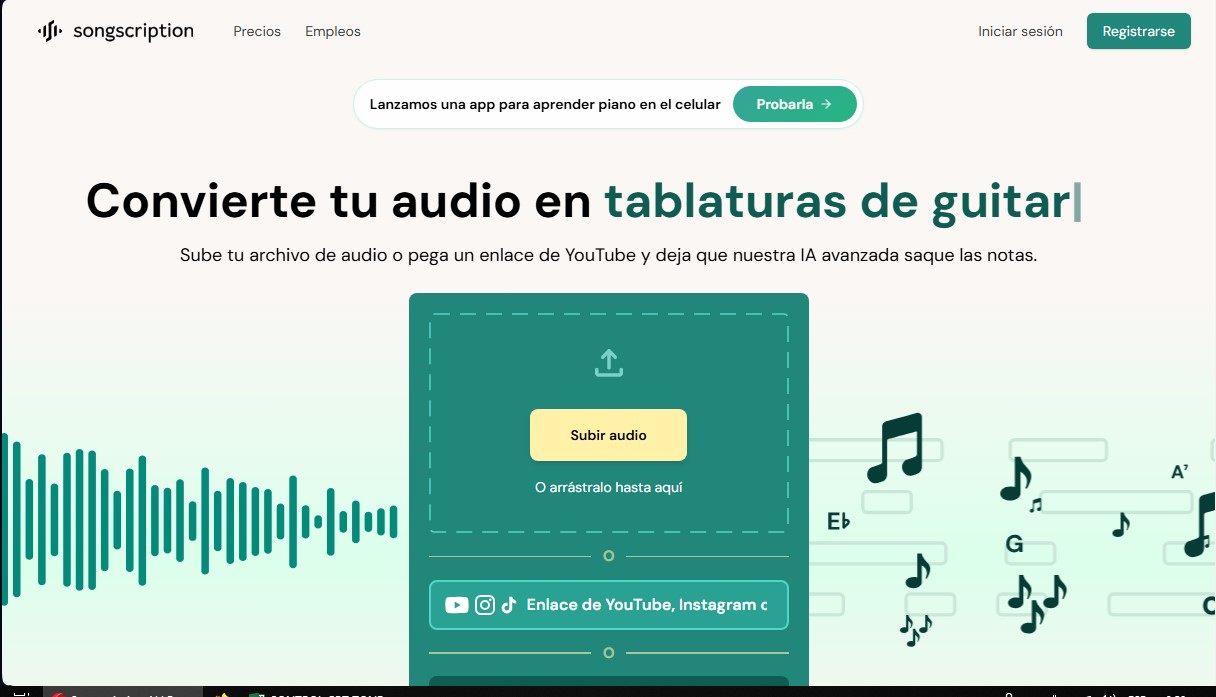
Convert audio files and video links into sheet music, MIDI, and tabs. Transcribe multiple instruments at once and export to PDF, MusicXML, or Guitar Pro.
What is Songscription AI?
Songscription AI is an advanced music transcription platform that uses artificial intelligence to transform audio recordings into professional musical notation. Its primary function is to help musicians, composers, and producers obtain sheet music, MIDI files, guitar tabs, and MusicXML files from various sound sources. The system supports uploading local files in formats such as MP3, WAV, or M4A, as well as direct integration via links from platforms like YouTube, Instagram, or TikTok—or even real-time audio recording directly from your device.
The tool stands out for its versatility, processing individual instruments such as piano, bass, violin, flute, trumpet, saxophone, drums, and vocals. One of its most innovative capabilities is the multi-instrument transcription mode (currently in beta), which can analyze a polyphonic recording and generate separate tracks for keyboards, strings, brass, woodwinds, synths, and percussion. This is incredibly useful for those who need to break down complex arrangements or create full band scores without having to transcribe by ear manually.
From a functional standpoint, Songscription AI goes beyond literal transcription by offering editing and customization tools geared toward practice and creation:
- Automatic Arrangements: Convert any song into a piano cover, adjusting the difficulty level or generating specific formats like lead sheets with chord symbols and piano/vocal arrangements.
- AI Editor: Includes Annie, a virtual assistant that makes changes to the score based on simple text descriptions.
- Interactive Visualization: Features an interactive piano roll that facilitates visual learning, allowing users to separate left- and right-hand notes, adjust playback speed, and transpose keys.
- Versatile Exporting: Results are compatible with notation software like MuseScore and Sibelius, or digital audio workstations (DAWs) via MIDI files.
This solution is designed to optimize the workflow for music teachers, students, performers, and professional transcribers. Songscription AI technology automatically identifies fundamental technical elements such as key signatures, time signatures, trills, staccatos, and other expression marks, ensuring high accuracy even in fast or technically demanding pieces. Additionally, for guitarists, the system generates detailed tabs with fingering for every note, simplifying the performance of both acoustic and electric pieces. As a tool accessible via web browser and mobile app, it allows users to quickly and efficiently turn musical ideas into editable documents.
Songscription AI features and use cases
How to use Songscription AI
Songscription AI FAQ
What is Songscription and what is it used for?
It is an AI-powered platform designed to automatically convert audio recordings into sheet music, MIDI files, guitar tablature, and MusicXML.
What types of files or links can I use with Songscription?
You can upload local files in MP3, WAV, or M4A formats, record audio directly from the website, or paste links from platforms like YouTube, Instagram, and TikTok.
Which instruments can the tool transcribe?
Songscription can transcribe piano, guitar, bass, violin, flute, trumpet, saxophone, drums, and vocals, including a mode for processing multiple instruments simultaneously.
What formats can I export my results in?
Users can download their transcriptions as PDFs for sheet music, MIDI for audio editors, MusicXML for programs like MuseScore, and Guitar Pro files.
Does Songscription offer any free options?
Yes, there is a free plan that allows for unlimited 30-second transcriptions and a free trial for processing full-length songs.
Can I edit the sheet music generated by the AI?
The platform includes an interactive editor with an assistant named Annie, who makes changes to the score based on the text descriptions you provide.
What additional features does the Songscription viewer include?
The system features an interactive piano roll, a hand separator for piano, an automatic fingering generator, and the ability to adjust playback speed.
Songscription AI pricing and plans
Free – 0 US$
Unlimited transcriptions for files up to 30 seconds long.
Includes a 14-day free trial for longer transcriptions.
Access to basic transcription features for occasional use.
Plus – 9.99 US$ per month (8.33 US$/mo billed annually)
Transcribe files up to 15 minutes in length.
600 credits per month.
60-minute monthly transcription limit.
Export in MIDI, MusicXML, PDF, and Guitar Pro formats.
Option to opt out of AI model training.
Pro – 29.99 US$ per month (24.99 US$/mo billed annually)
Transcribe files up to 15 minutes in length.
3,000 credits per month.
300-minute monthly transcription limit.
Export in MIDI, MusicXML, PDF, and Guitar Pro formats.
Priority support.
Option to opt out of AI model training.
Enterprise – Contact sales for pricing
API access.
Custom transcription limits tailored to your needs.
Batch transcription capabilities.
Dedicated support.
Option to opt out of AI model training.
Songscription AI Screenshots
Songscription AI alternatives

TextInMyVoice
Clone your voice with a short sample to turn text into natural voiceovers. Generate and download MP3s in your own tone for free, no registration required.

AlreadyRan
AlreadyRan brings dozens of AI image, video and audio models into one web studio with a single credit balance and the cost shown before every generation.



MusicGenerater.com
Generate songs with vocals and music from descriptions or lyrics. Create any genre, extend tracks, and easily separate vocals from instruments.