

Share
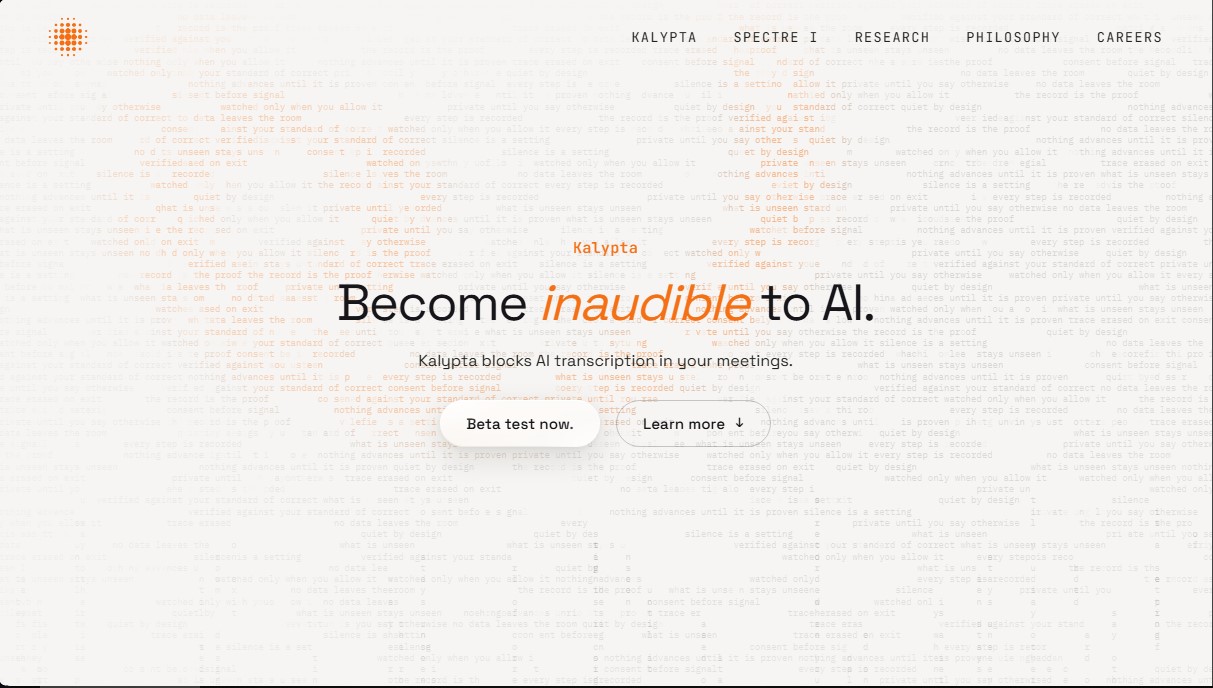
Prevent AI from transcribing your meetings by modifying audio in real-time. Confuse transcribers while attendees understand you with crystal clarity.
What is Kalypta?
Kalypta is an application specifically designed to block AI transcription during virtual meetings and digital calls. Its primary function is to make the user "inaudible" to automated speech recognition systems, ensuring that AI note-takers and bots cannot generate written records of the conversation. This tool is geared toward professionals, executives, and users who prioritize online meeting privacy and want to prevent their dialogues from being processed by third-party language models.
Kalypta operates by running a small local AI model that processes sound directly on the computer. The technology works by reshaping audio in real-time, introducing alterations that are imperceptible or manageable to the human ear but highly disruptive to natural language processing algorithms. While other meeting participants can still hear the voice clearly, automatic transcription engines receive a distorted signal that prevents them from generating useful text. According to the tool's performance data, AI fails to transcribe approximately two out of every three words when the system is active.
From a technical standpoint, this solution has been perfected by analyzing open-source transcription architectures, including Whisper models and NVIDIA voice systems. This ensures its ability to confuse AI transcribers effectively across a wide variety of current technologies. A critical aspect of its architecture is that voice processing is strictly local; audio data is never sent to the cloud or stored after the session ends, eliminating data breach risks.
Key capabilities and benefits of Kalypta:
- Compatibility with leading platforms: It has been successfully tested with video conferencing tools such as Google Meet, Zoom, and Microsoft Teams.
- AI voice protection: It disrupts the creation of automated meeting minutes and prevents private conversations from being used for model training.
- Absolute privacy: By not relying on external servers, it ensures that sensitive information remains on the user's device.
- Optimized for Apple Silicon: Currently, the application is available for macOS devices with Apple processors, leveraging their power for real-time audio processing without noticeable latency.
This tool represents an essential security layer for those looking to avoid AI voice tracking and maintain total control over information shared in digital workspaces. By mitigating the effectiveness of smart note-taking assistants, users regain sovereignty over their words in an ecosystem increasingly monitored by automated algorithms.
Kalypta features and use cases
How to use Kalypta
Kalypta FAQ
What is Kalypta and how exactly does it work?
Kalypta runs a local model on your device that processes your voice in real time to prevent AI tools from generating readable transcriptions.
Will other meeting participants still be able to hear me clearly if I use Kalypta?
Yes, your voice will remain perfectly intelligible to everyone else on the call, though the beta version may introduce a slight amount of background noise.
Is my audio data sent to the cloud or stored on any server?
No, all processing happens locally on your computer. No information is sent to the cloud, and no logs are kept after your session ends.
Which video conferencing platforms can I use Kalypta with?
The system is currently compatible with and has been successfully tested on Google Meet, Zoom, and Microsoft Teams.
What are the hardware requirements for installing Kalypta?
At this time, the application is only available for macOS devices powered by Apple Silicon processors.
Is Kalypta effective against all types of AI transcription tools?
The tool has been specifically trained to block various model architectures, including OpenAI’s Whisper and NVIDIA’s voice models.
How can I join the testing phase for the app?
You can sign up for the beta on the official website by agreeing to provide feedback on the software's performance after use.
Kalypta pricing and plans
Beta Version: Free (pre-registration required).
Real-time AI transcription blocking during meetings.
Local on-device model processing, with no data sent to the cloud and no audio storage.
Compatible with Google Meet, Zoom, and Microsoft Teams.
Restrictions: Available exclusively for macOS devices with Apple Silicon processors.
Requirement: Participants must provide feedback via forms or calls with the team.
Spectre I Reservation: 300 USD (refundable deposit).
Guarantees a spot in the reservation queue for the Spectre I device powered by Kalypta technology.
The deposit will be applied toward the final purchase price.
The final product price has not yet been released; please check the official website for the final cost prior to shipping.
Kalypta Screenshots
Kalypta alternatives



UltraHumanizer
Transform AI text into natural, human-like content. Customize styles, process documents, and preserve the original meaning to bypass automatic detection.


Humanize Max
Transform AI text into natural, human-sounding content. Customize styles, adjust length, and rewrite sentences for free with no sign-up required.
Humanio AI
Transform AI text into human-like content to bypass detectors like Turnitin or GPTZero. Preserves original meaning and SEO keywords.